ZeuZ Platform 202605

Welcome to the May 2026 release of the ZeuZ platform! This update introduces ZeuZ Studio for AI-assisted UI mockups, expands ZAI chatbot automation to Windows and Linux desktop workflows, redesigns Unified Search, improves capacity planning and daily standups, and includes important reliability, navigation, import, and editor enhancements.
🚀 New Features
- ZeuZ Studio: A dedicated workspace for creating, refining, comparing, and versioning AI-generated UI mockups.
- Test Case Versioning: Saved full-test-case checkpoints with version previews, restore, delete, and attachment-aware behavior.
- ZAI Chatbot Windows Platform Support: Desktop application automation support through app selection and UI tree inspection.
- Linux Inspector: Interactive element selection for Linux desktop automation.
- Unified Search Redesign: A rebuilt Everything page with faster indexed search, saved filters, KPI counters, and new lifecycle and AI status columns.
- Team & Project Management Module: Centralized project, team, user, and project settings management.
- Daily Standup and PR Reviews: Daily Standup is now the default AI Standup view, with PR review visibility and reviewer assignment support.
- Capacity Exceptions: Capacity Planning now supports user availability exceptions over selected date ranges.
🐛 Bug Fixes
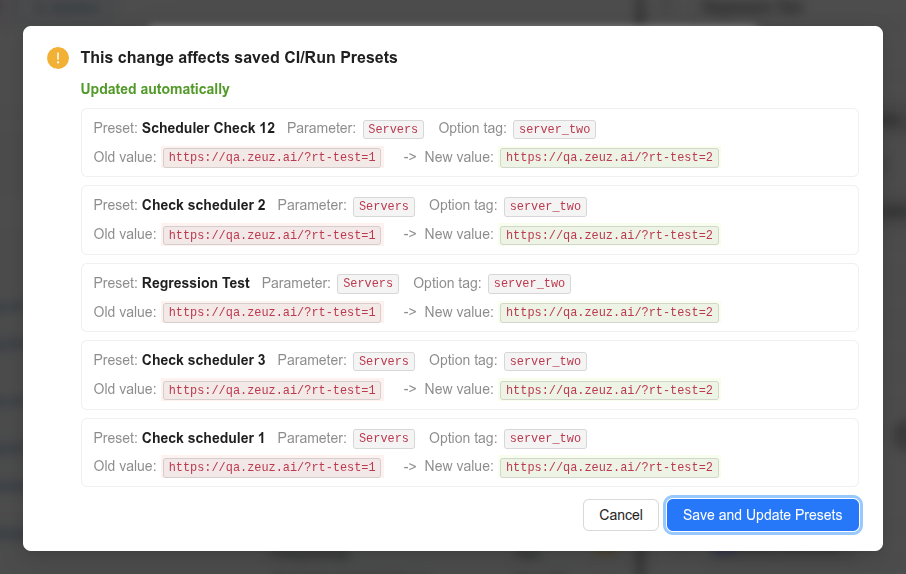
- Runtime Parameter & Run/CI Presets Sync: Updating only a Runtime Parameter option value no longer removes it from linked Presets.
- Automatibility Status After Step Changes: Bulk step updates no longer overwrite valid test case automation status with undefined values.
- Access Token Renewal: Session renewal now reads the correct expiry key and refreshes tokens on schedule.
- ZAI Context URL Handling: WebSocket events no longer erase an existing GQL context URL when no new URL is provided.
- Project Management Date Range Timezone: Date-only values now hydrate and format without timezone-related date shifts.
- Folder, Permission, and User Search Fixes: Folder deletion warnings, Admin Group permission labels, and user search behavior were corrected.
🛠️ Improvements
- Runtime Parameter Modification Warning Modal: Save/delete impact previews now show affected Presets with clearer old/new value highlighting.
- Project Management Navigation: Responsive navigation, ticket title validation, and Agentic Implement assistant visibility were improved.
- Test Plan Experience: Creation and editing now have cleaner layout, better validation, and clearer preset context.
- Documents Experience: The legacy Help page was replaced with richer document search, filtering, folder navigation, custom views, and table controls.
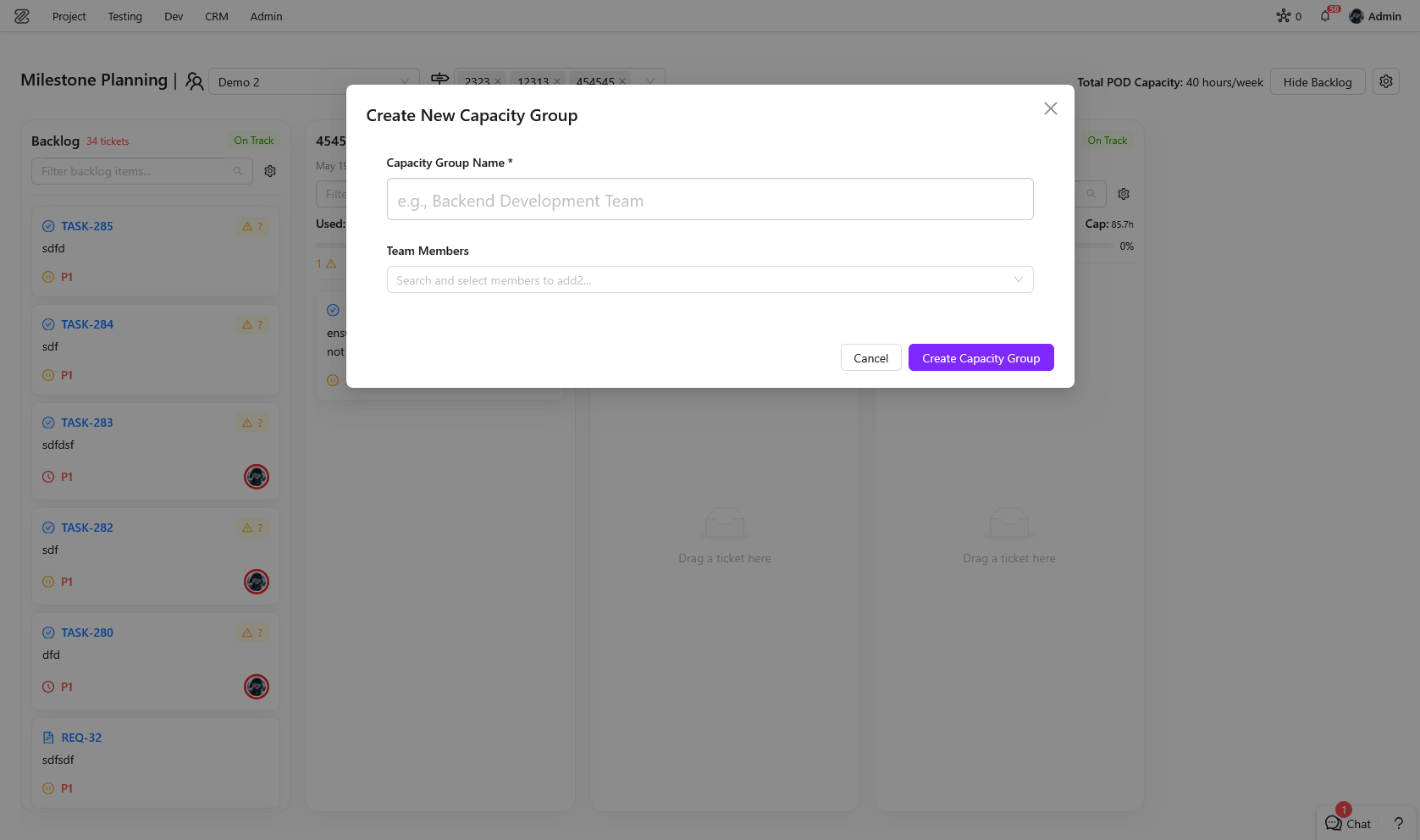
- POD and Milestone Creation: Planning flows now create and select PODs and milestones with fewer steps.
- Editor Image Uploads: Drag-and-drop, clipboard paste, loading feedback, and automatic editor image sizing were improved.
- Test Import: Large imports, failure reporting, cancel behavior, and default missing-location handling were improved.
- Sprint and Milestone Planning: Sprint View, auto assignment, column sorting, and manual milestone ordering received planning upgrades.
1. ZeuZ Studio
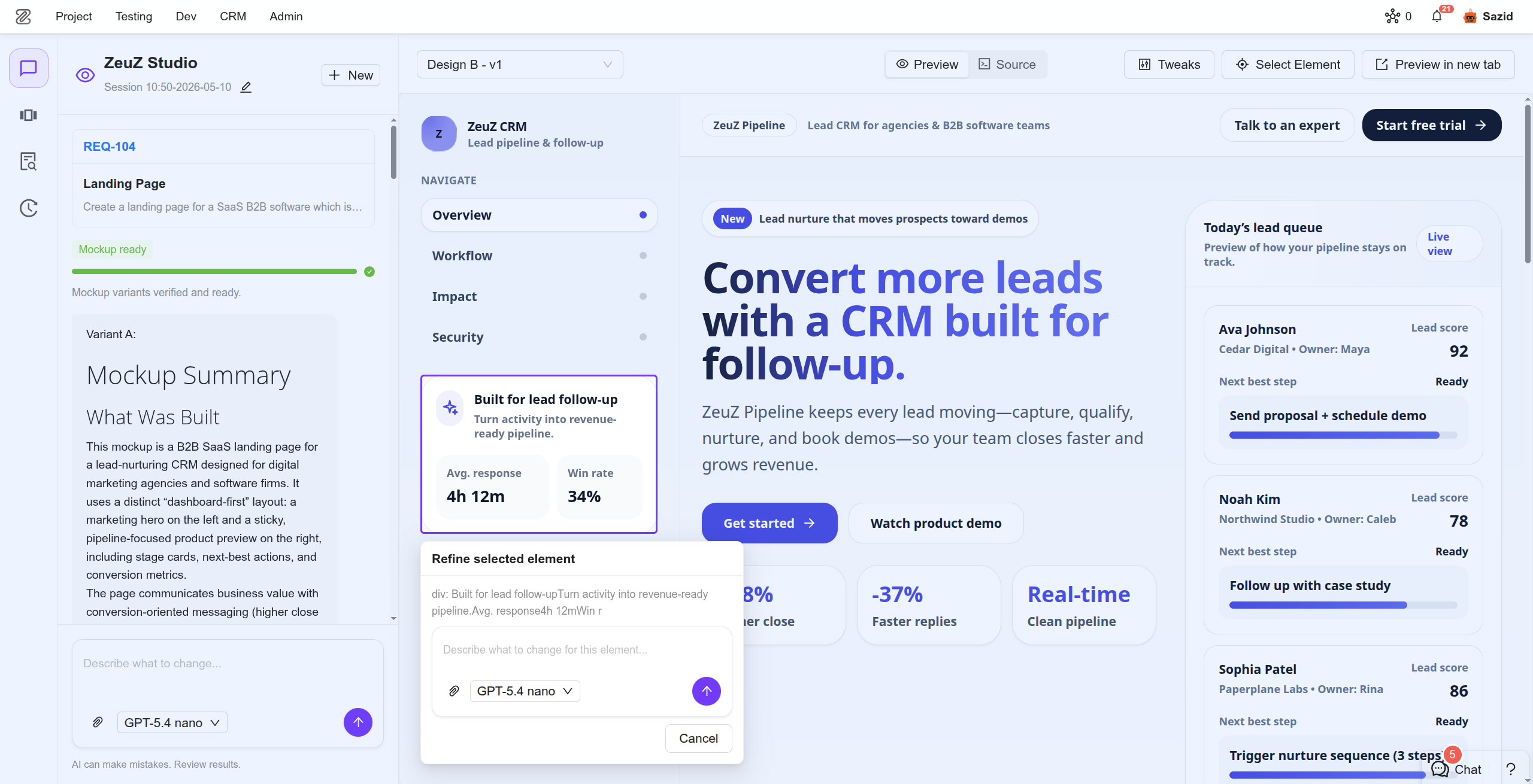
ZeuZ Studio is a new dedicated space for creating and refining UI mockups with AI.
It replaces the previous UI Mockup Generator, which was tied to Agentic Implement and only available from a ticket page. Studio now gives teams a focused place to explore interface ideas, compare options, refine details, and keep mockup work organized before implementation begins.
A Dedicated Studio Experience
ZeuZ Studio can be opened as its own workspace, with or without a ticket. Start from a requirement, a task, or a plain prompt, then generate a mockup directly from the Studio page.
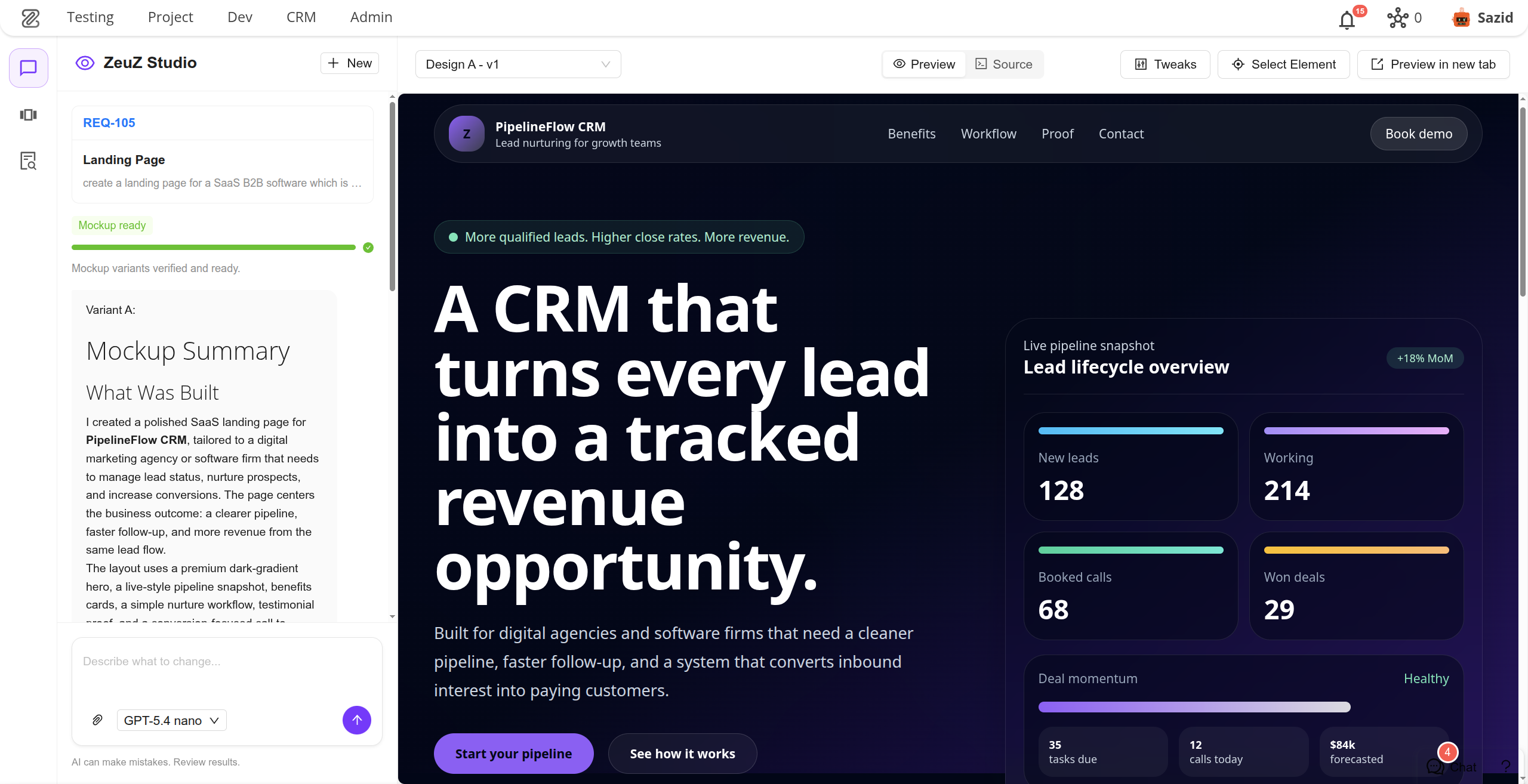
Chat-Driven Mockup Creation
The chatbox is the main way to work with Studio. Describe the UI you want, attach reference images, generate the first mockup, and continue the conversation to refine it. Studio keeps the conversation alongside the mockup, so the intent behind each change stays easy to follow.
Clear Left Rail Navigation
The rail menu organizes the Studio workflow into simple areas:
- Chat for prompts, feedback, and generation progress.
- Variants for comparing generated designs and previous versions.
- Design Context for matching an existing product or repository.
- History for returning to earlier Studio sessions.
Multiple Design Variants
Studio can generate several design options from the same request. Each option is shown as a visual card, making it easy to compare directions and choose the one that best fits the product.
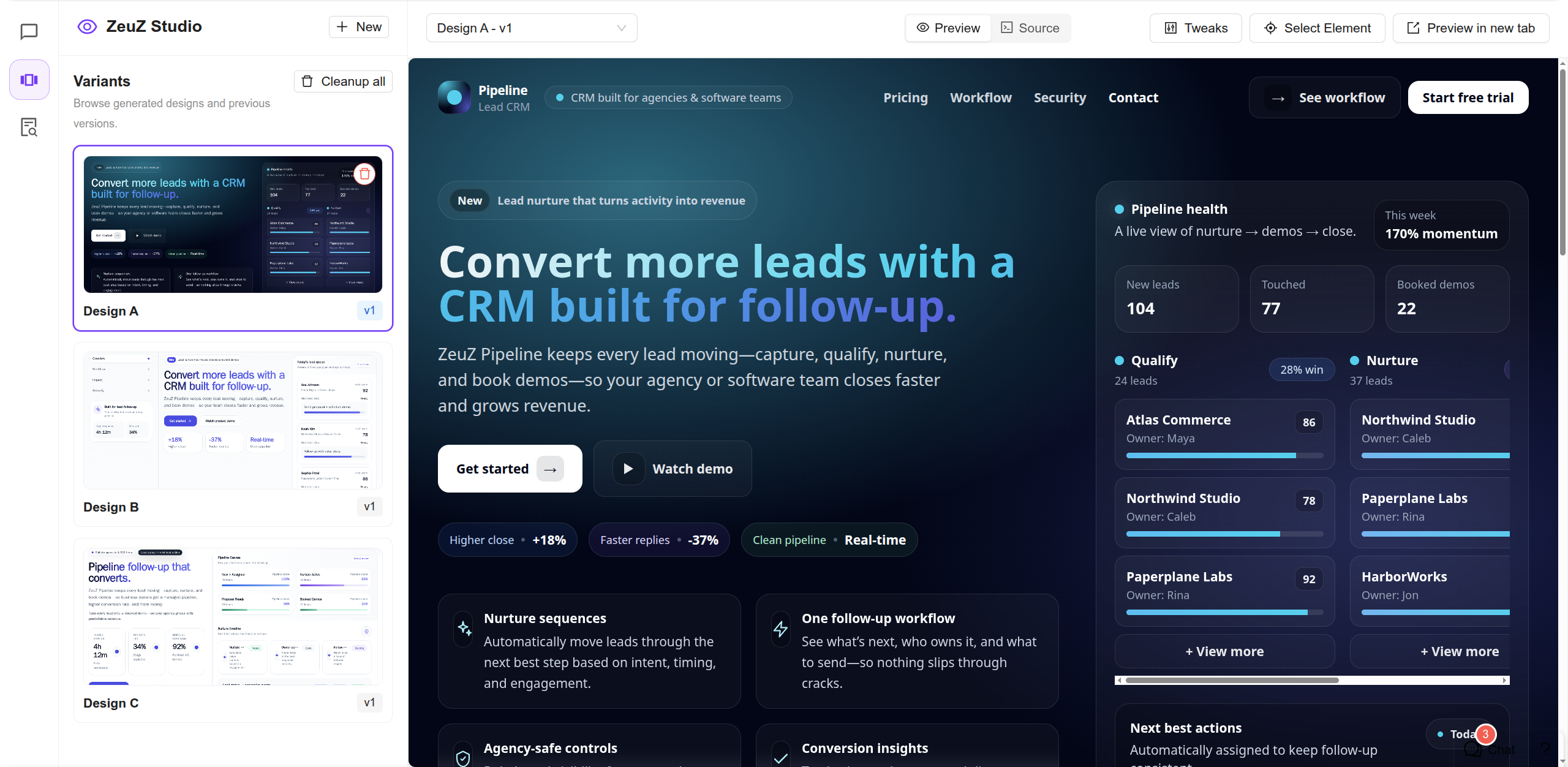
Version Switching
Every refinement creates a new version of the selected design. Users can switch between versions, compare progress over time, and return to an earlier direction when needed.
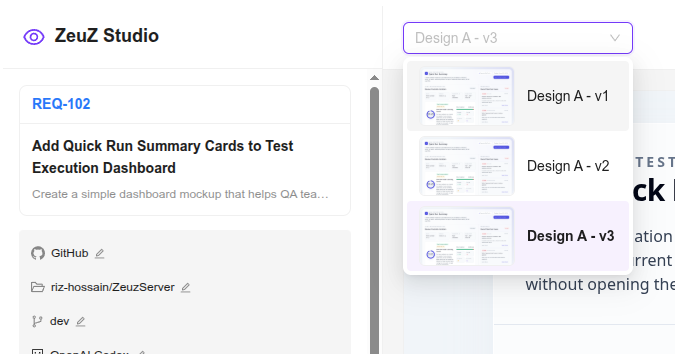
Tweaks for Quick Adjustments
Tweaks gives users simple controls for adjusting parts of a mockup without writing another full prompt. Depending on the mockup, these can include controls such as colors, spacing, density, sizing, or display options.
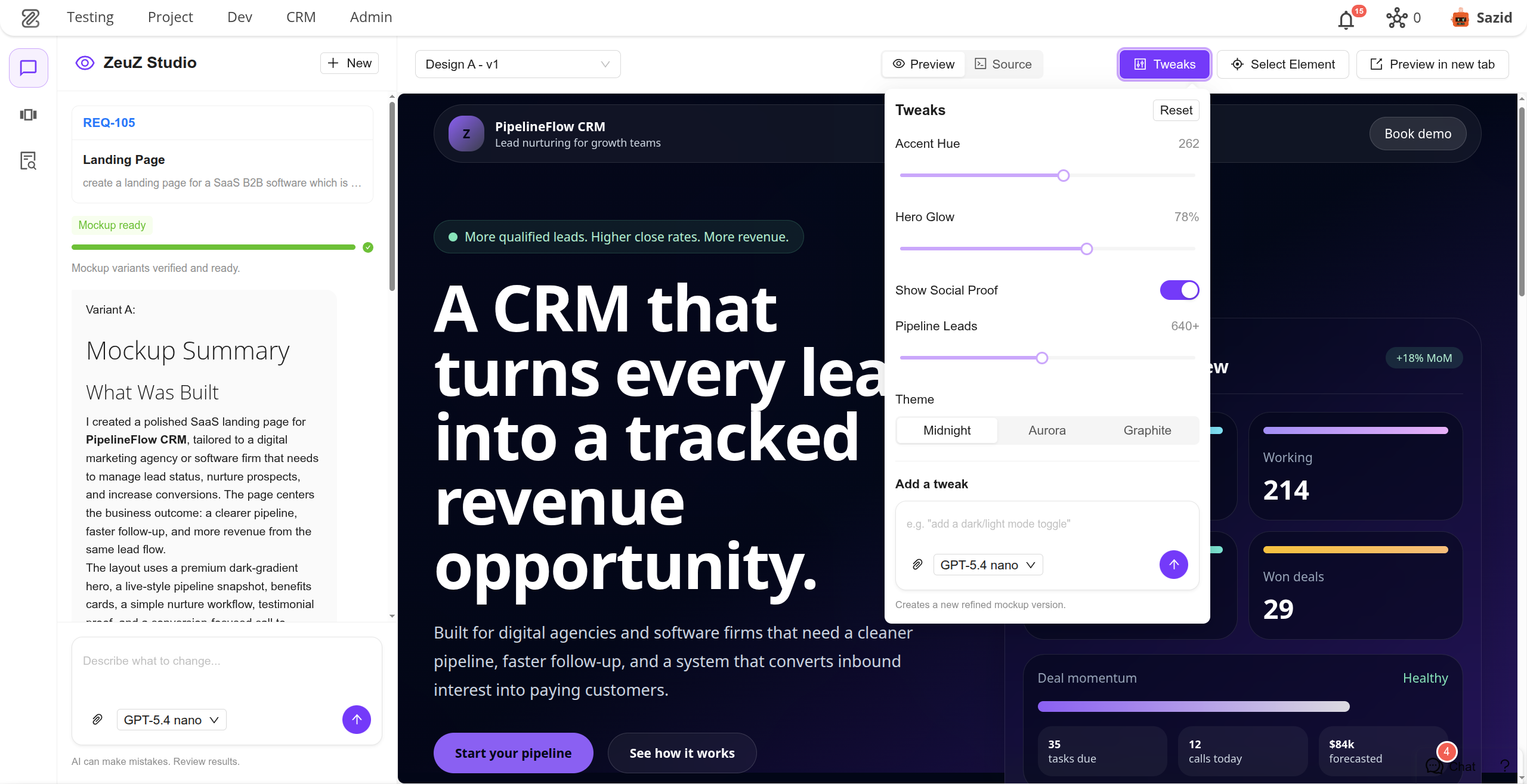
Element Picker for Targeted Feedback
The element picker lets users select a specific part of the mockup and ask Studio to change only that area. This makes feedback more precise, especially when a mockup is mostly right but one section needs work.
Design Context for Product Fit
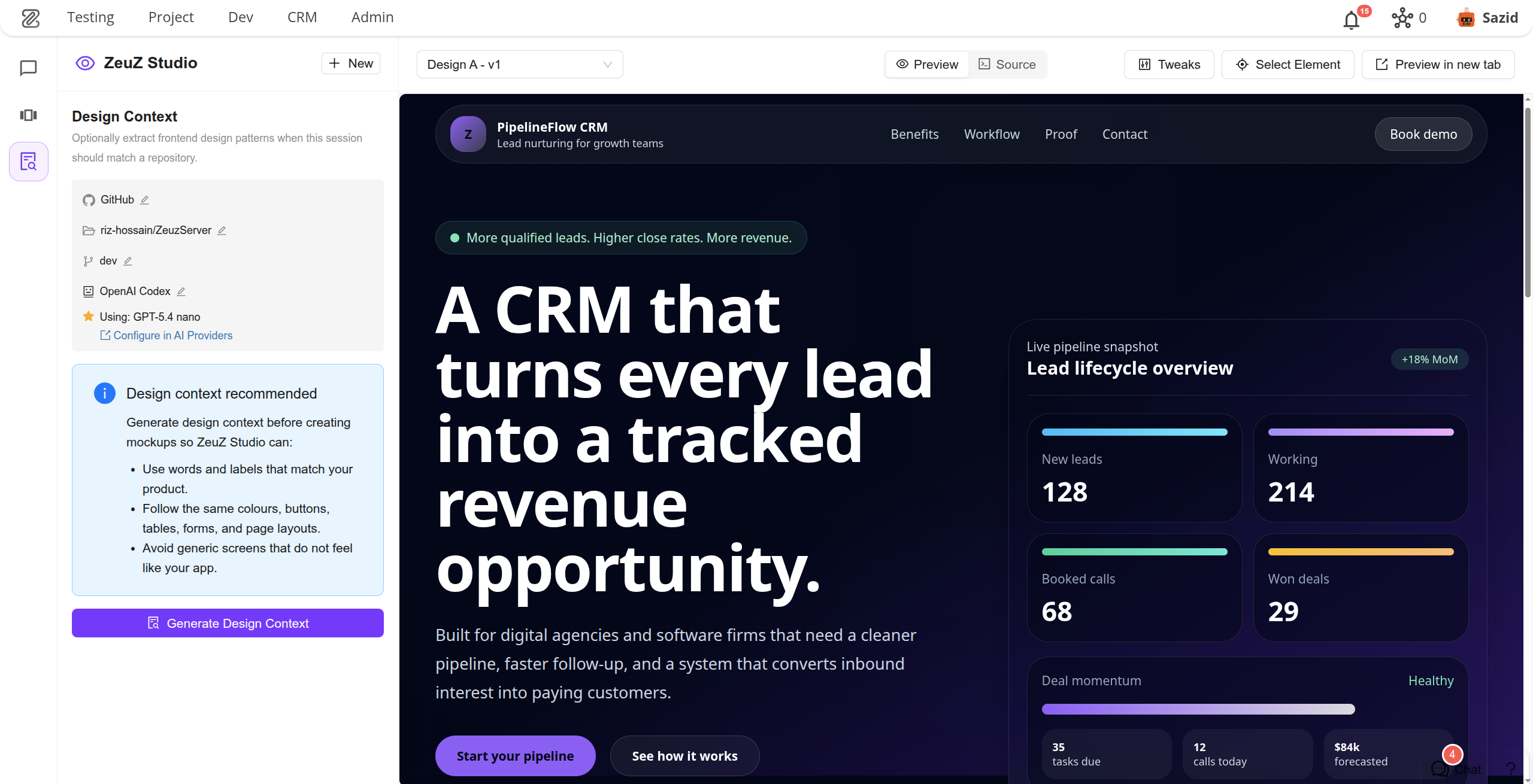
Design Context helps Studio understand an existing application before generating mockups. When users choose a repository and branch, Studio can learn from the product's current screens, labels, colors, components, and layout patterns, so new mockups feel closer to the real app.
GitHub Repository Configuration
Studio supports repository and branch selection when a mockup should match an existing codebase. This is optional: users can start with only a prompt, or connect a GitHub repository when product-specific context matters.
Preview and Source Views
Users can preview the generated mockup inside Studio, open it in a new tab, or switch to a source view when they need to inspect what was generated.
Session History
Studio sessions are saved, named, and available from the history rail. Teams can reopen past mockup explorations instead of starting from scratch each time.
A Better Path from Idea to Implementation
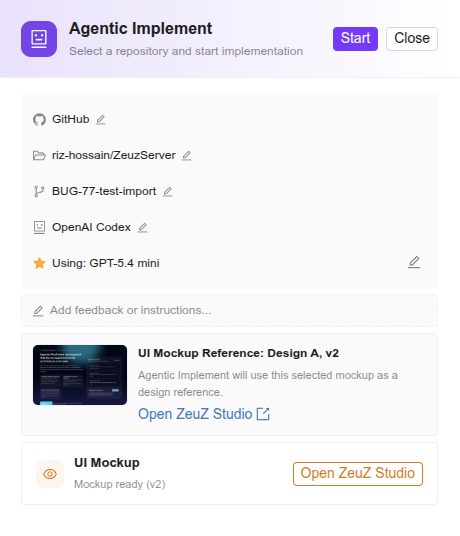
ZeuZ Studio separates mockup exploration from implementation work. Teams can now shape the UI first, choose the best design direction, refine it with AI, and then use the selected mockup as a clearer starting point for implementation.
2. Runtime Parameter & Run/CI Presets Sync Issue
Fixed an issue where updating only a Runtime Parameter option value caused that parameter to disappear from linked Presets, forcing users to reopen each affected Preset and select it again.
3. Improvements
Runtime Parameter Modification Warning Modal
Added a save/delete impact preview and confirmation modal showing affected Presets with clear old/new value highlighting.
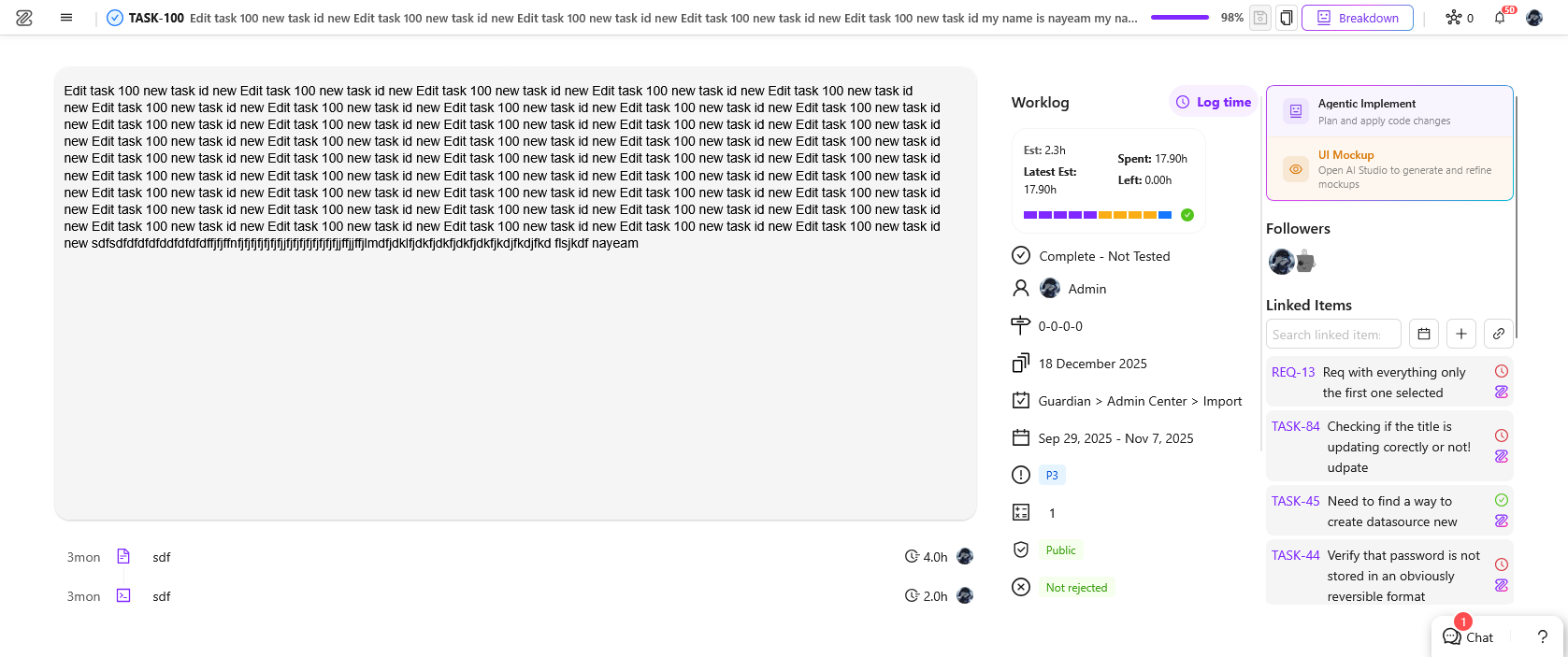
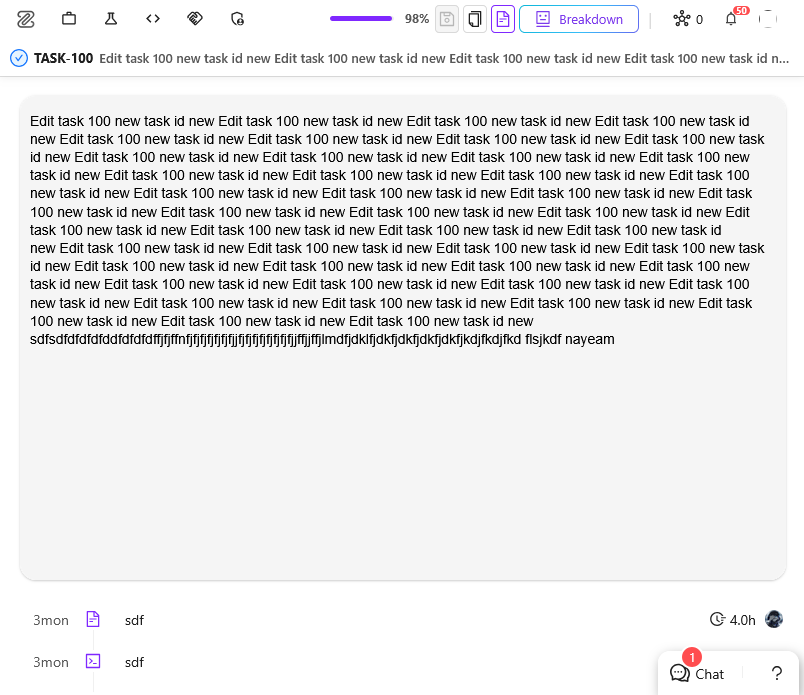
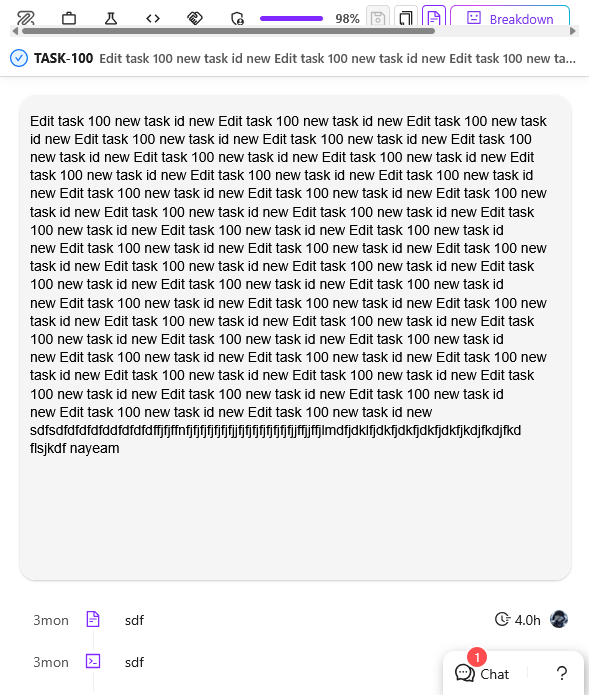
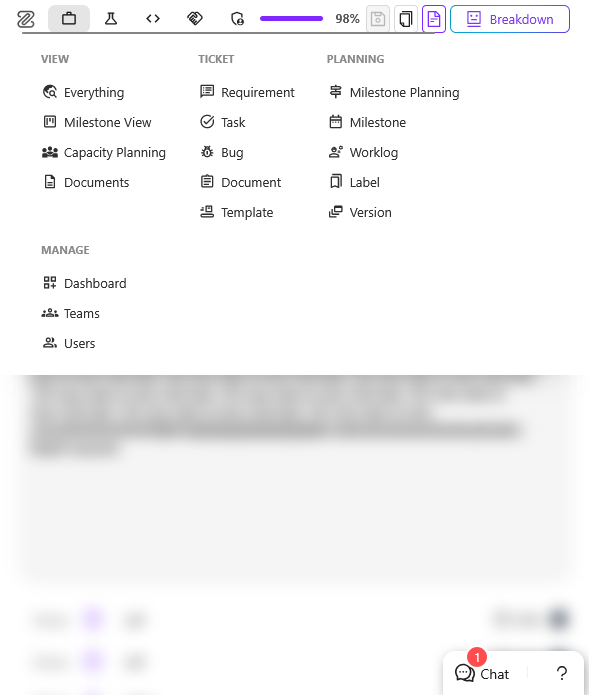
Responsive Project Management Navigation
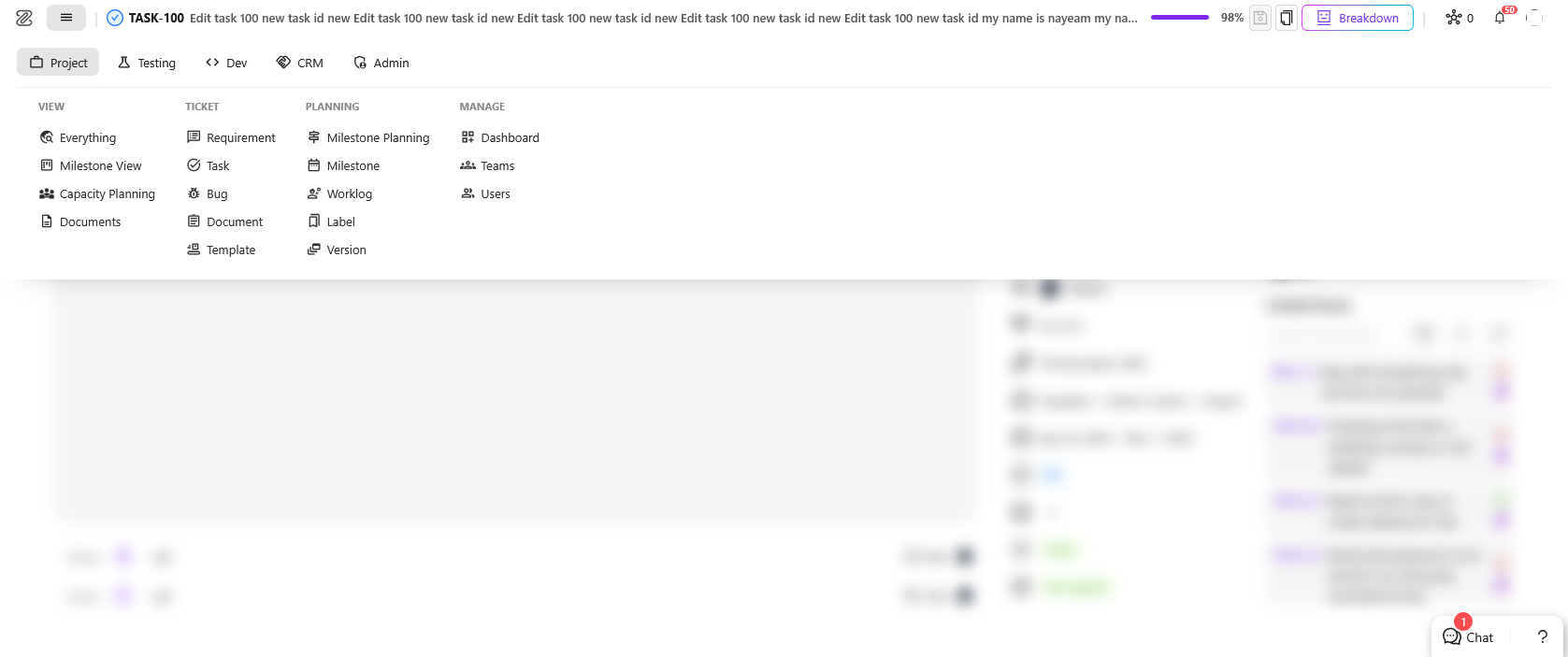
The Project Management navigation now adapts better to smaller screens, making it easier to access menu items without losing visibility or workspace.
Additional improvements include ticket title validation updates and fixes for several UI issues, including a problem that could prevent the Agentic Implement assistant from appearing correctly.
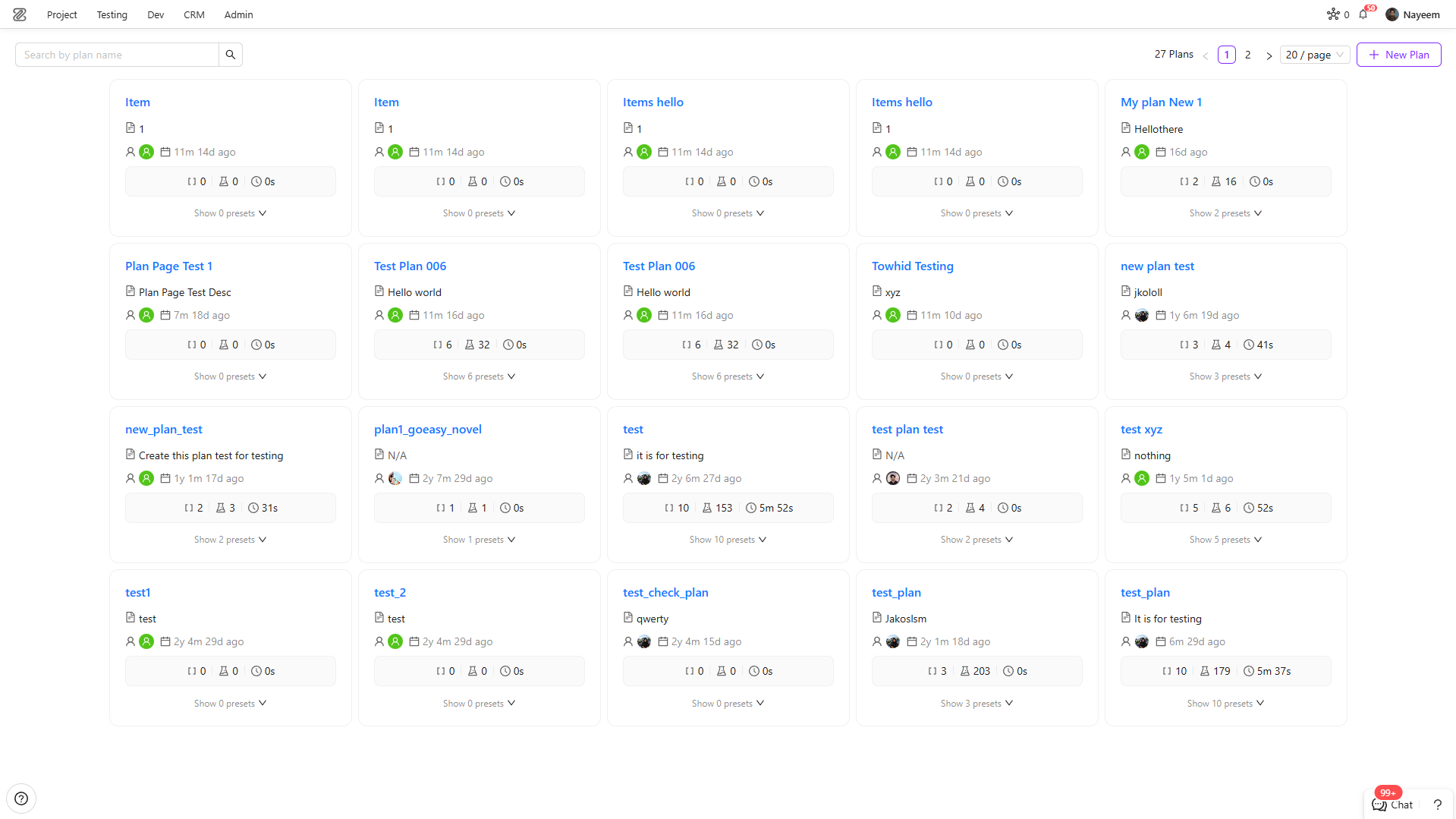
Improved Test Plan Experience
The Test Plan creation and editing experience has been refreshed with a cleaner layout and improved validation. Users now receive clearer feedback when plan names are missing, invalid, or already in use. Additional updates make Plan Edit easier to navigate and provide more context about presets and their creators.
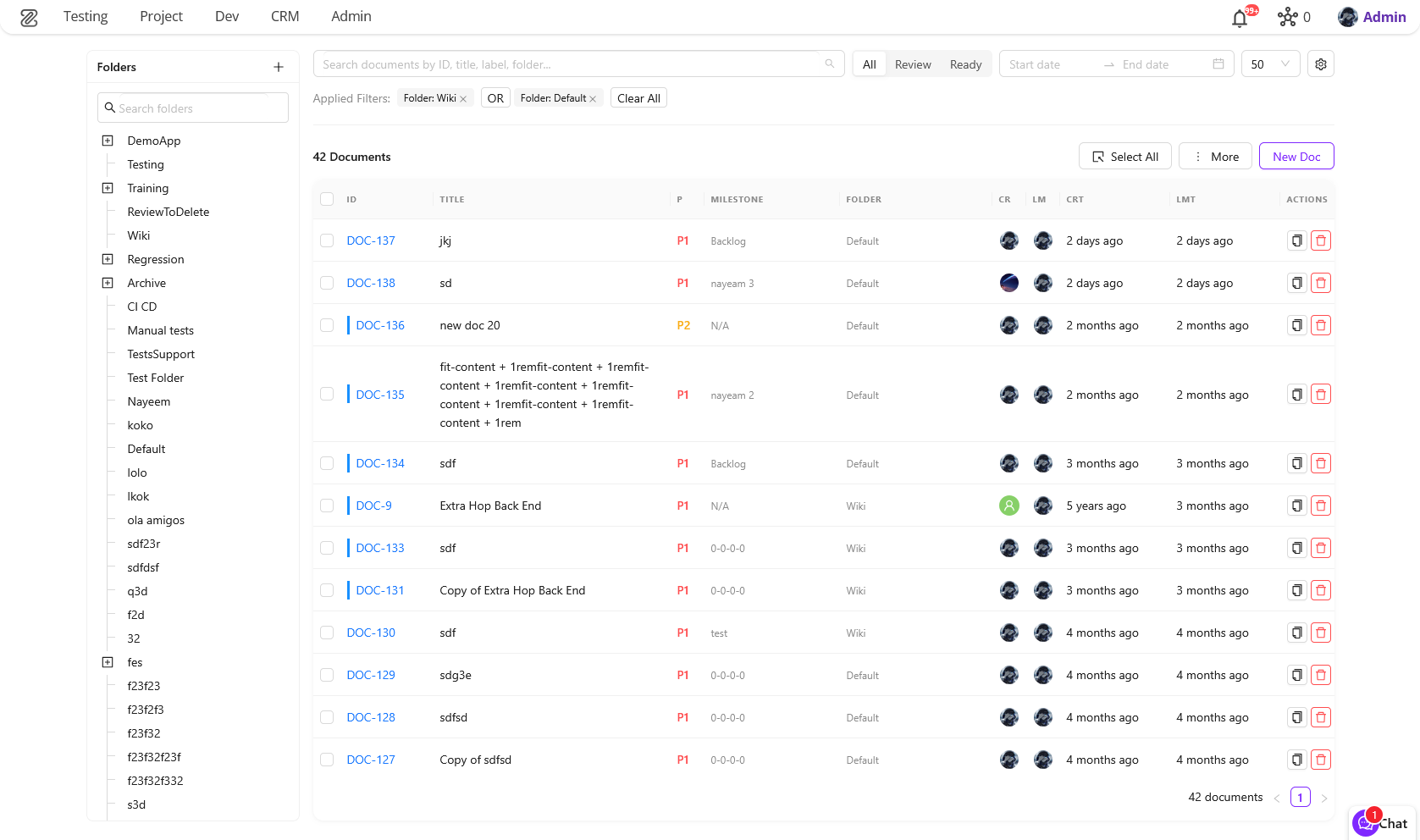
New Documents Experience
The legacy Help page has been replaced with a new Documents experience. The updated page provides improved search, filtering, folder navigation, customizable views, and a richer document table, making it easier to find and manage project documentation.
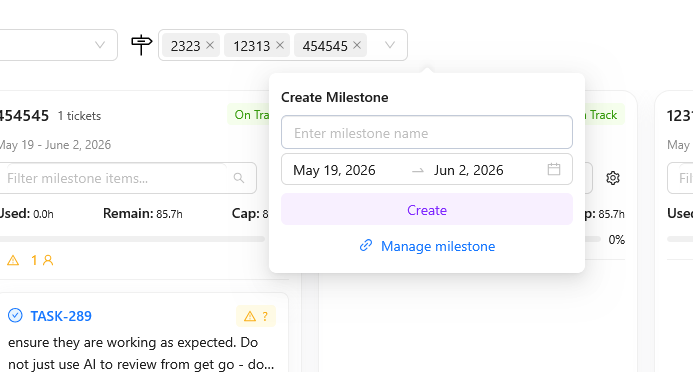
Faster POD and Milestone Creation
Creating PODs and milestones in Milestone Planning is now faster and requires fewer steps. New items can be created directly from the planning view and are automatically selected once created, helping teams stay focused on planning work.


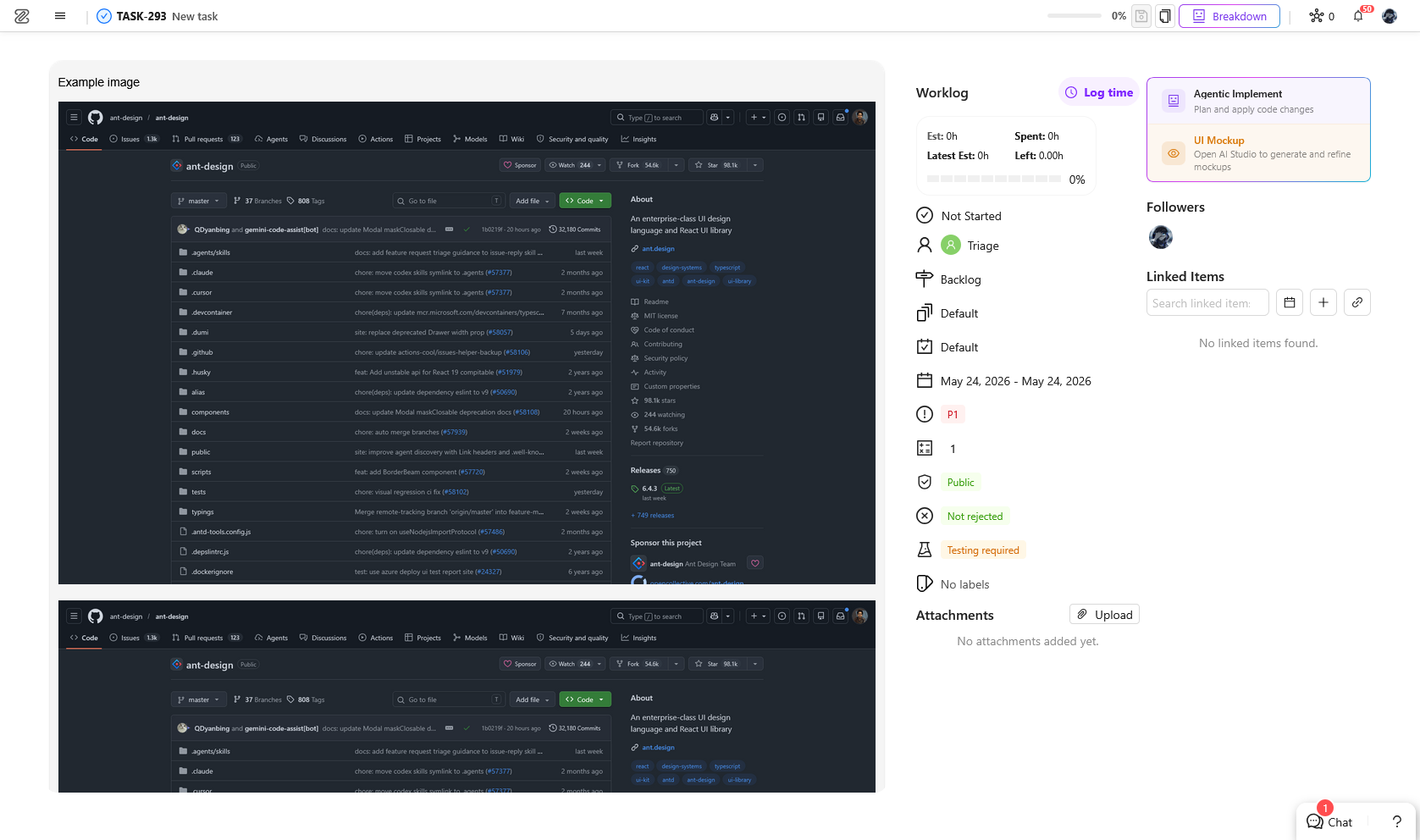
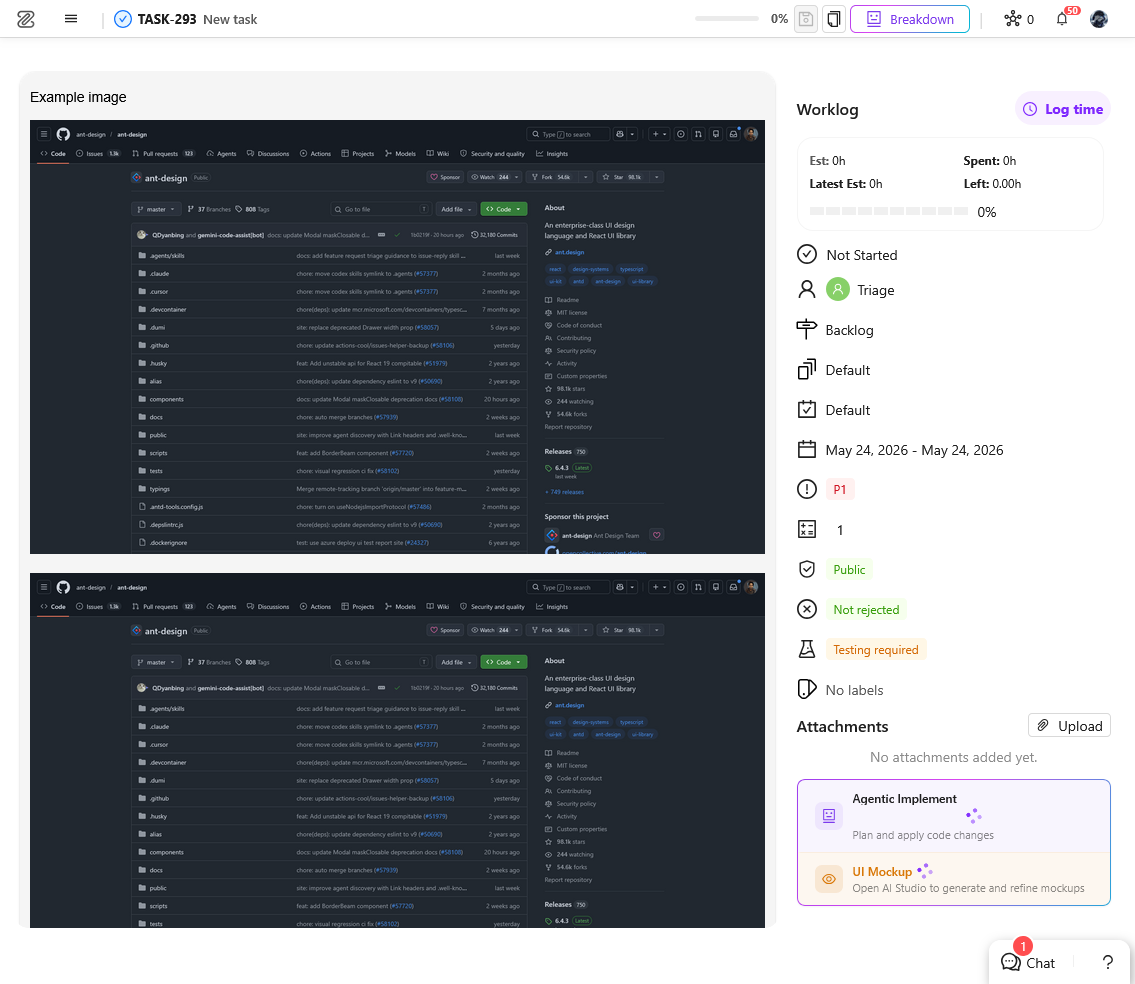
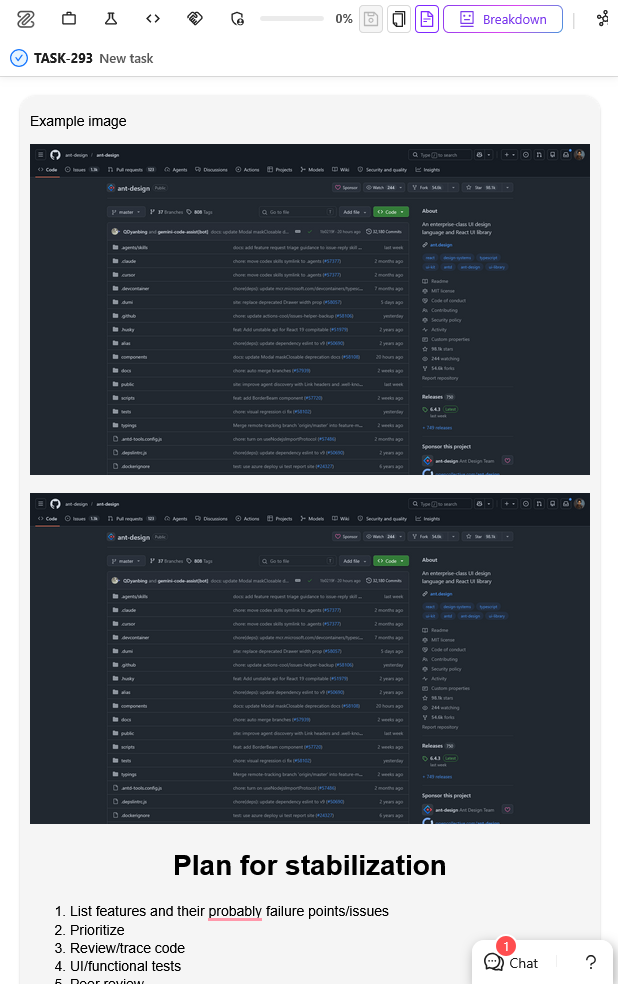
Easier Image Uploads and Automatic Image Sizing in Editors
Images can now be added directly by dragging and dropping them into the editor or by pasting them from the clipboard. Loading animation is shown while images are being processed, creating a smoother editing experience.
Images added to supported text editors now automatically fit within the available editor width. This helps keep content clean, readable, and consistent without requiring manual image resizing.
4. Test Case Versioning
ZeuZ now supports saved versions for full test cases in the new Test Case Editor. This gives users checkpoint-style history for an entire test case. Users can save the current state of a test case as a named version and restore any saved version at any time. This allows teams to preserve a stable or satisfying test case state and roll back to it whenever needed.
Save a Test Case Version
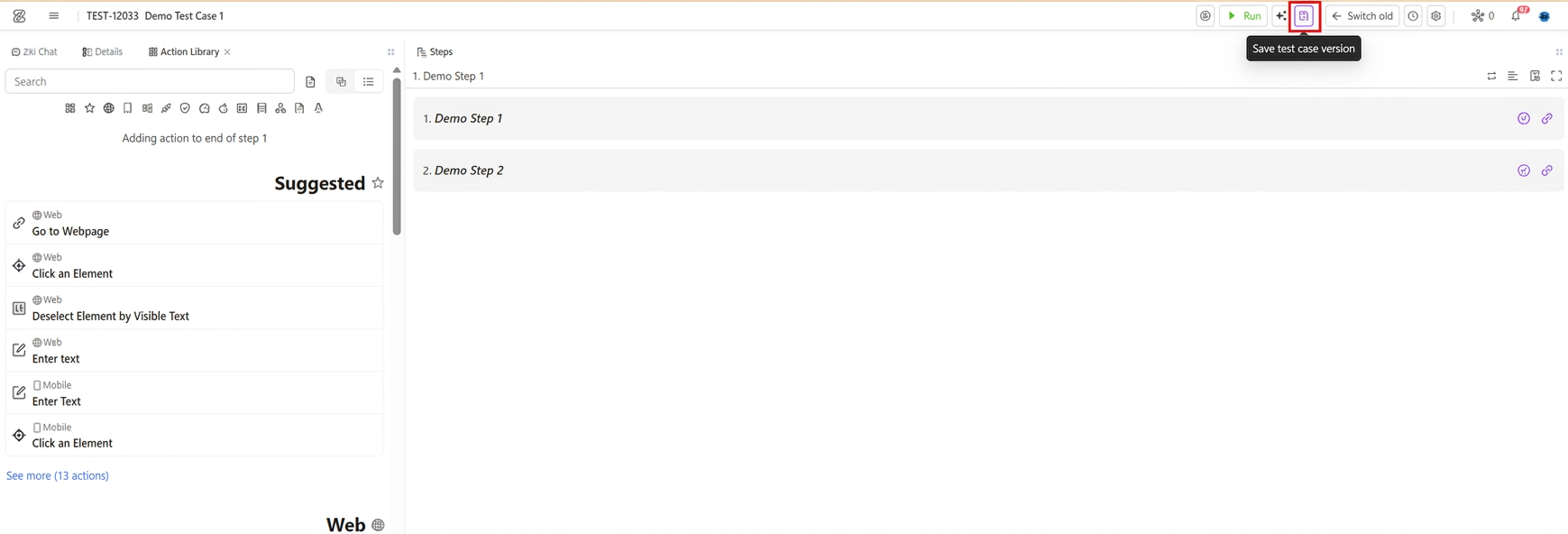
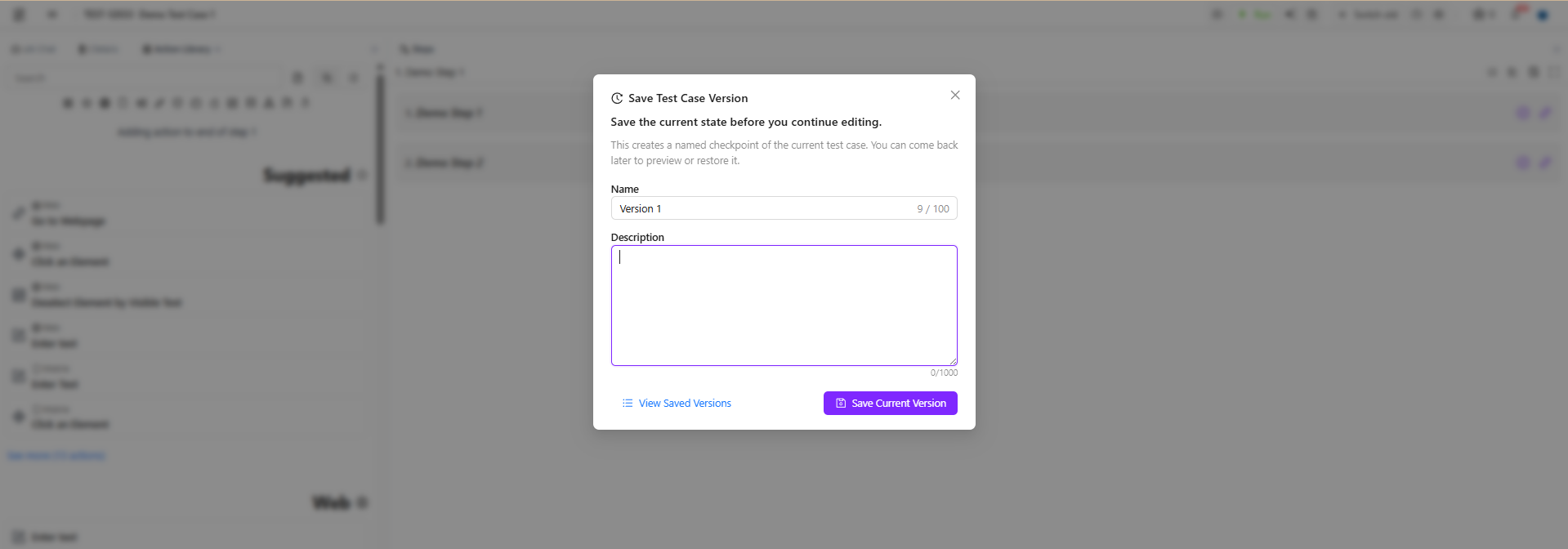
Users can save the current state of a test-case as version whenever they reach a test case state they may want to return to later. This is useful before making large edits, changing multiple steps or actions, updating an important flow, or experimenting with a new approach. When saving, users can give the version a name and optional description so it is easy to recognize later.
Saved Versions List
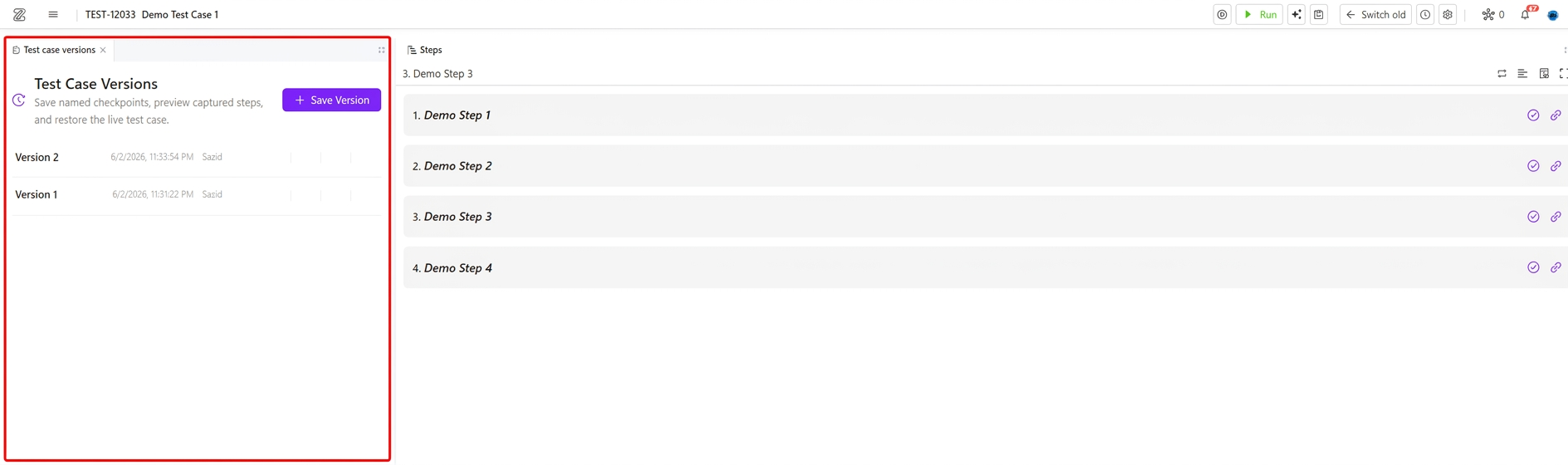
Saved versions are shown newest first, with the version name, author, creation time, and optional description. Users can quickly identify the right checkpoint without opening every saved version.
View a Saved Version
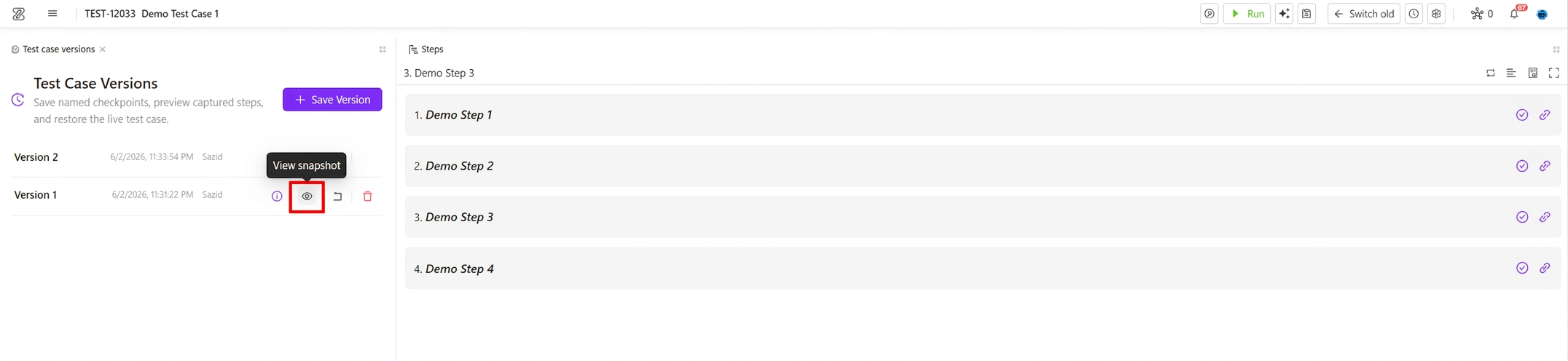
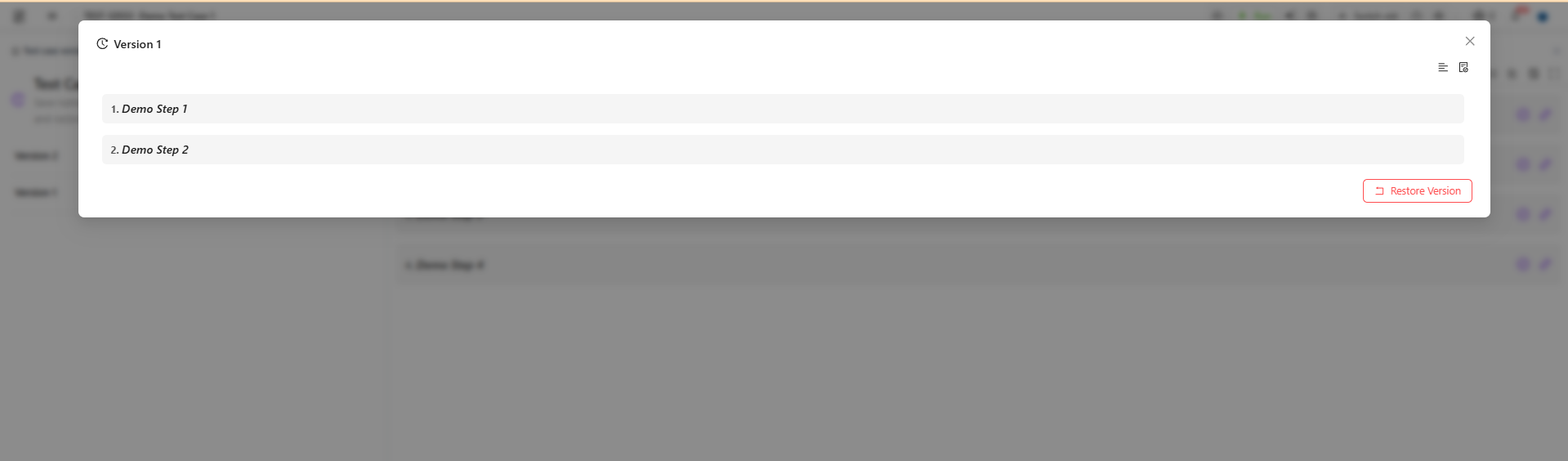
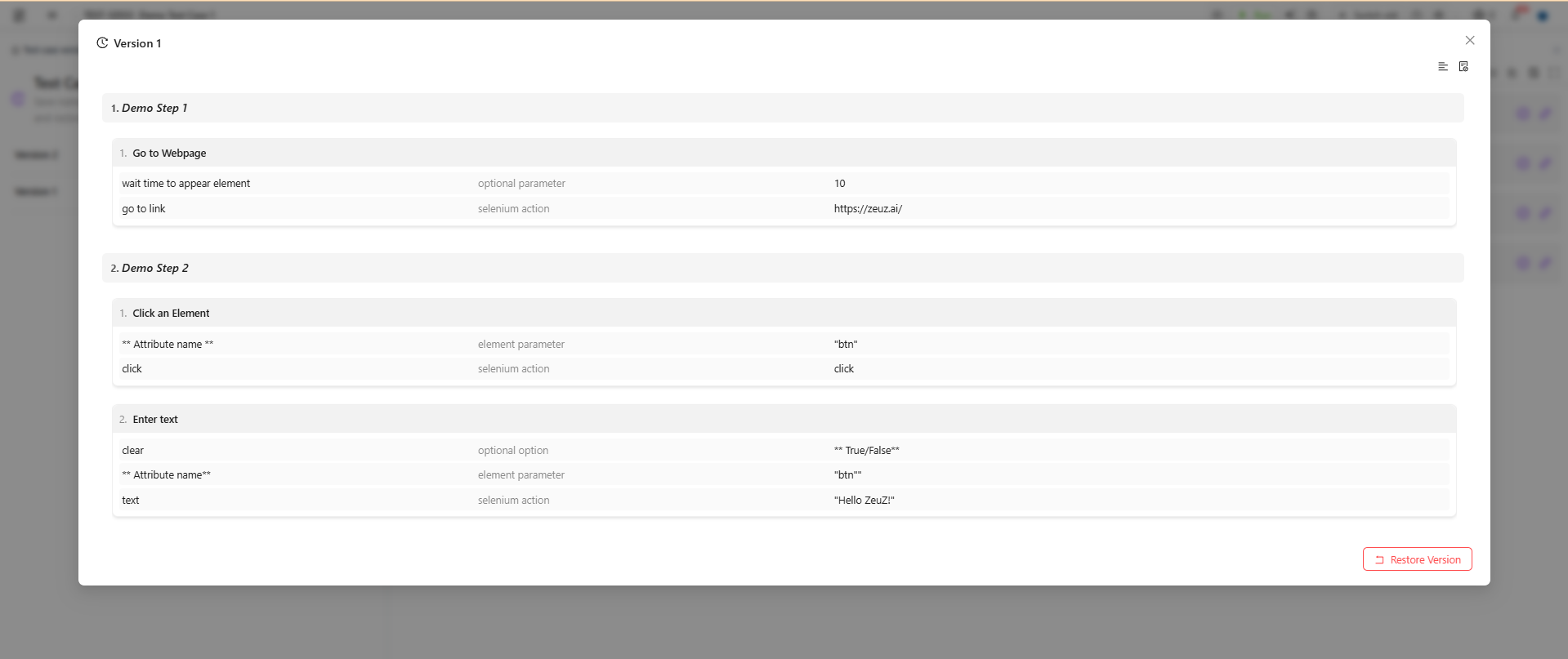
Users can open a saved version and review the full test case as it was saved before choosing to restore it. This view-only preview helps users confirm they selected the right version before restoring.
Restore a Saved Version
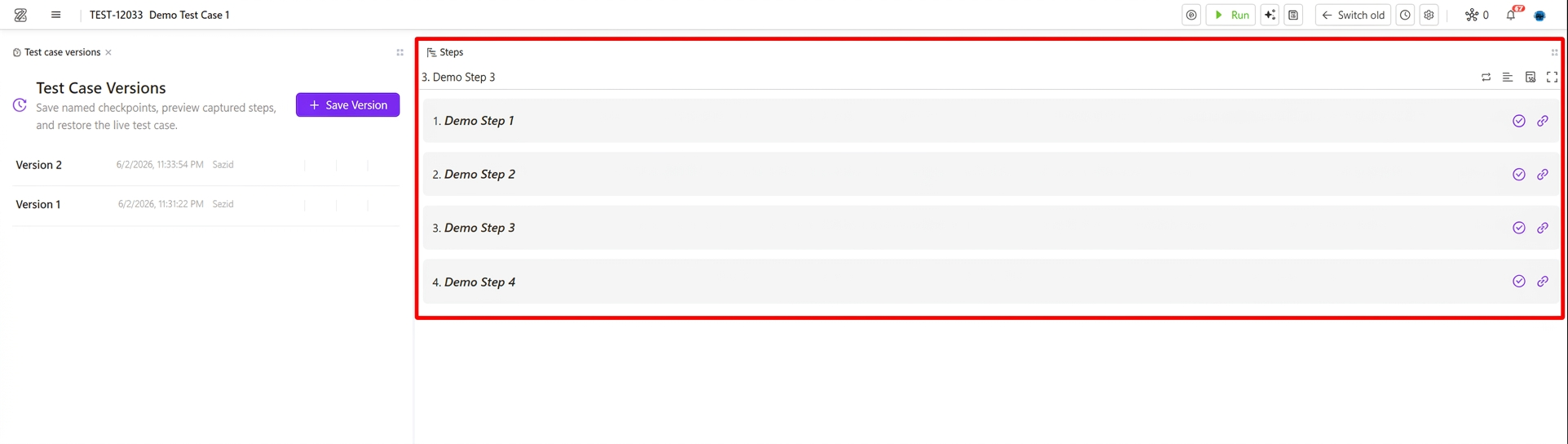
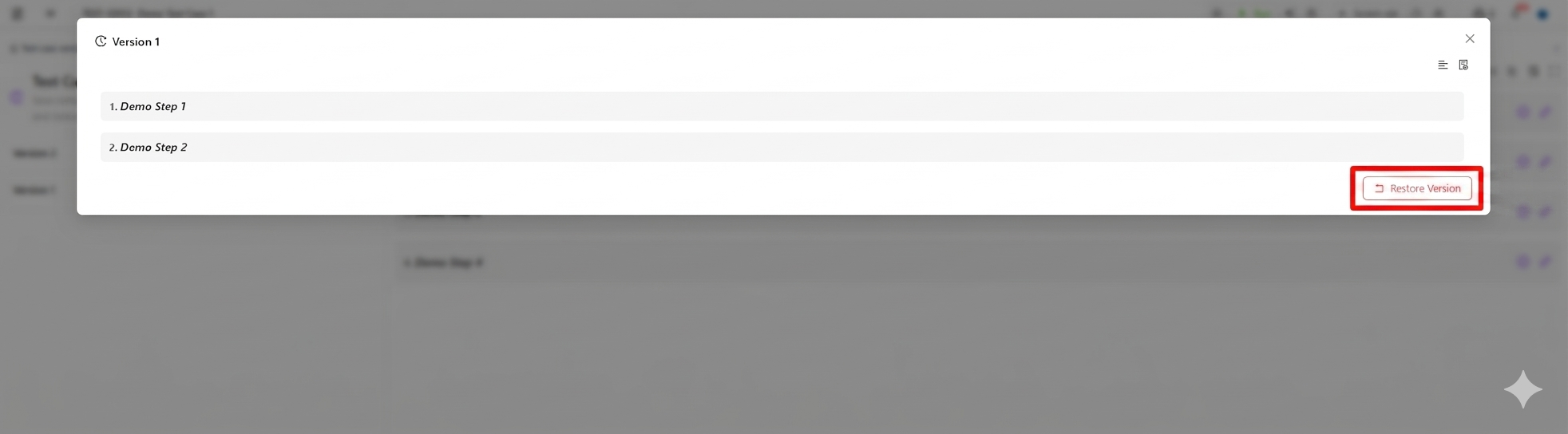
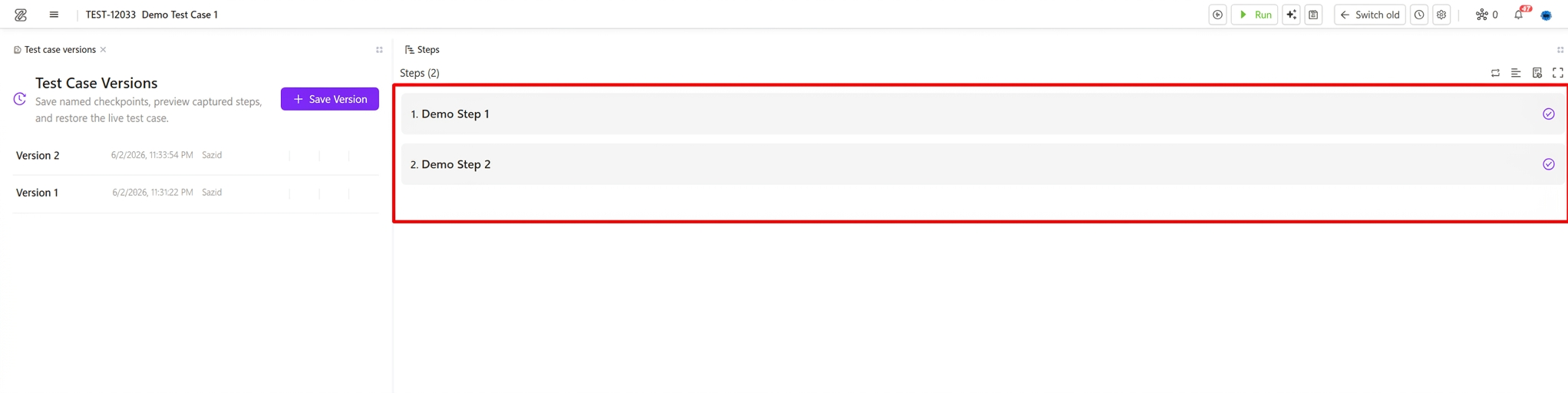
Users can restore any saved version whenever they need to bring back a previous working state of the test case. If the current test case is changed by mistake, updated in the wrong direction, or becomes unstable after edits, users can choose a trusted saved version and restore it. Once restored, the selected version becomes the current test case.
For example, here we will restore "Version 1" of the current test case which has 2 steps (Demo Step 1, Demo Step 2). The current test case has 4 steps (Demo Step 1, Demo Step 2, Demo Step 3, Demo Step 4).
Delete Saved Versions
Users can delete an unwanted saved version after confirmation. Deleting a saved version removes only the saved version. It does not delete or affect the live test case, live steps, live actions, attachment rows, attachment files, or step-history rows.

Attachment Behavior
Saved versions capture attachment metadata, but they do not copy or own the physical files.
Current attachment behavior:
- Deleting a saved version does not delete live attachments or files.
- Deleting a test case attachment from the editor is permanent across saved versions.
- When a test case attachment is deleted, matching attachment references are removed from saved snapshots for that test case.
- Restoring a saved version skips attachment metadata if the physical file no longer exists.
- Step attachments follow the existing permanent-delete behavior.
When saved versions exist, the editor warns users before deleting an attachment because restored versions will no longer show that deleted file.
5. Test Import
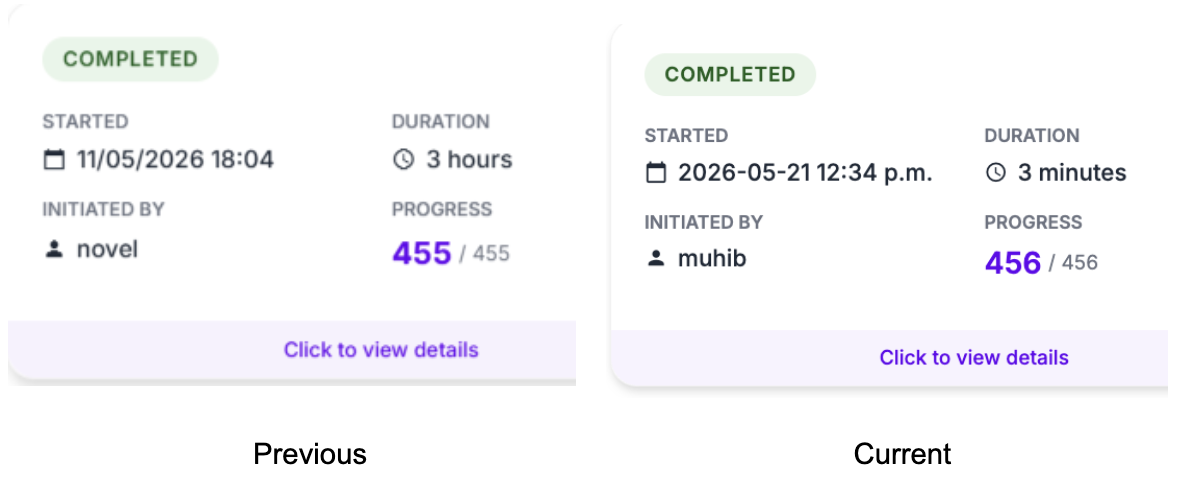
- Faster imports — Large test case files with many steps, labels, and actions import more quickly and reliably.
- Clearer import report — Failed imports show as Error instead of looking complete; start times appear as “a few minutes ago,” with the full date and time on hover.
- Cancel works as expected — Stopping an import no longer leaves the project stuck—you can start a new import right away.
- Default location when missing — If the file does not specify a folder or feature, imported test cases are placed in a standard import folder automatically.
6. ZAI Chatbot
Windows Platform Support
ZAI automation was originally built around web browsers, but many teams work with desktop applications running on Windows nodes. Every time someone wanted to automate a Windows workflow, they had to fall back to manual scripting with no chatbot assistance. To close that gap, ZAI now supports Windows desktop applications directly. A new app-selector panel lists the running processes on the selected node, and once a user picks one, the chatbot takes over — inspecting the application's UI tree, planning steps, and executing them using the same goal-driven loop already powering web automation.
Linux Inspector
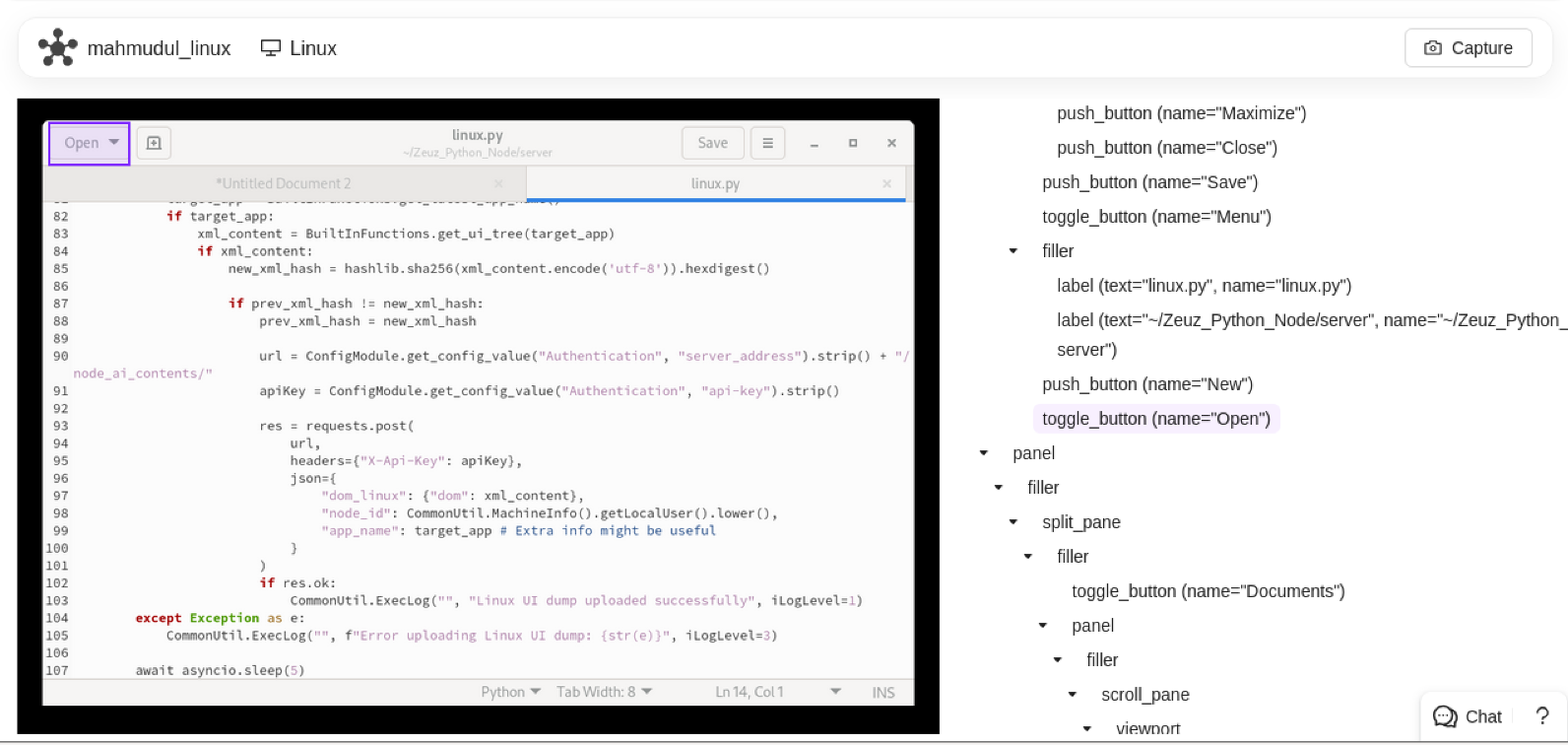
Teams using Linux nodes for desktop automation had no visual way to pick elements — they had to know the element identifiers upfront or guess them from execution logs. We added a Linux inspector UI that lets users click through the running application's element tree and select targets interactively, the same way the web and Windows inspectors already work. This closes the last gap in cross-platform element inspection.
Screenshot Feedback in Log Viewer
When a chatbot run failed, the standard approach was to read through text logs and reconstruct what the screen looked like at each step. This worked but was slow and error-prone — especially for visual mismatches or unexpected popups. The log viewer now receives and displays real-time screenshots alongside the log stream. As each step executes, the screenshot for that moment appears inline. Users can immediately see what the agent was looking at when it succeeded or failed, without needing to re-run anything or dig through separate files.
One-by-One Action Generation
The original chatbot architecture generated all planned steps as a batch and then executed them sequentially. This created a fundamental reliability problem: if the page changed between planning and execution — a modal appearing, a redirect, a slow network response — the entire batch was working from stale assumptions with no way to correct course. We redesigned the execution loop so the chatbot generates one step, executes it, observes the result, and only then decides what comes next. Each action is grounded in the current state of the page rather than a snapshot taken at planning time. On top of that, if two consecutive steps fail, the chatbot automatically replans the remaining work using what it can see right now rather than giving up or repeating the same failing sequence.
Improved DOM Freshness Detection
Even with one-by-one generation, there was still a timing problem: after a step executed, the chatbot would read the DOM to plan the next one — but the page might still be mid-update. The previous solution was a fixed sleep, which was either too short (reading stale DOM) or too long (wasting time on fast pages). We replaced the sleep with an active polling mechanism. The backend now stamps each DOM snapshot with a server-side timestamp, and the chatbot waits until it sees a fresh timestamp before treating the DOM as ready. On fast pages this is nearly instant; on slow ones it waits as long as needed without a hard-coded upper bound.
7. Unified Search (Everything Page)
Full Redesign and Performance Improvement
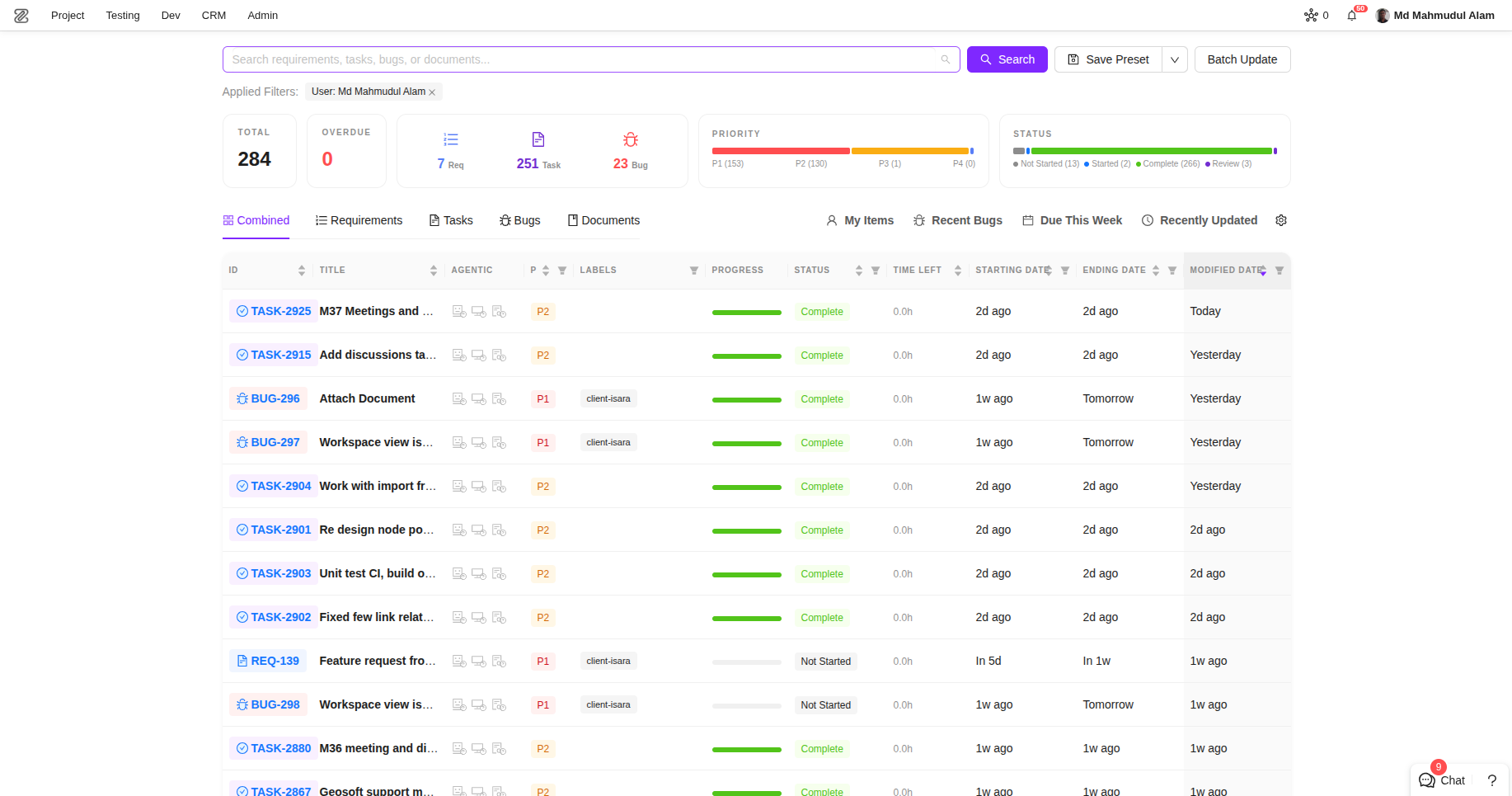
The Everything page — the place where users search and filter across all test cases, tasks, and runs in a project — was built years ago on jQuery and Django templates. As the platform grew, the page became difficult to extend and slow to load, with the backend doing expensive full-table work on every query. Users were also asking for features (saved presets, KPI summaries, richer filtering) that were simply not possible to add cleanly to the legacy codebase. We rebuilt the page from the ground up in React with a new API backend designed around indexed queries. The new page loads meaningfully faster for large projects, supports real-time search as you type, lets users save filter presets for quick reuse, and shows at-a-glance KPI counters so users know the shape of results before they scroll through them.
Lifecycle Dates and AI Status Columns
After the redesign shipped, teams started asking for more ways to understand task progress at a glance. Two things came up most often: when exactly tasks were created, modified, started, or closed, and what stage of AI-assisted development they were in. We added four lifecycle date columns (creation, modification, start, end) and three agentic status columns (implementation stage, mockup stage, code review stage) to the Unified Search table. All seven are sortable and filterable, so teams can quickly answer questions like "what tasks were touched this week" or "how many are still waiting on a mockup" without opening each ticket individually.
8. Datastore
Multi-Select Delete
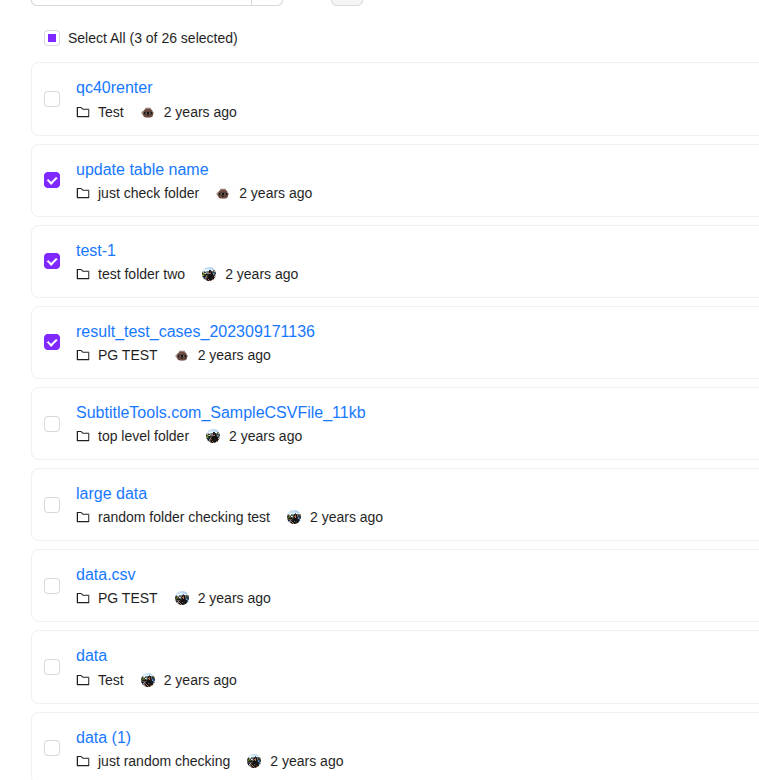
Datastore users managing large numbers of test data entries had to delete records one at a time. There was no way to select a group and remove it in a single action, which made cleanup after a test run or data migration a slow, repetitive process. We added multi-select to both the card view and the Recycle Bin, so users can check off as many items as they need and delete or permanently remove them in one step.
Performance and Migration Stability
Two separate issues were slowing down Datastore in production. First, the data_store_custom endpoint — one of the most frequently called endpoints in the platform — had accumulated extensive debug logging that was running on every request in all environments, adding measurable overhead at scale. Second, a database migration for data_store_metadata was failing intermittently when concurrent deployment processes ran schema changes at the same time. We stripped the unnecessary logging from the endpoint and rewrote the migration to be idempotent, so it can run safely even if another process touched the same table concurrently.
9. Test Case
Improved Test Case Creation Page
Small friction adds up. Every time a user opened the test case creation page, they had to manually click into the title field before typing, and then re-select their usual defaults — folder, priority, assignee — from scratch because the page had no memory of previous choices. Over a day of creating many test cases, this becomes noticeable. We made the title field auto-focus when the page opens, and moved the default preference storage server-side so that whatever a user last selected is automatically pre-filled next time. The page now adapts to each person's workflow instead of resetting to generic defaults on every visit.
Fix: Automatibility Status After Step Changes
A subtle but impactful bug: when users performed bulk step updates or modified steps in ways that affected the automatibility calculation, the logic could return "Undefined" if no clear answer was available — and that "Undefined" was being written back to the test case, overwriting a previously valid status. Teams noticed test cases silently losing their automation status after routine edits. We introduced a fallback chain: if the step-based calculation returns no clear result, the system keeps the existing test case type rather than writing a blank. If there truly is no existing type, it defaults to "Automated" rather than leaving the field empty.
10. CRM
Deal Workspace and Services
As CRM usage grew, teams needed a place to attach structured service records to a deal — not just free-form notes, but typed entries with defined payloads specific to each pipeline's workflow. We added a deal workspace that supports schema-driven services, where each pipeline can define its own service templates. Teams can now create service entries directly against a deal, with the payload shape adapting to what that pipeline's configuration expects.
Contact Permissions
The original CRM model allowed only a single contact per deal or activity. In practice, deals involve multiple stakeholders, and teams were working around the limitation by duplicating records or storing extra contacts in notes fields. We migrated contacts to a JSON array, so deals and activities can carry as many contacts as needed. On top of that, access control is now evaluated per contact, giving admins finer-grained control over who can see or act on each contact relationship rather than gating the entire deal.
11. Team & Project Management Module
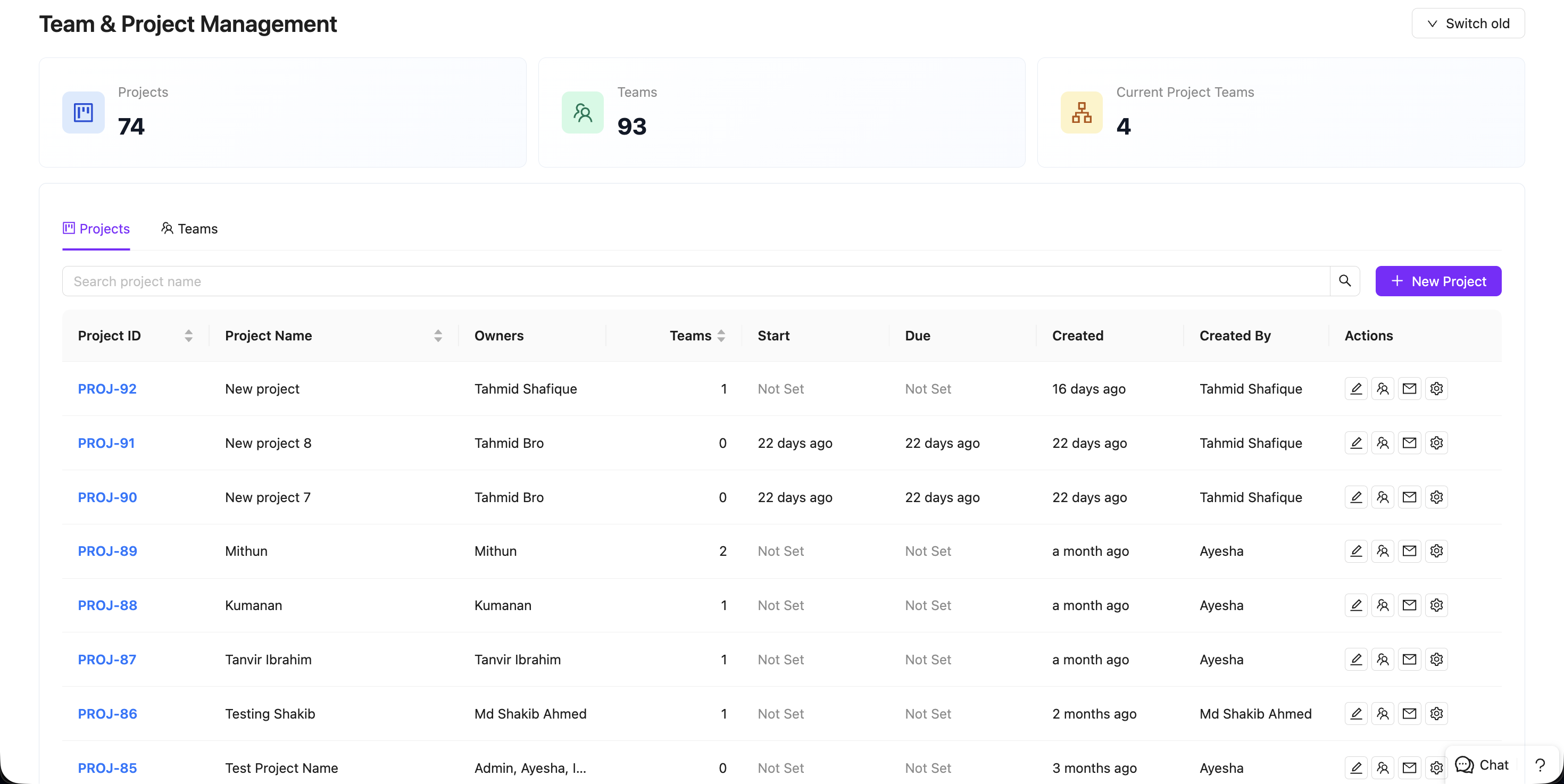
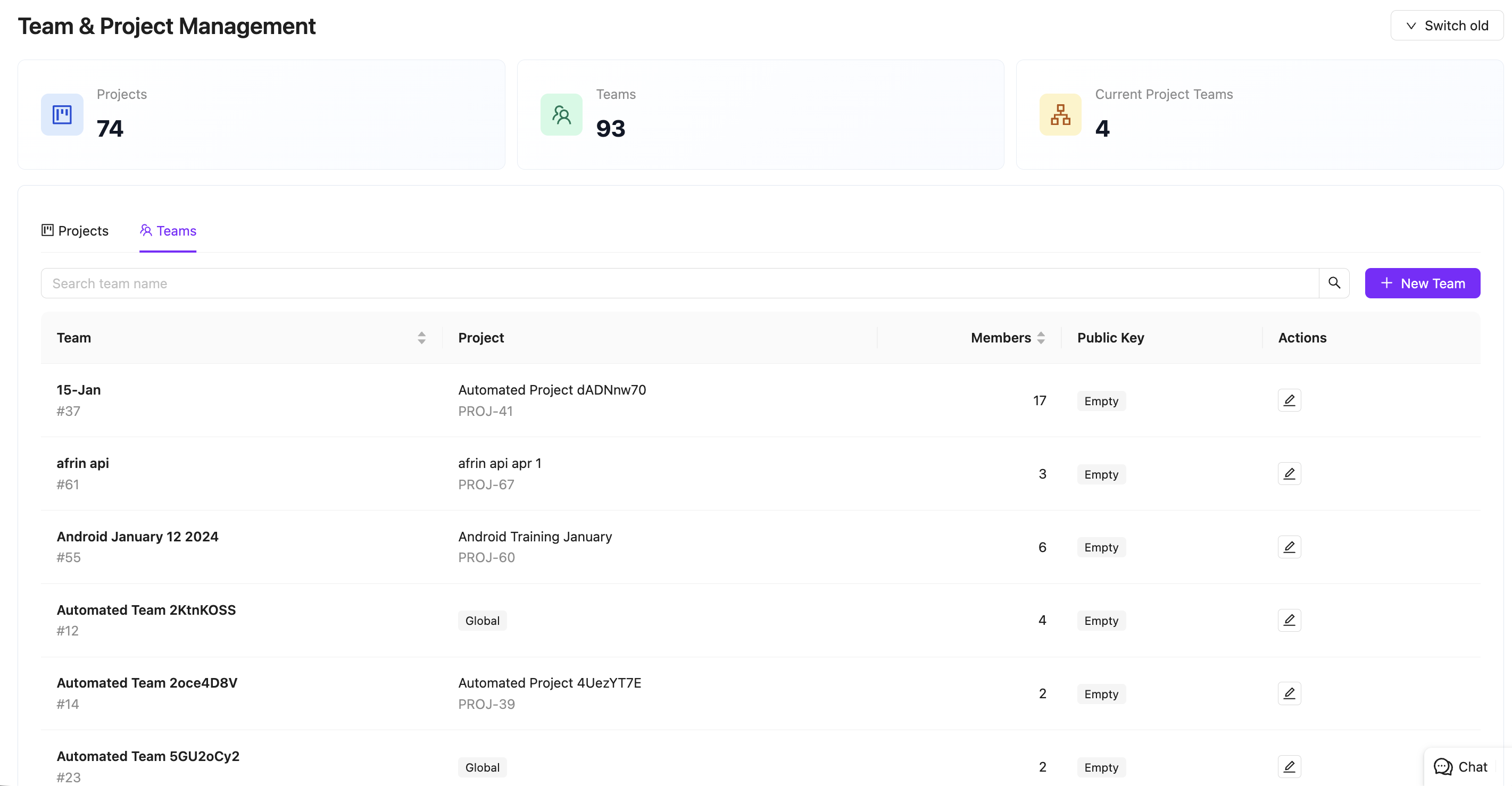
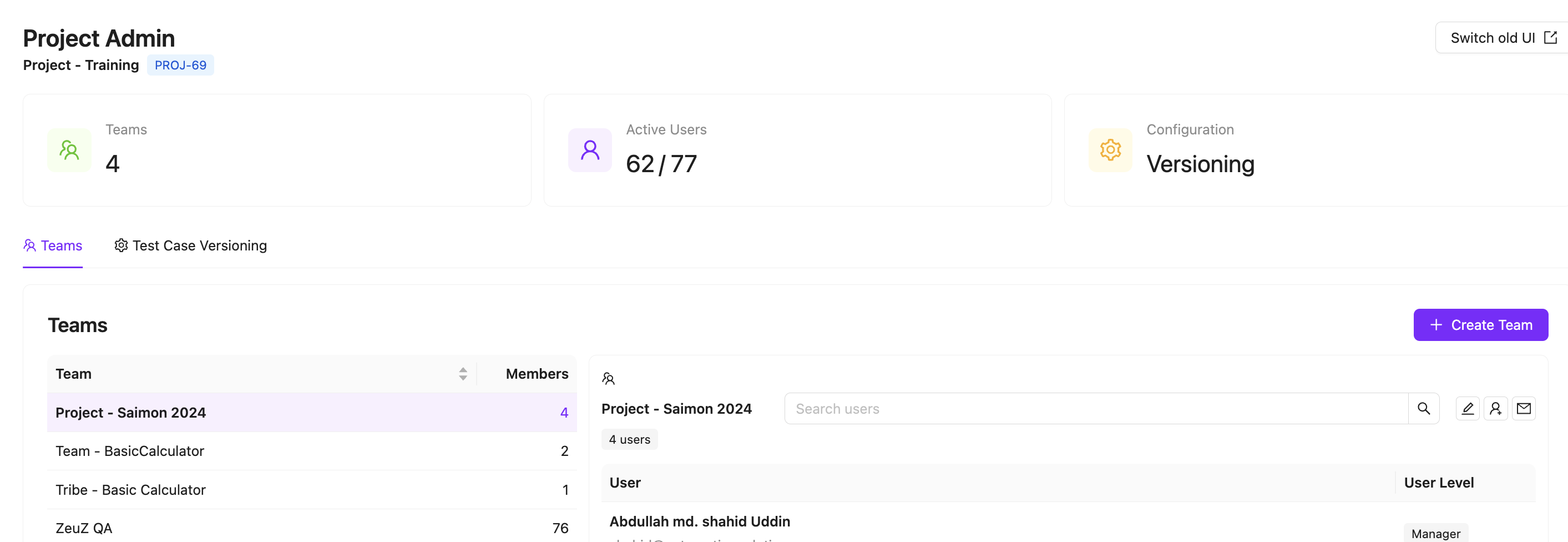
This module introduces a centralized system for handling project and team administration, solving the need for a dedicated, easy-to-navigate interface to manage foundational project structures.
- A single page and UI to manage projects, teams, and project settings.
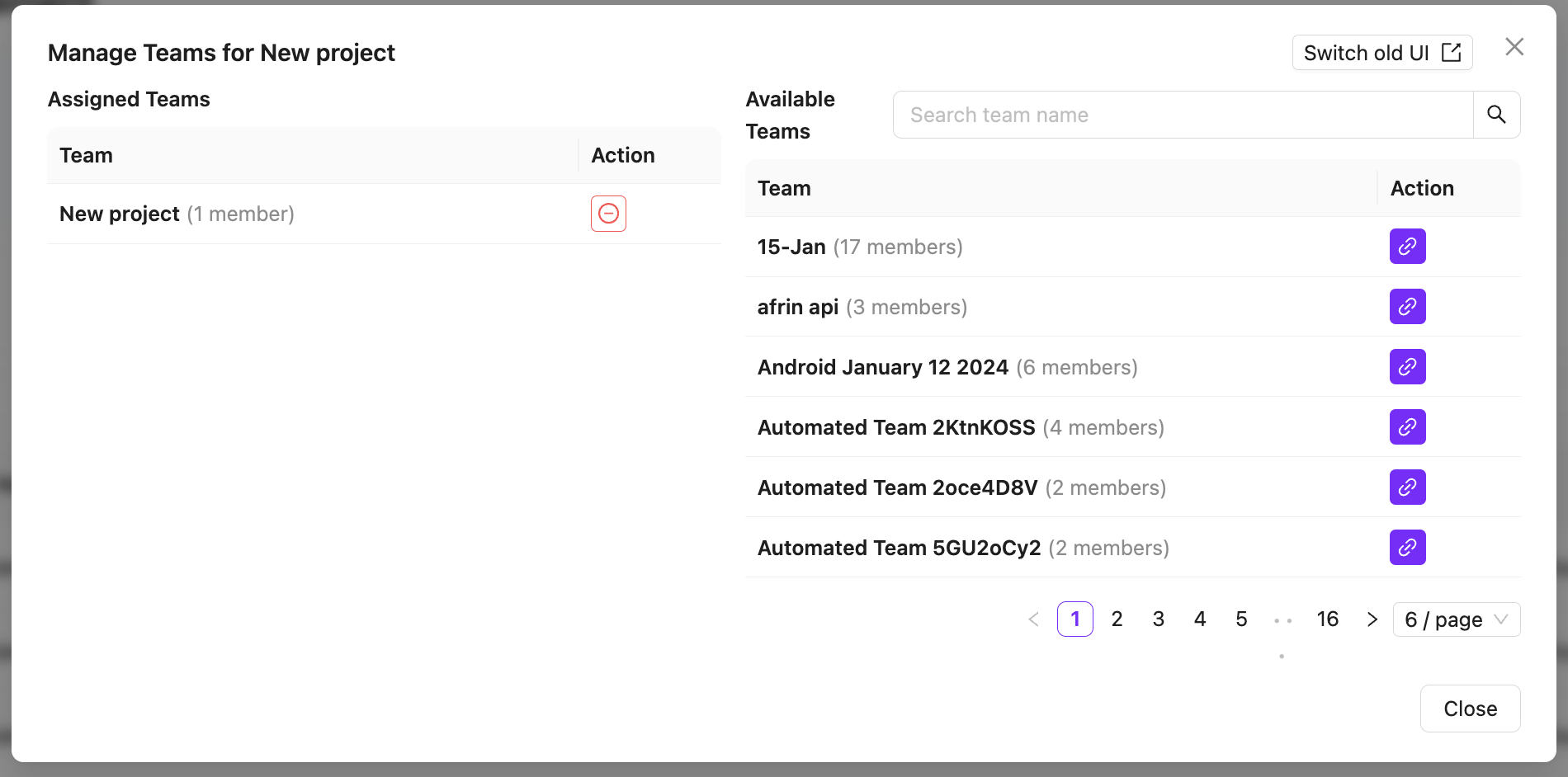
- Project and team management UI components with create/edit modals and tab-based navigation.
- Project summary cards to display project-related statistics and overview data.
- Functionality for linking and unlinking teams with projects.
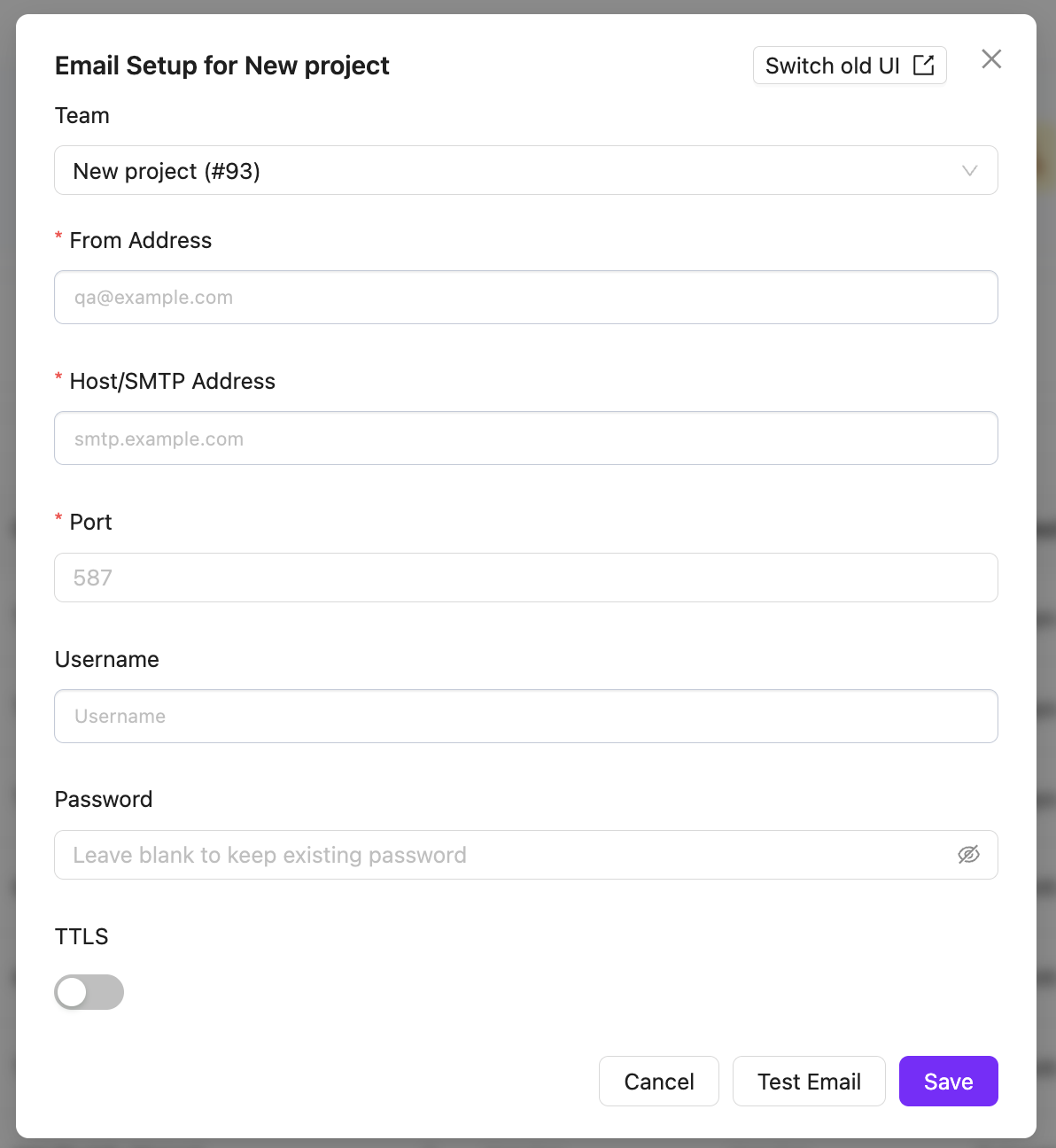
- Email configuration support for project teams via a dedicated modal.
12. Project-Wide Management
This feature expands on project capabilities by giving granular control over users, teams, and settings directly within the context of a specific project, streamlining the administrative workflow.
- Project-wise user management functionality with create/edit user support.
- Team management support with create/edit team functionality.
- A project settings management form for handling deeper project configurations.
- Search handling for improved user search performance (project owners and team members).
Minor Features & Enhancements
- ZAI Chatbot AI Usage Logging: Added temporary per-request JSONL logging to track AI cost/activity (captures tokens, user IDs, tool calls, and image token estimates). Forwarded the frontend server URL through GQL for accurate server logging.
- Admin Group Policy Management UX Overhaul:
- Added a floating bottom-center "Unsaved changes" bar and loading states for Save/Delete buttons.
- Moved the Delete action to a three-dot role actions menu for safety.
- Deleting a group now auto-selects another available group instead of leaving a broken state.
- Expanded member search to full width, made pagination page size controllable (removed quick jumper), and made "Add Role" a primary button.
- TinyMCE "Rewrite with zAI" UX: Kept the rewrite button visible during scroll, added a "rewrite-in-progress" overlay, auto-closed the modal during generation (locking inputs), and added a toggle to keep or discard the previous description.
- In-Line Folder Creation: Added the ability to create folders and features directly from the Test Case create page.
- Backend State Handling: Group updates now support saving an empty members list so removing all members actually persists.
13. Additional Bug Fixes
Fix: Access Token Renewal Breaking Sessions
Users were occasionally finding themselves logged out after short periods of inactivity, even when their session should have still been valid. The root cause was a key name mismatch: the code reading the token expiry time from the authentication response was using a key with an extra zeuz_ prefix that did not exist in the actual response payload. Because the key never matched, the expiry was always read as undefined, and the silent background renewal never fired. The fix corrects the key name so the renewal timer is set correctly and tokens are refreshed on schedule.
Fix: ZAI Context URL Being Overwritten Mid-Session
In some ZAI sessions, the chatbot would lose its HTTP context connection part-way through a run. The underlying cause was in how WebSocket messages updated shared request context: the set_request_context function was unconditionally overwriting the stored gql_context_url on every WebSocket event, including ones that did not carry a URL value — effectively erasing the URL set during the initial HTTP handshake. The fix makes the update conditional: the URL is only overwritten when the incoming event explicitly provides a new one, leaving previously established values intact.
- Folder Deletion Safety: Fixed an issue where deleting a folder/feature would sometimes silently delete linked items without warning. It now properly warns the user.
- Permissions UI Fix: Fixed a visual bug in Admin Group Management where unchecked permission labels turned gray and looked disabled.
- User Search Fixes: Resolved multiple search-related bugs and cleaned up UI inconsistencies.
14. AI Standup and Daily Standup
AI Standup for Worklog
AI Standup now gives managers a clearer worklog summary with per-user cards, async generation, job history, provider-based AI summaries, and fallback reporting when an AI provider is unavailable or returns incomplete data.
The report uses worklogs, tickets, milestones, CRM activity, GitHub activity, user activity, and workload context to highlight delivery risks, missing worklogs, action items, CRM follow-ups, note anomalies, and workload concerns.
Better AI Standup Filtering and Progress Analysis
AI Standup reports now respect selected users, date ranges, and selected milestones more accurately. The generated context includes ticket descriptions and worklog notes, allowing the report to compare planned work against actual activity.
Additional improvements include note review, task progress analysis, progress alignment labels, next-step recommendations, cleaner red-flag output, and backend fallback handling when generated responses are incomplete.
Daily Standup
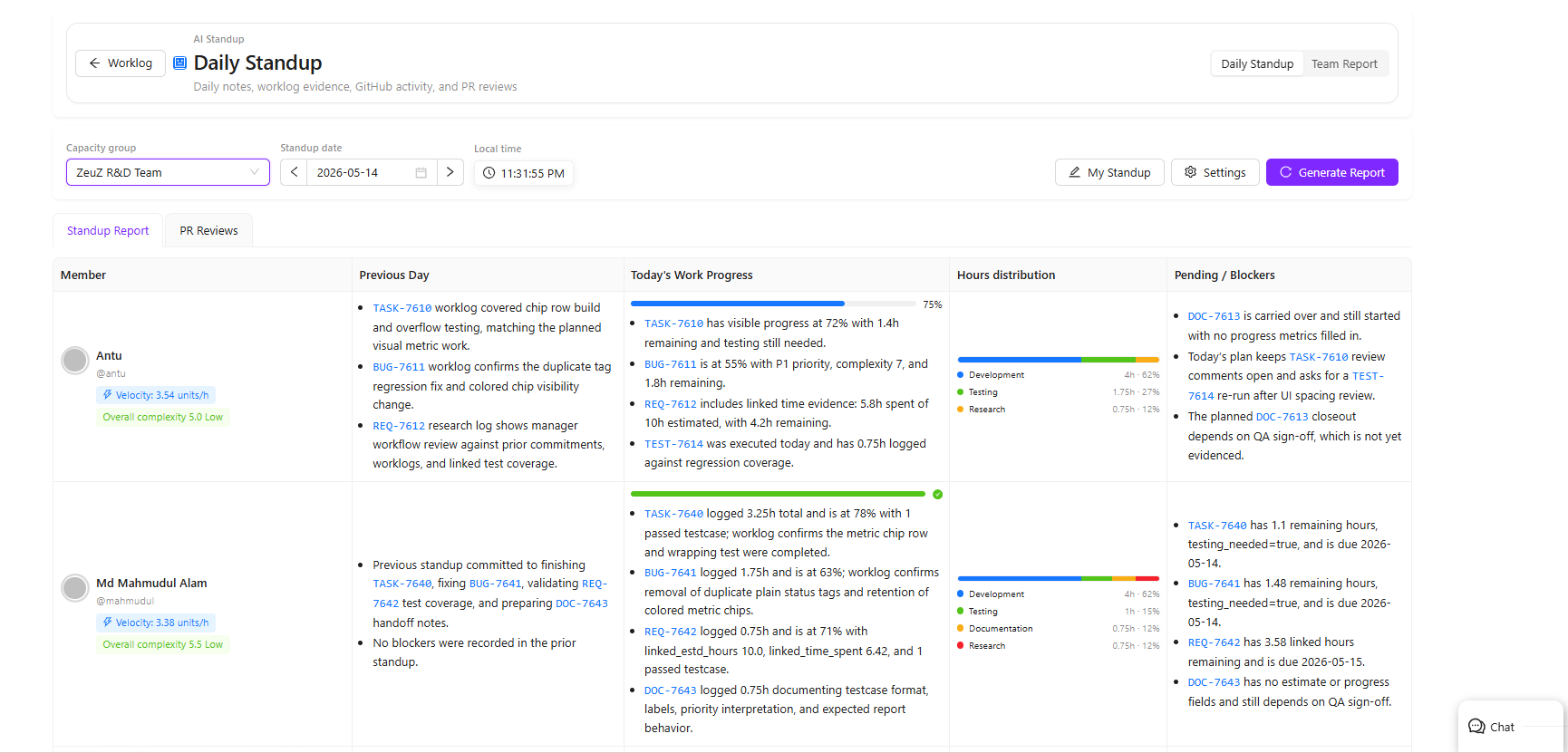
Daily Standup has been added as the default AI Standup view. Team members can submit previous-day notes, current targets, blockers, and manager-facing updates, while managers can review compact team summaries and detailed member-level analysis.
The Daily Standup report includes planned work, actual progress, pending items, blockers, work evidence, item context, user activity, complexity indicators, velocity signals, and working-hours distribution.
PR Review Section in Daily Standup
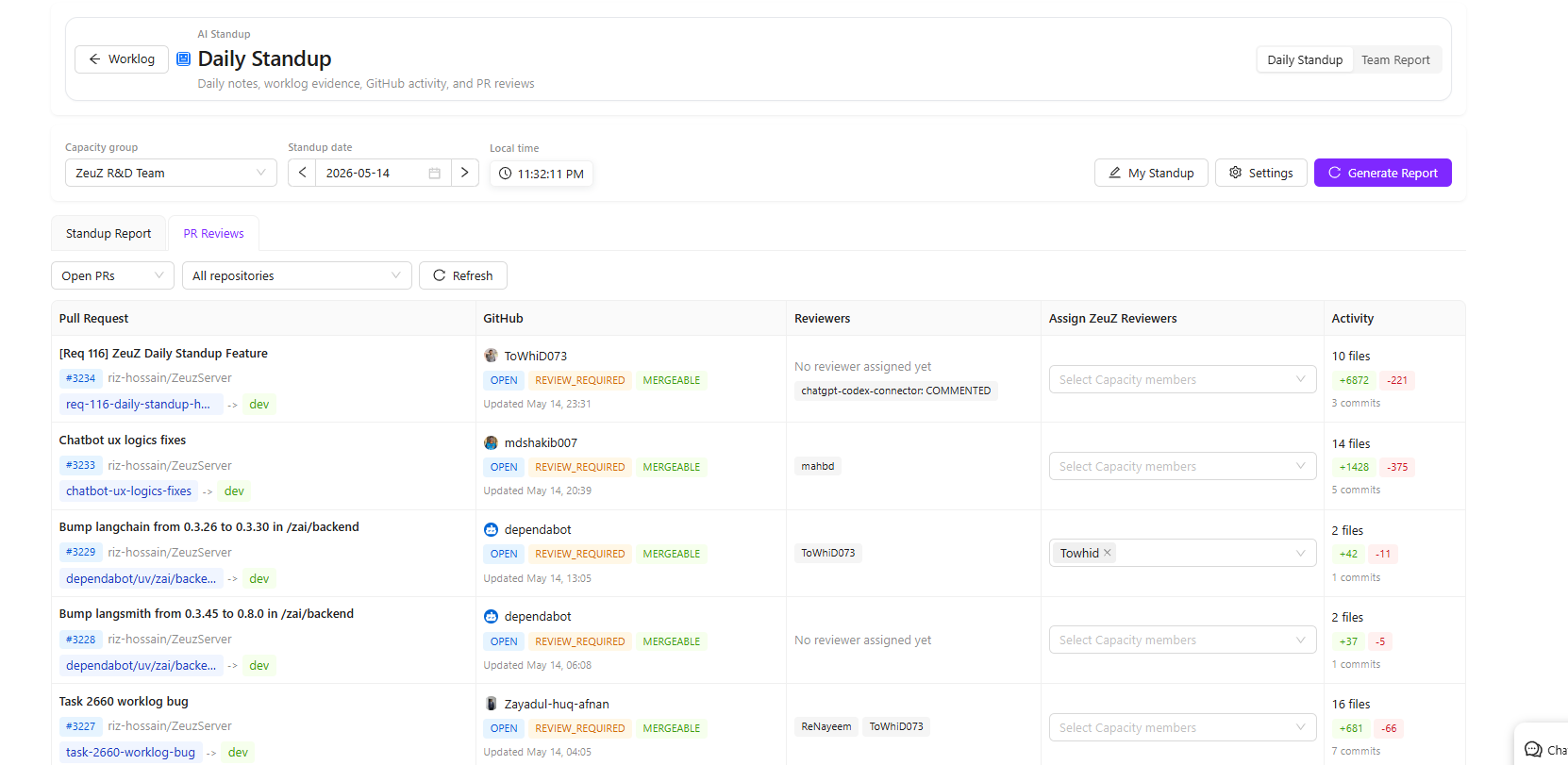
Daily Standup now includes a dedicated PR Reviews section so managers can review pull request activity directly from the standup workflow.
The PR Reviews tab is visible even when no Daily Standup report has been generated, making it useful as a standalone review surface for the day.
This section supports:
- Viewing GitHub pull requests from configured repositories
- Showing PR metadata such as repository, source branch, target branch, status, activity, and reviewers
- Opening PRs through clickable PR links
- Filtering PR review context by configured Capacity Planning group users
- Assigning Capacity Planning group members as GitHub PR reviewers
- Syncing reviewer assignments back to GitHub requested reviewers
Reviewer updates are protected with permission checks, so read-only Worklog users cannot assign reviewers. Reviewer mutation is also restricted to the repositories configured for Daily Standup.
15. Planning, Sprint, and Test Plan Improvements
Sprint View and Auto Assignment
Sprint View has been improved with a Kanban-based planning workflow, Capacity Planning group support, active-user filtering, milestone overview, and auto-assignment recommendations.
Auto assignment now considers capacity, velocity, task complexity history, priority, and past task/code ownership signals, helping teams preview and apply better assignee suggestions during sprint planning.
Milestone Planning Sorting and Manual Ordering
Milestone Planning now supports per-column ticket sorting and manual drag ordering. Users can sort by fields such as created date, due date, updated date, priority, type, and status, then drag items to persist a custom manual order.
Status sorting now follows workflow rank instead of alphabetical order, making sorted columns better match real project flow.
16. Capacity Planning
POD Renamed to Capacity Planning
The old POD area has been renamed to Capacity Planning across the product. Menus, page routes, labels, selectors, modals, documentation, dashboard wording, and Milestone Planning references now use Capacity Planning / Capacity Group terminology.
This makes the feature clearer for teams using it to plan workload, team availability, and milestone capacity.
Capacity Exceptions
Capacity Planning now supports capacity exceptions for team members.
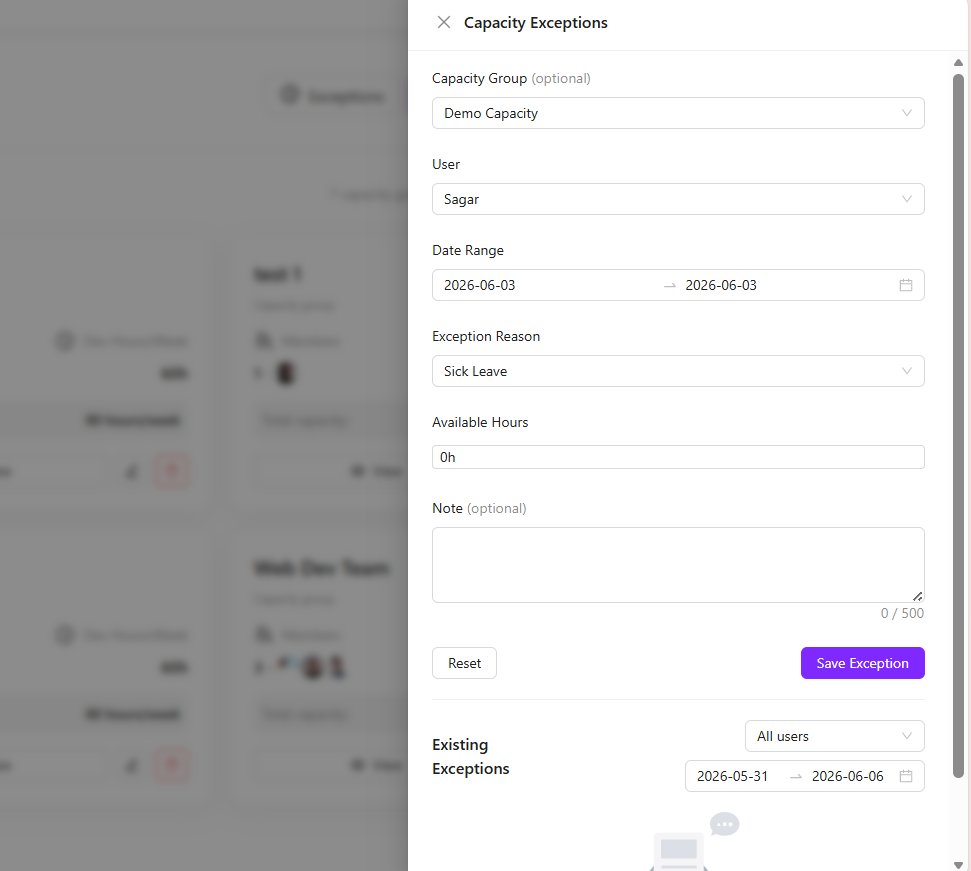
Managers can open the Exceptions drawer from the Capacity Planning page and record reduced availability for a user over a selected date range. This is useful for planned or unplanned availability changes such as vacation, sick leave, public holidays, training, meetings, support work, partial days, or other exceptions.
When an exception is added, users enter the member’s available hours for the selected day or date range. ZeuZ calculates the unavailable hours and subtracts them from that member’s planned capacity, giving a more accurate view of real team availability.
The Exceptions drawer also includes:
- Capacity group selection
- User selection
- Date range selection
- Exception reason
- Available-hours input
- Notes for additional context
- Existing exception list
- User/date filters for reviewing exceptions
- Edit and delete actions for saved exceptions
This helps milestone and capacity planning reflect real-world availability instead of assuming every team member is available for their full planned schedule.
17. Project Management Date Range Timezone Fix
Fixed an issue where date-only values in Project Management could shift across timezones. In some cases, this caused repeated date-change discussion logs because YYYY-MM-DD values were parsed as UTC and converted incorrectly in local time.
Date range hydration and formatting for tasks, requirements, and bugs now use timezone-stable date parsing.