Node Installer
The Node Installer is a one-touch setup feature that automates the entire configuration process. It allows users to set up and install all required tools and packages directly through the ZeuZ server, ensuring a quick and consistent environment for test execution.
Why it matters / Use Cases:
- Simplified Onboarding Process: It simplifies onboarding by removing the need for manual installation of required tools.
- Automated Setup Efficiency: It saves time and effort for both new and existing users by automating the setup process.
- Reduced Setup Challenges for New Users: New users often struggle to install essential tools before performing any actions. For example, a user wanting to try Android automation must install Android Virtual Devices, install Java, and configure environment variables before performing any testing.
- Obstacle Due to Manual Setup: The manual setup often creates a significant obstacle, leading many potential users to avoid using the software entirely.
- Automated Environment Setup: The Node Installer eliminates this challenge by providing a ready-to-use environment through automated configuration.
- Centralized Tool Setup for Multiple Nodes: Suppose there are 10 different nodes connected to 10 separate machines. This feature allows users to configure all required tools across every node directly from the ZeuZ server, removing the need to manually install tools on each machine individually.
Prerequisites
- Download and run the ZeuZ Node on your system.
Quick-Start
- Click the "Node" icon.
- Connect the ZeuZ nodes.
- Click the "Install services in Connected ZeuZ Nodes".
- Expand your connected nodes.
Features
- Check whether a tool is already installed on the device where your ZeuZ node is running by clicking the "Check Status" button.
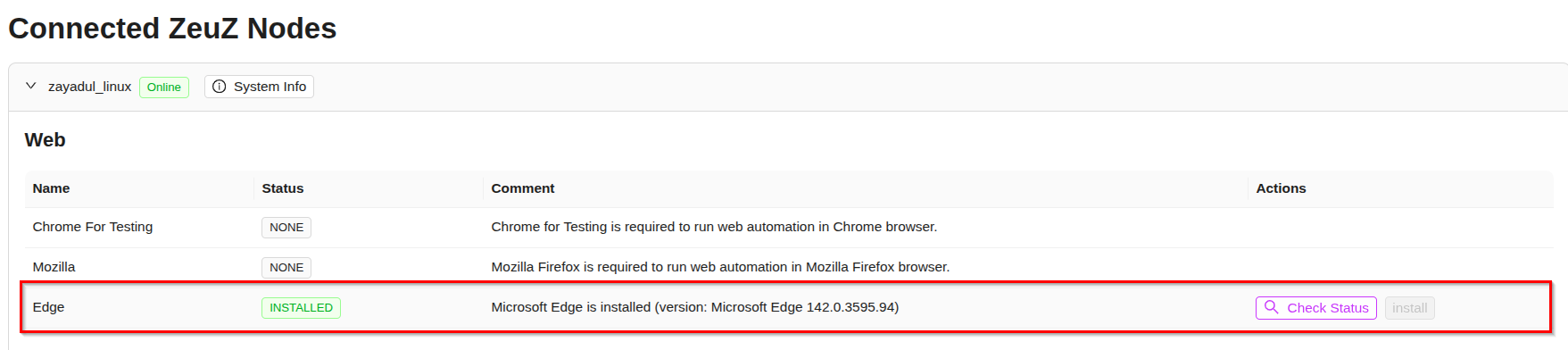
- Install the required tool by simply clicking the "Install" button.

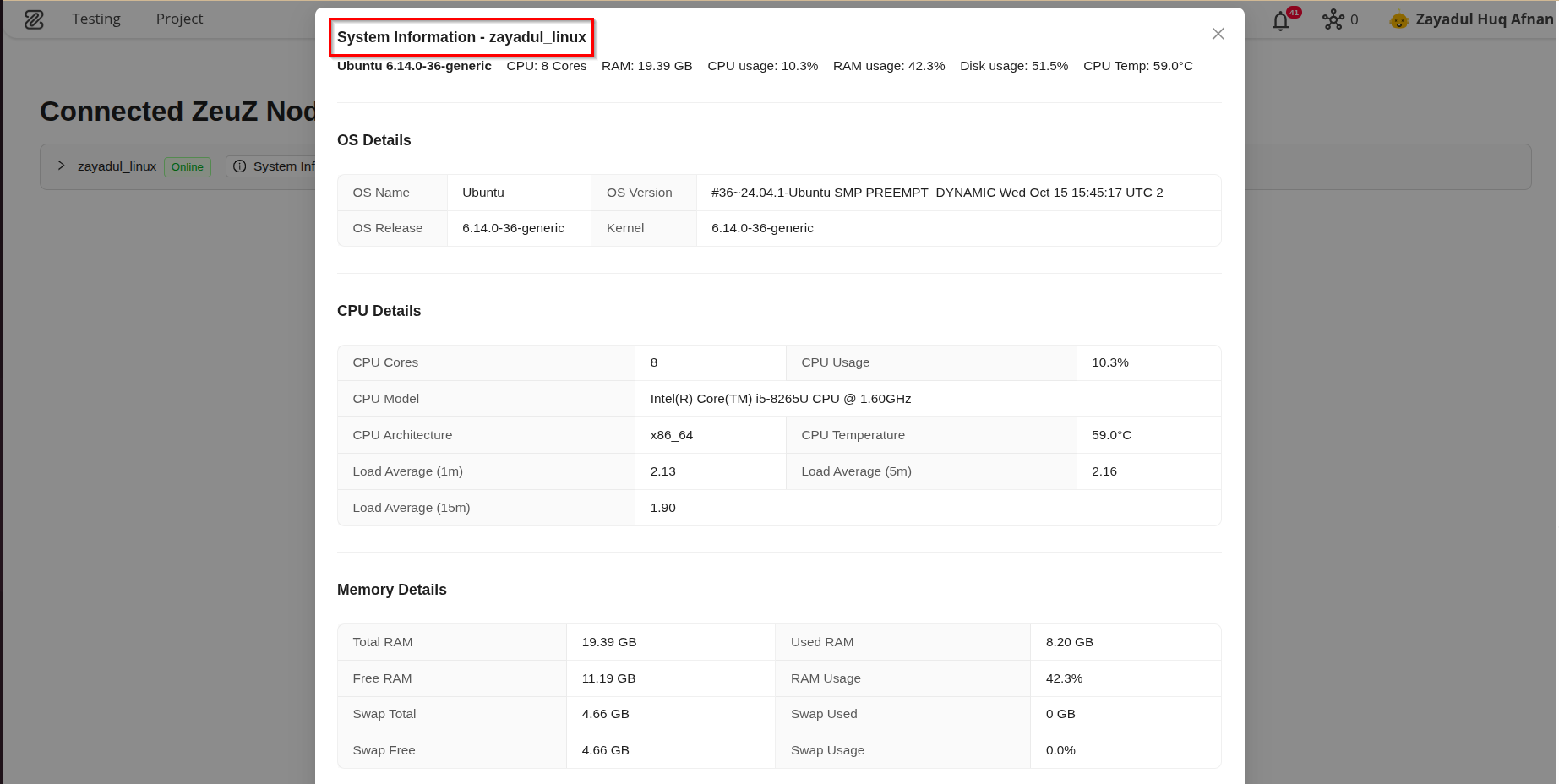
- Check the system information of the device connected to your node.
- Launch your installed Android Virtual Device by clicking the "Launch" button.

FAQs / Troubleshooting
Does the node need to be connected to use this feature?
Yes. As the server communicates with the node, to install the tools on the device where the node is running, it is necessary for the node to be connected with the device.
If I have three different nodes connected to the same device, do I need to install a specific tool seperately for each node?
No. Except for database tools, all other tools such as Java, Edge, and Windows Inspector are installed at the system level. Therefore, if three different nodes are connected to the same device, installing a tool once is sufficient. However, database tools (e.g., MySQL) must be installed seperately for each node, even if they are connected to the same device.
Changelog
- A one-click installation system for managing essential development tools and prerequisites directly within the application [202511]