Account Logs
Account Logs in the context of test cases and project management refer to the system-generated records that track user activities, such as creating, editing, or updating projects, teams, and test cases within ZeuZ.
Why it matters / Use Cases:
- User Activity Tracking: Helps monitor user login activities in the system.
- Security Monitoring: Tracks IP address, device, and browser to detect unauthorized access.
- Troubleshooting Login Issues: Allows administrators to check whether a login attempt was successful or unsuccessful.
- Audit and Accountability: Maintains a record of user access for auditing purposes.
- Access History Review: Shows when and from where users accessed ZeuZ.
Prerequisites
- Access to ZeuZ Server with permissions for Admin → Users → Account Logs.
Features
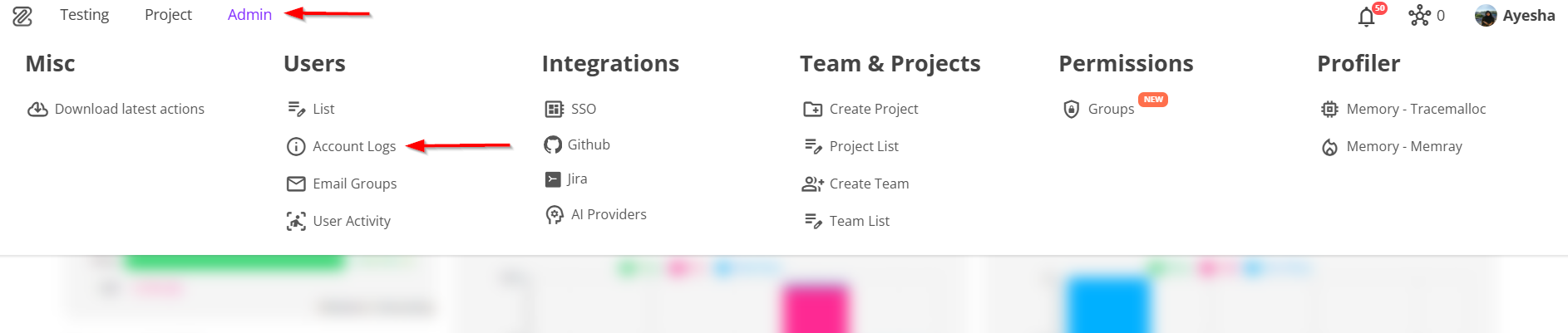
- Navigate to the Accounts Log page by clicking the
Account Logsoption available under the "Admin" section in the menu bar.
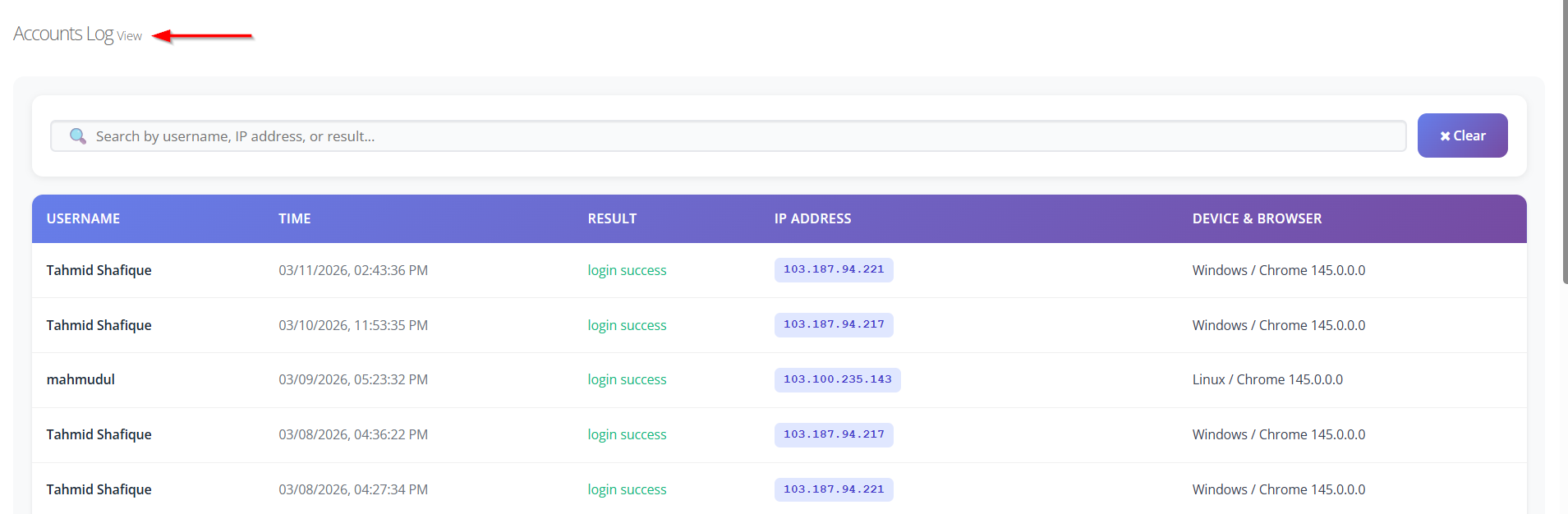
- After navigating to the Accounts Log page, the following information will be displayed:
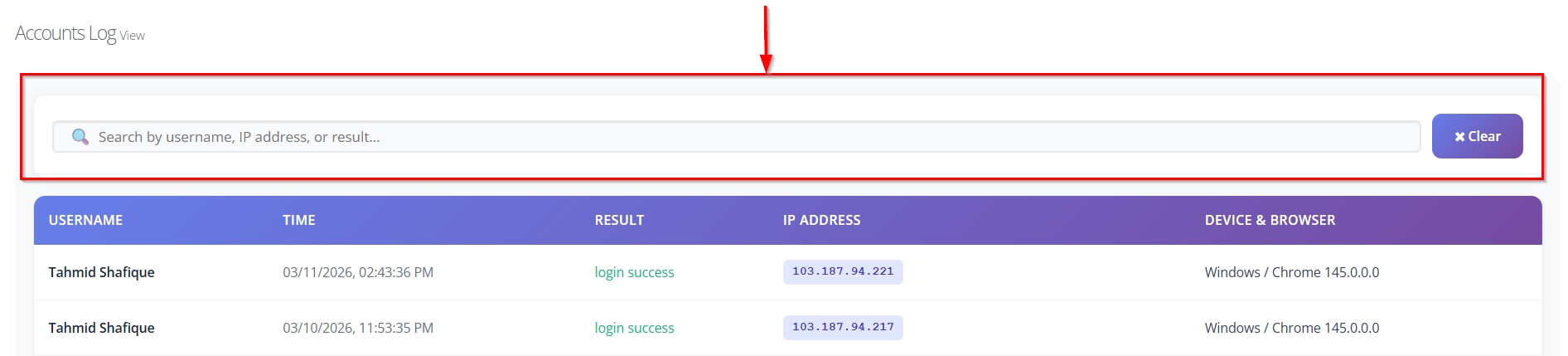
- Search Functionality: Allows users to search logs using the username, IP address, or result.
- Clear Search Option: Provides a Clear button to reset the search filter and view all logs again.
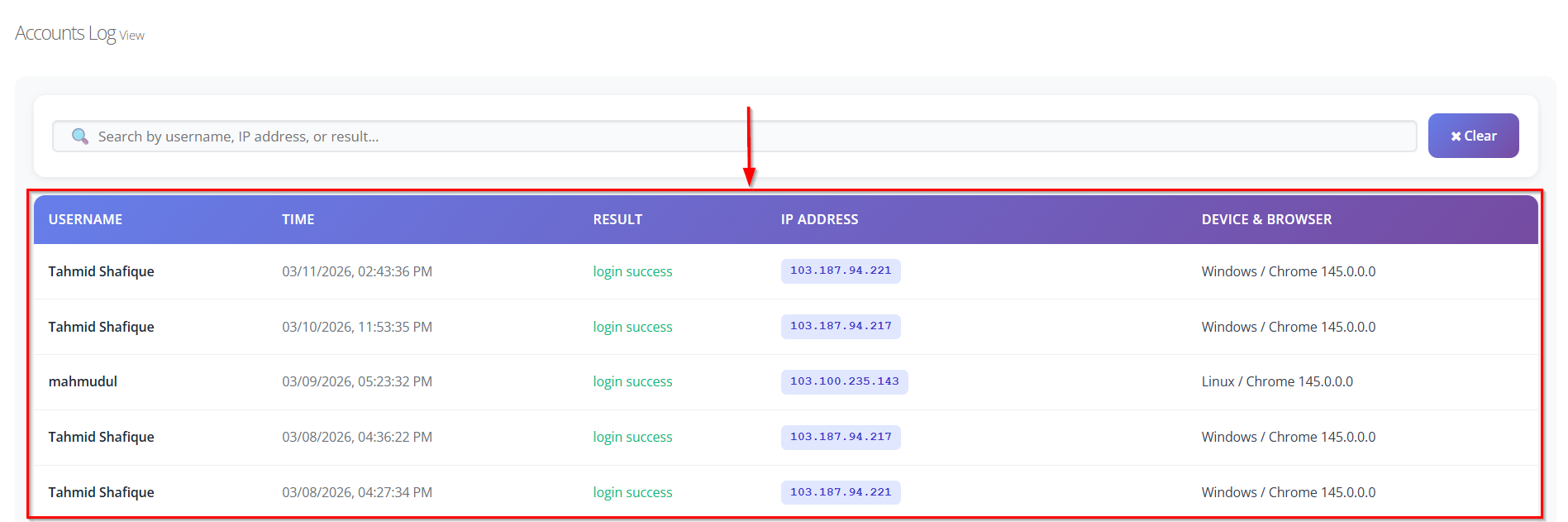
- Username Tracking: Displays the username of the person who accessed the system (e.g., Tahmid Shafique).
- Time Recording: Shows the exact date and time of each login activity (e.g., 03/11/2026, 02:43:36).
- Login Result Status: Indicates whether the login attempt was successful or not (e.g., login success).
- IP Address Identification: Records the IP address from which the user accessed ZeuZ (e.g., 103.187.94.221).
- Device and Browser Information: Displays the operating system and browser used during login (e.g., Windows / Chrome 145.0.0.0).
FAQs / Troubleshooting
Why are no logs appearing on the Account Logs page?
Ensure that the users have logged in to the system. Account logs are generated only when login activities occur.
Why is a specific user's log not visible?
Use the Search bar to search by username, IP address, or login result to locate the required log entry.
Why is the search result not showing expected logs?
Check that the correct username, IP address, or result keyword is entered in the search field.
How can the filtered results be cleared?
Click the Clear button next to the search bar to remove the search filter and display all logs again.
Why is the IP address different for the same user?
The IP address may change if the user logs in from a different network, device, or location.
Why is the device and browser information different?
The device and browser information may appear different because the user may access ZeuZ from different devices, operating systems, or web browsers at different times.
Changelog
- New UI has been introduced [20250518]