Step Versioning
Step Versioning is a feature that tracks every change made to a step. It allows users to monitor modifications, review previous versions, and restore any earlier version whenever needed.
Why it matters / Use Cases:
- Tracks Changes Over Time: Every modification to a step creates a new version, allowing teams to see what was changed and when.
- Supports Easy Rollback: If a new change causes issues, the step can be reverted to a stable previous version.
- Improves Debugging: Teams can compare versions to identify which change introduced a failure in execution.
- Enhances Collaboration: Multiple team members can update steps while maintaining a clear history of contributions.
- Ensures Consistency in Automation: Stable versions of steps can be reused across workflows, reducing unexpected behavior.
- Useful in Test Automation: It helps maintain reliable automation by tracking updates to actions within test steps.
Prerequisites
- Access to ZeuZ Server with permissions for Testing → Test Case → Create / Edit.
- A step must already be created with defined actions. Versioning only applies when modifications are made to an existing step.
- Users must have permission to update steps. Without proper access rights, no new version can be generated.
- The system must record every modification as a new version. This ensures that all changes are traceable.
Quick-Start
- Click on the Create/Edit Test Case option available under the "Test Case" section, and it will redirect to the Create/Edit Test Case page.
- Then, right-click on a step and select the Step Versioning option.
Features
- Suppose there is a step named Sample Step. If one action is added, such as Go to Webpage, a new version of that step is created automatically. At this stage, the step contains only one action with a specific URL, and this becomes the first saved version.
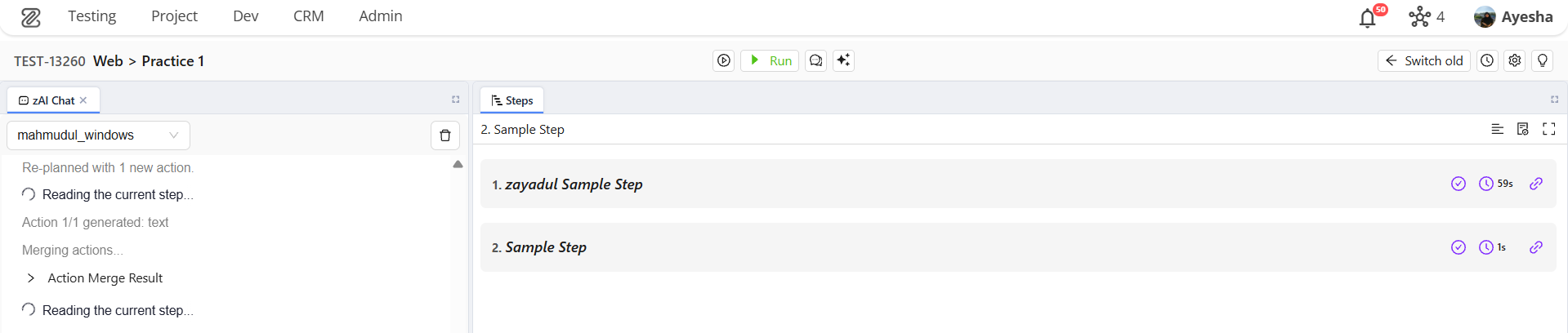
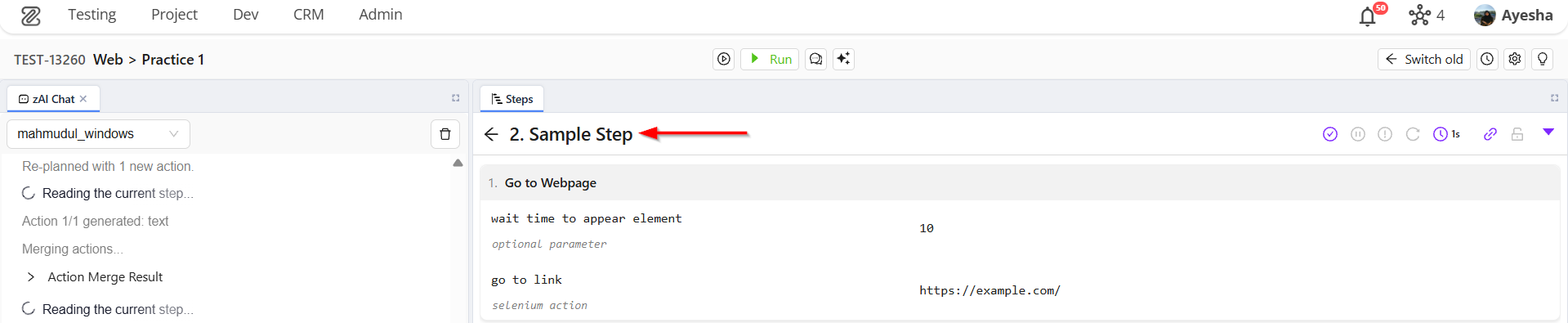
- When the user right-clicks the step and opens Step Versions, the current version will be visible. Since only one change has been made so far, only one version will appear. Users can also expand a version to review its complete details.
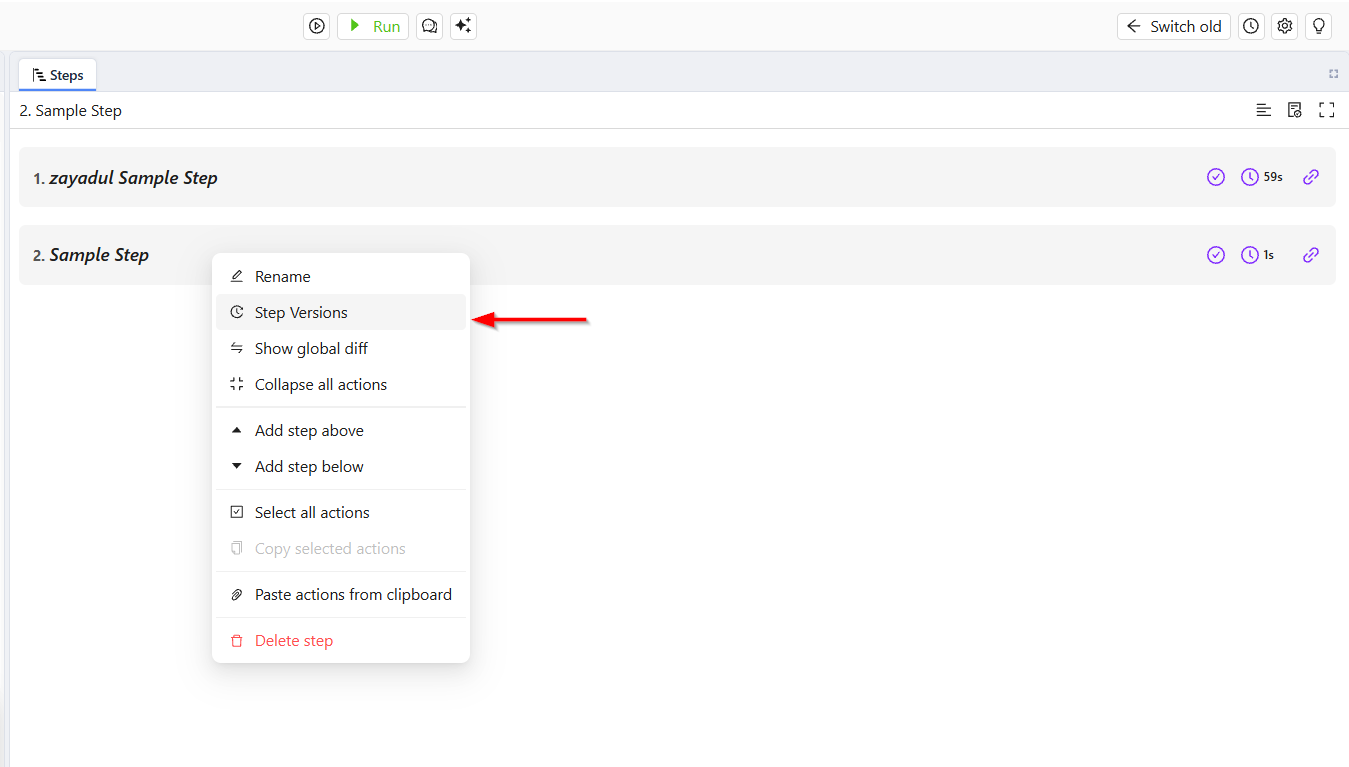
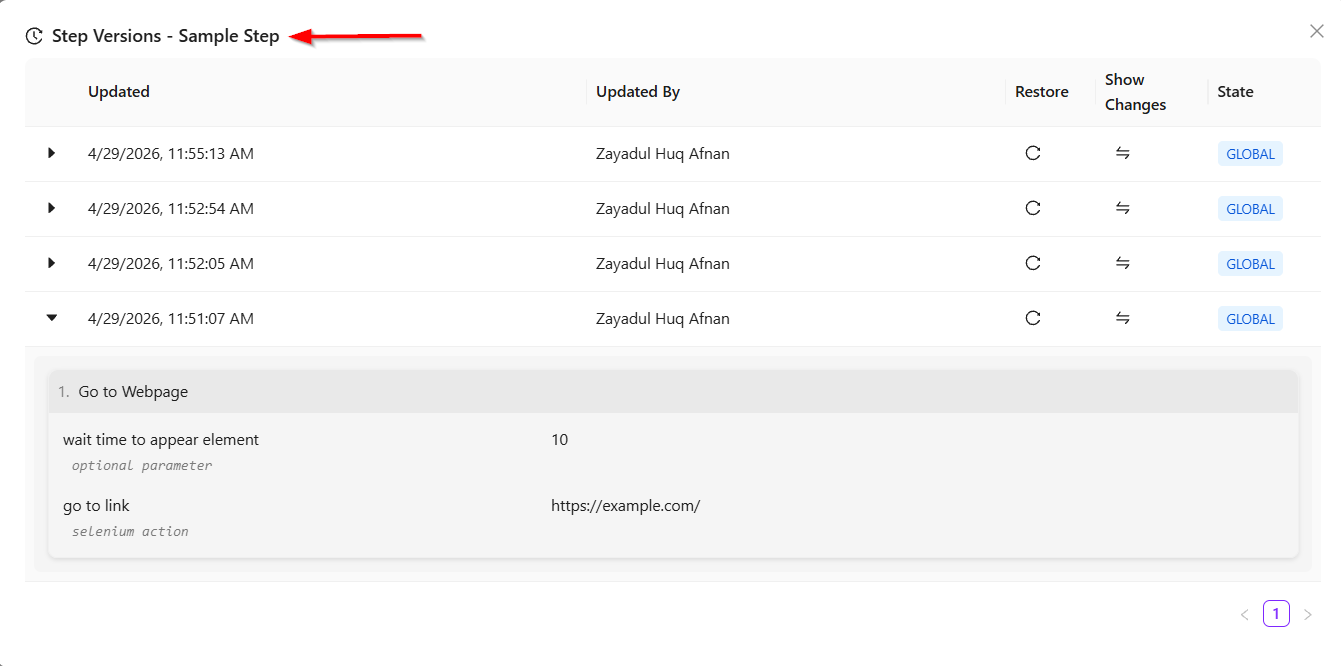
- Now, if another action is added, such as Enter Text, the step is modified. Because of this modification, a second version is created automatically. When the user opens Step Versions again, two versions will be available:
- The latest version containing Go to Webpage and Enter Text.
- The previous version containing only Go to Webpage.
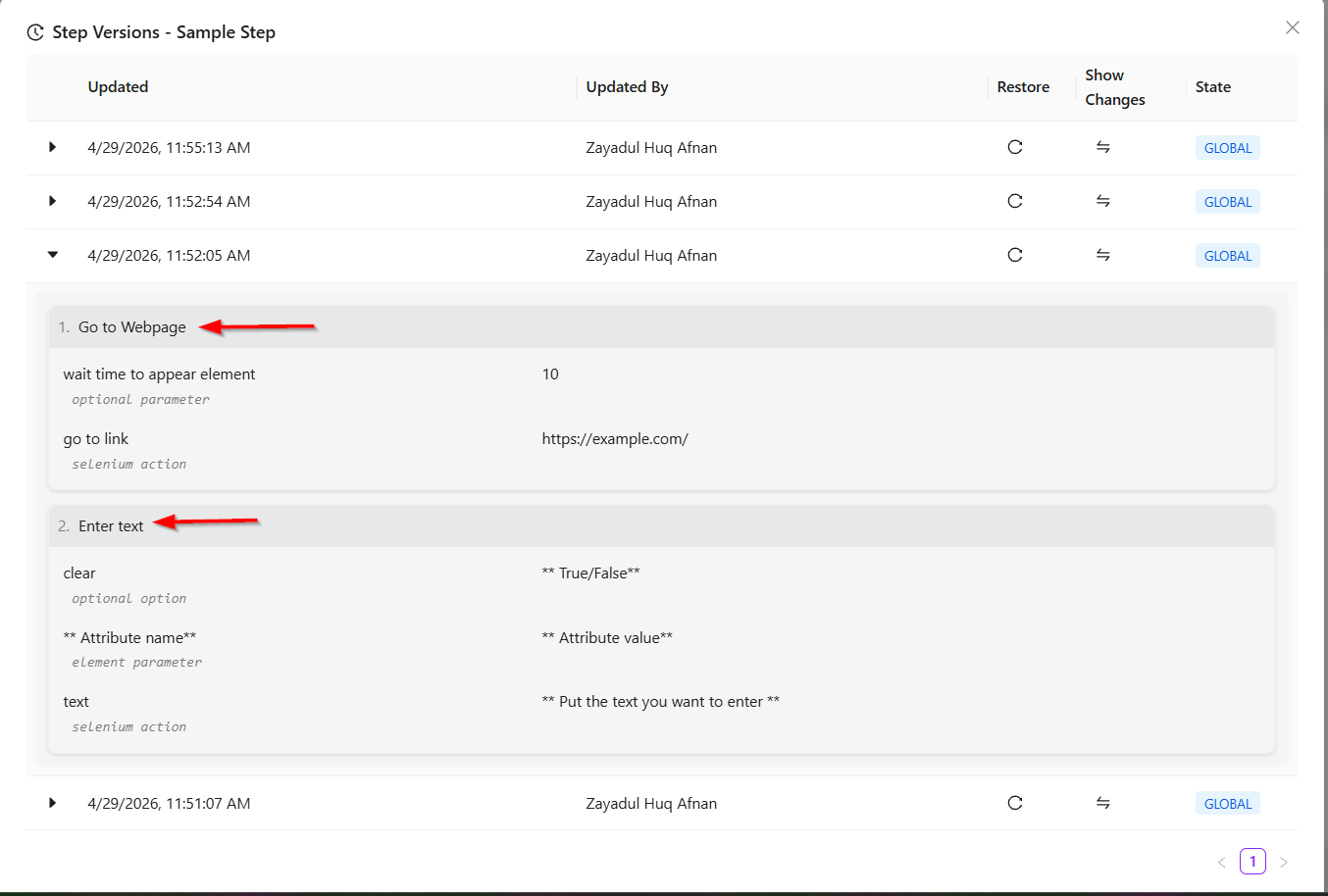
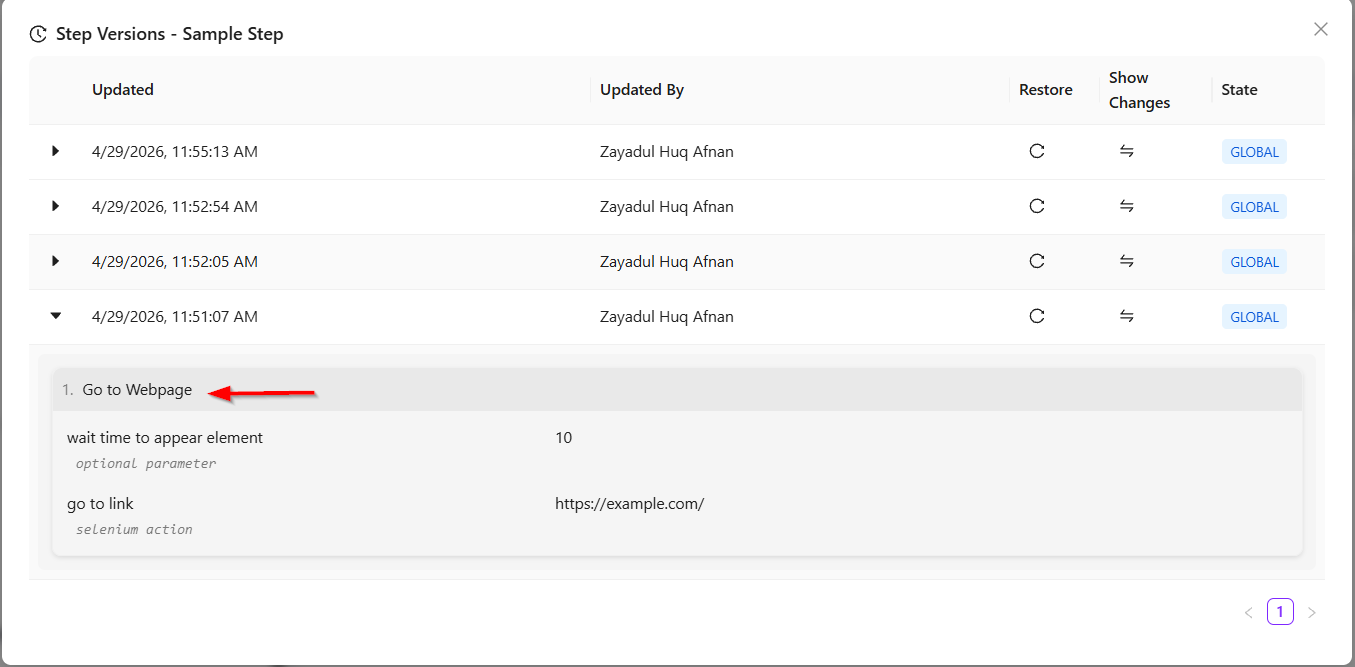
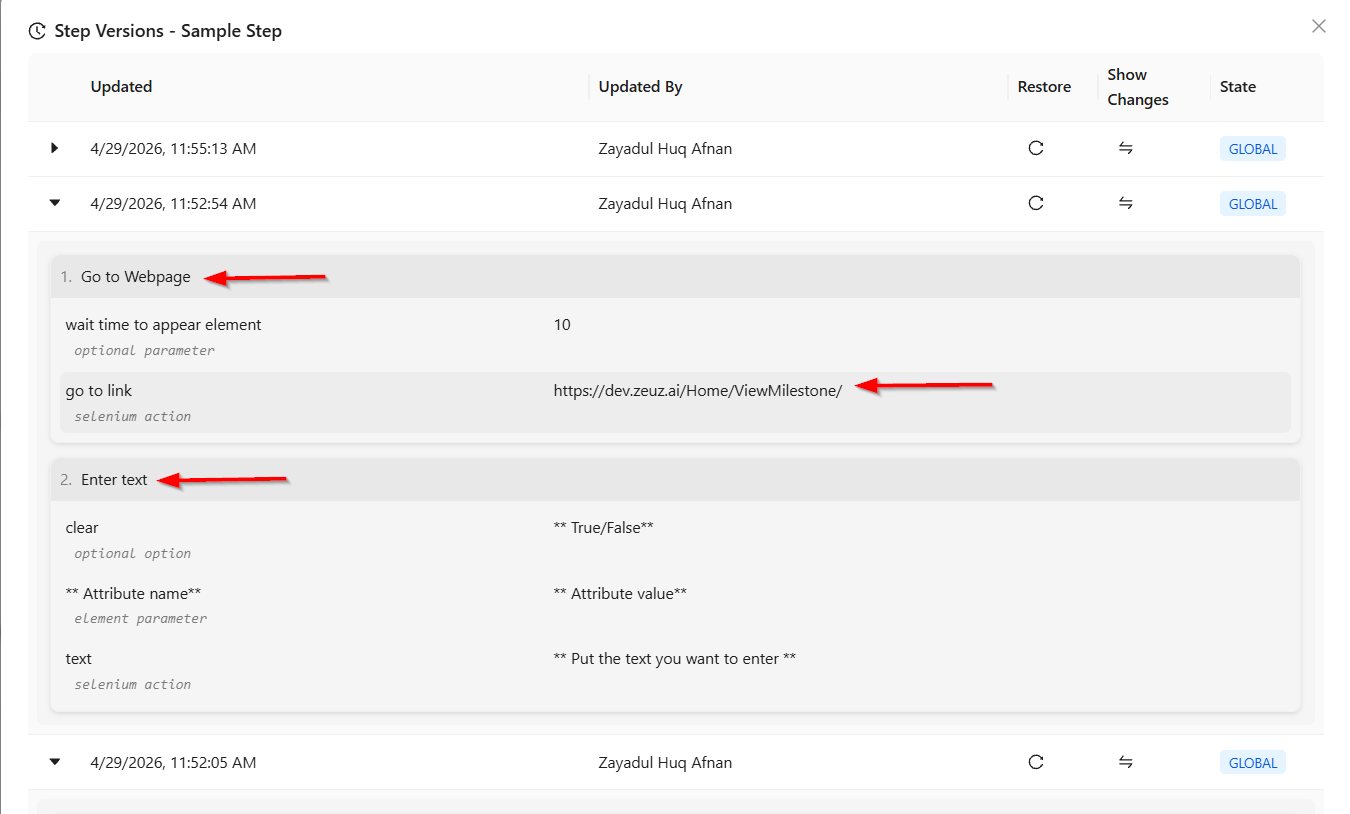
- Versioning is not limited to adding new actions. If an existing action is edited, such as changing the URL in Go to Webpage, another version will be created. For example:
- Version 1: Only Go to Webpage with the original URL.
- Version 2: Go to Webpage + Enter Text with the original URL.
- Version 3: Go to Webpage + Enter Text with the updated URL (for example, dev.zeuz.ai). This means every important edit or modification is stored as a separate version.
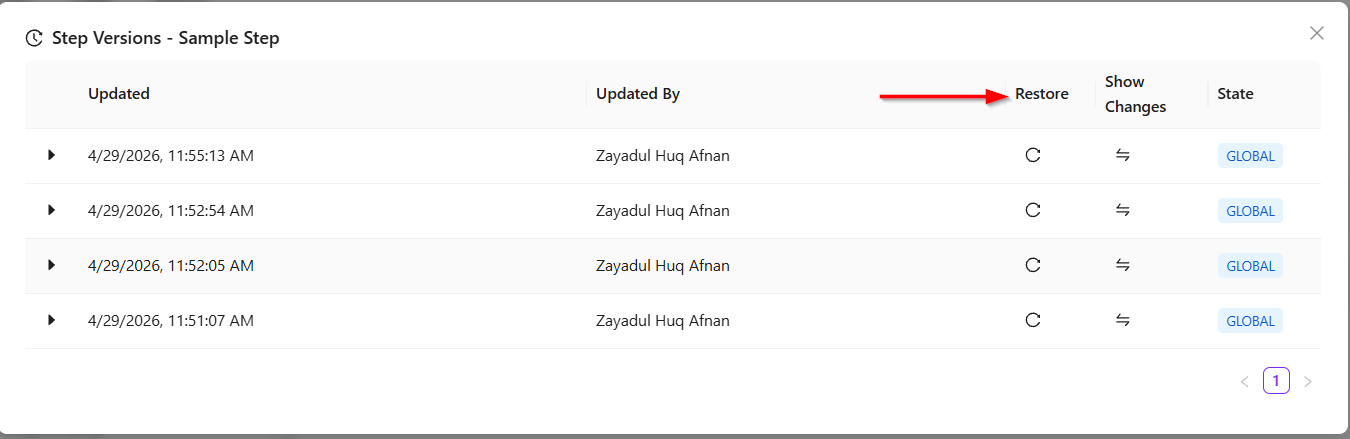
Restore previous versions
- Users can restore any earlier version whenever required. For example, if the current version contains:
- Go to Webpage
- Enter Text
- URL: dev.zeuz.ai
- But the user wants to return to the very first version where only Go to Webpage existed, they can simply click the Restore button beside that version. The selected version will then become the active version.
Show changes option
- The Show Changes feature compares the currently active version with another selected version. It highlights what has changed between the two versions, such as:
- Added actions
- Deleted actions
- Updated field values
- Replaced URLs or text.
- For example, it may show that the Enter Text action was removed or that the URL in Go to Webpage was replaced.
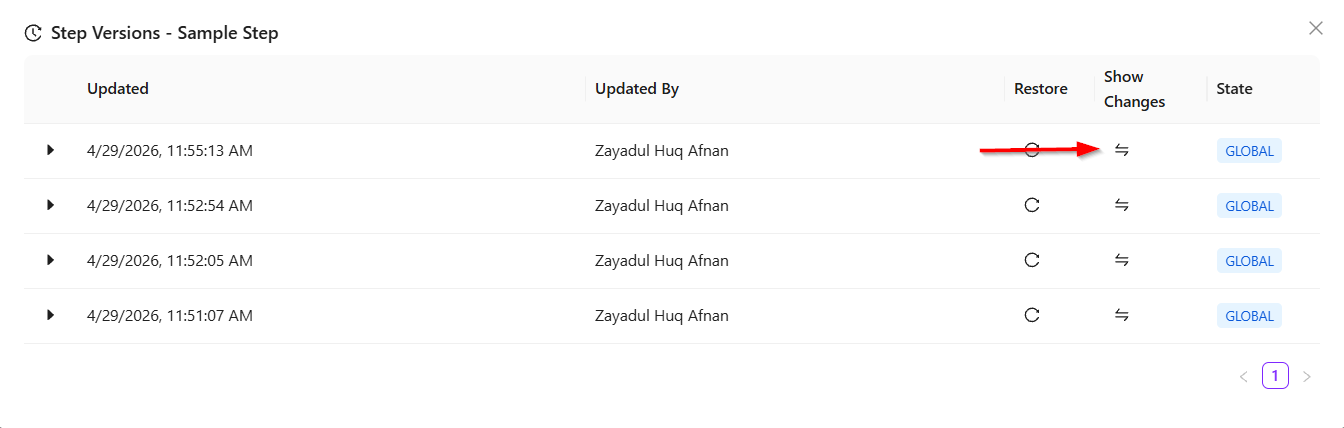
Additional features
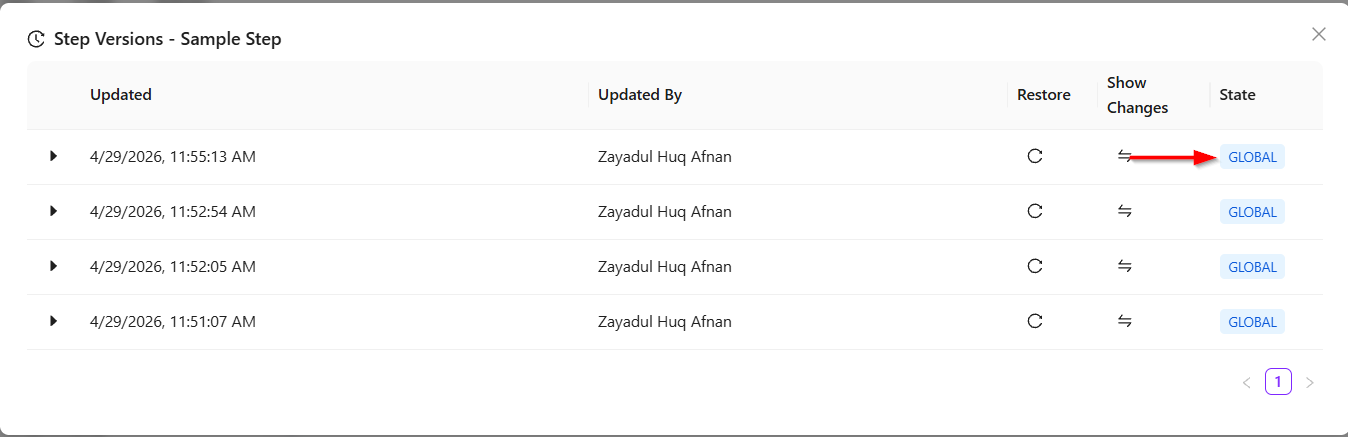
- Step Versioning also displays whether the step is a Global Step or a Local Step.
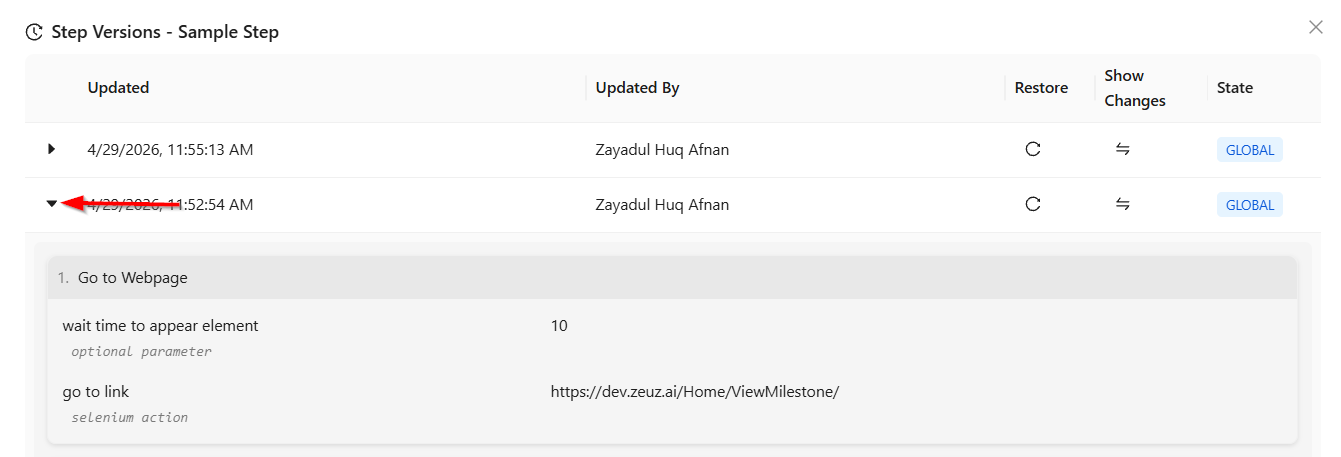
- By clicking the dropdown button, users can view the full details of that specific version.
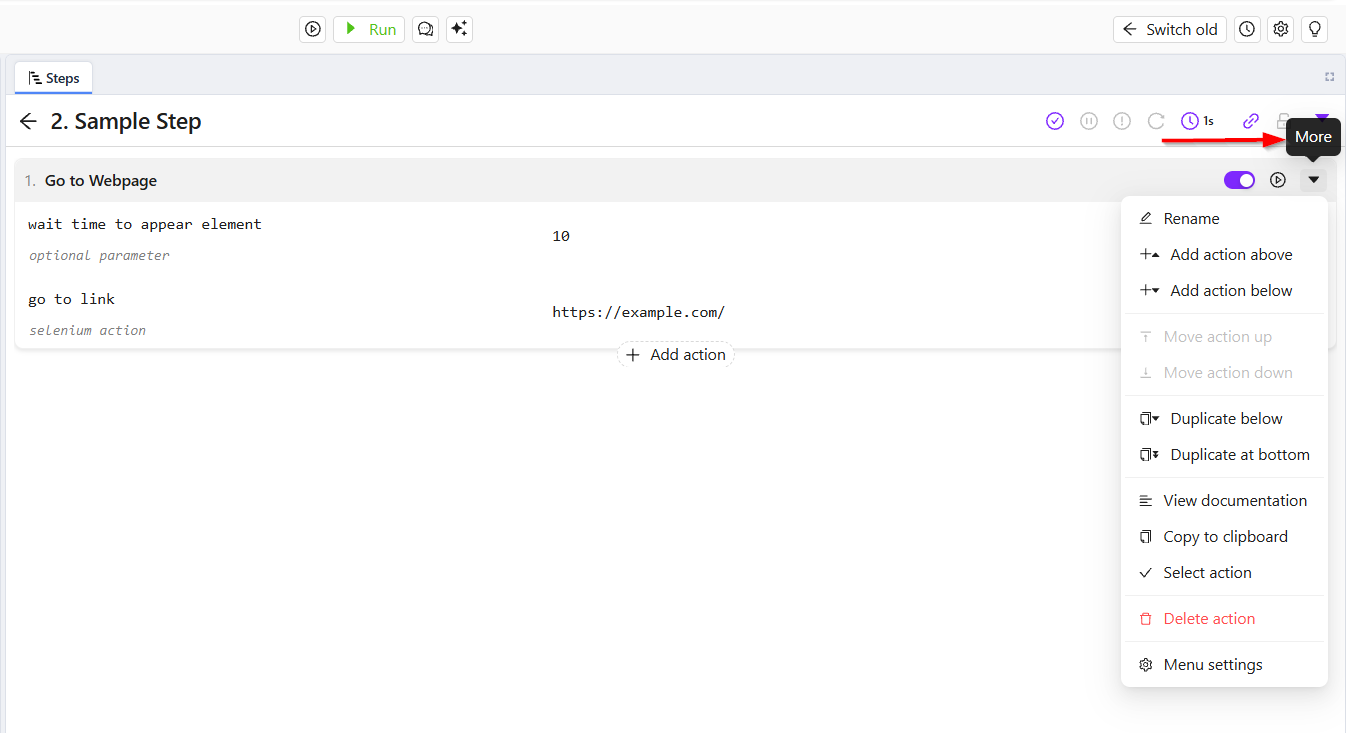
- Users can access these options either by:
- Right click on the step or click the More on the right most side when the step is expanded.
- Then click on the Step Versions option.
FAQs/ Troubleshooting
What is Step Versioning?
Step Versioning in ZeuZ is a mechanism that keeps track of every modification made to a test step. Each time a step is edited, a new version is automatically created, allowing users to review or restore previous versions.
Is Step Versioning available for both Local and Global steps?
Yes, Step Versioning is generally applicable to both Local and Global steps, ensuring consistent tracking across all types of steps in ZeuZ.
How many versions are maintained for a single step?
In the case of a test case step, up to 30 versions can be maintained.
Can a previous version of a step be restored?
Yes, ZeuZ allows users to revert to an earlier version if needed. This helps in recovering from incorrect changes.
Changelog
- Always available [20250518]