Linking a Team to a Project
Linking a Team to a Project means assigning a specific team to work on a particular project so that the team members can access and manage the test cases and executions, scheduler, project management, test history and related tasks within that project in ZeuZ.
In simple terms, it connects the team with the project, allowing the assigned members to collaborate, create, execute, and manage testing activities for that project.
Why it matters / Use Cases:
- Team Responsibility Assignment: Assigns a specific team to manage testing activities for a particular project.
- Controlled Project Access: Ensures that only the linked team members can access and work on the project.
- Organized Project Structure: Keeps projects structured by associating the correct teams with the appropriate projects.
Prerequisites
- Access to ZeuZ Server with permissions for Admin → Team & Project → Project List.
- The team that will be linked must already exist in the system.
- The team should have users assigned as members.
- The user must navigate to the Projects page to link the team with the specific project.
Quick-Start
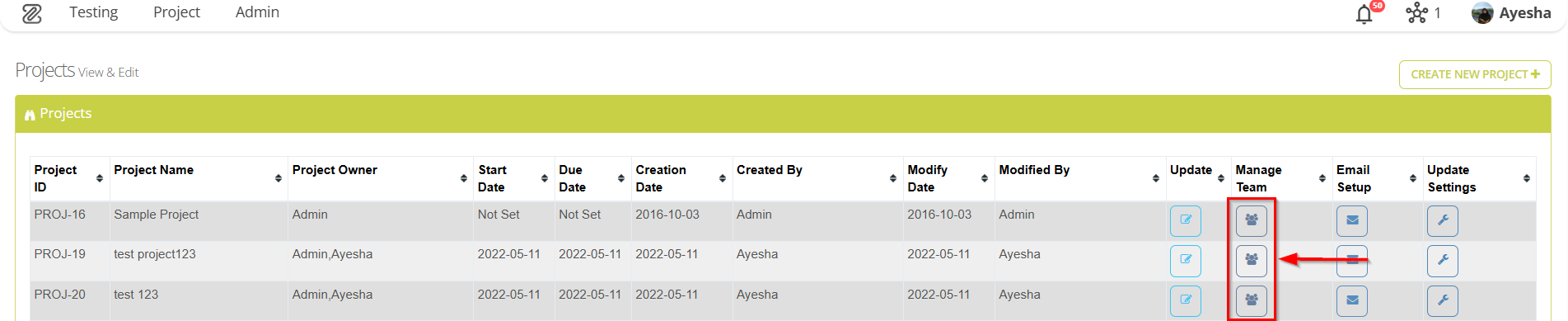
- Click on the Manage Team button available on the "Projects" page.
Features
- First, navigate to the Projects page by clicking the "Project List" option from the menu bar.


- Click the Manage Team button for the required project.
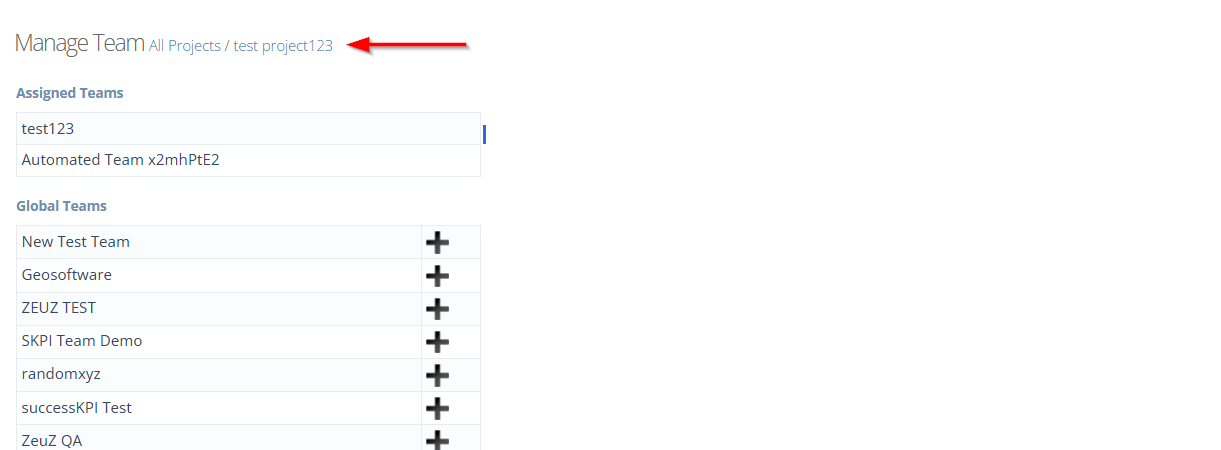
- Go to the Manage Team page.
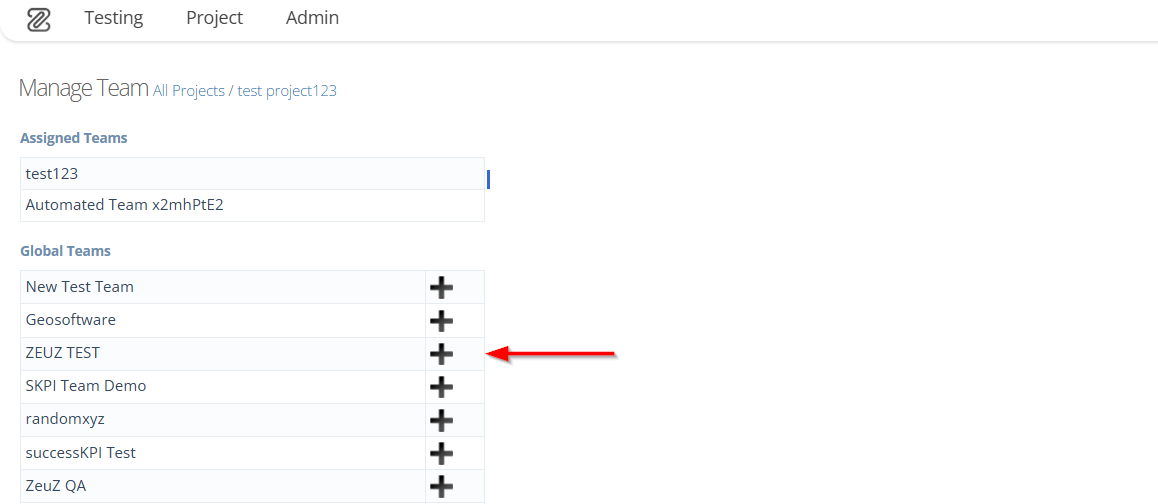
- To add a team, click the (+) sign next to the required team.
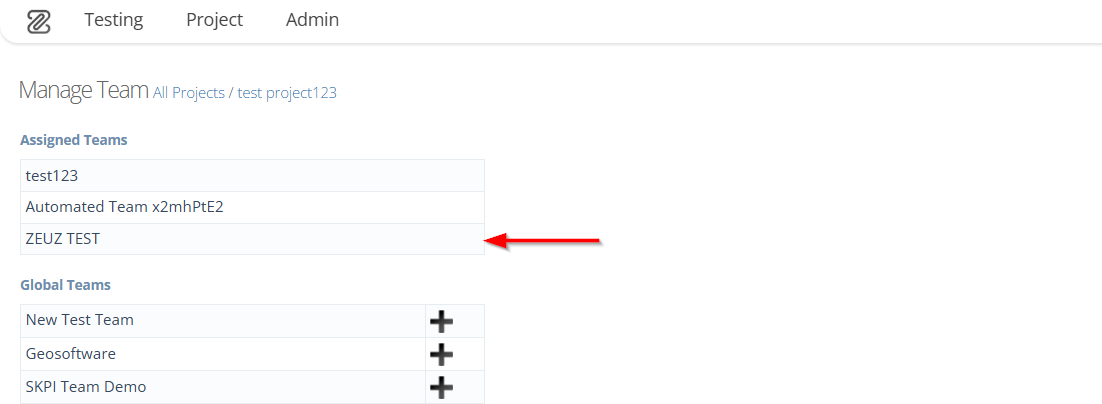
- The added team will be shown under the Assigned Teams section.
FAQs / Troubleshooting
FAQs
Can a team be linked to multiple projects?
Yes, a single team can be associated with multiple projects, depending on resource allocation and project requirements.
Do all team members get access to the project automatically?
When a team is linked to a project, all team members gain access according to their roles. However, for sections that require higher or restricted permissions, individual access may need to be adjusted seperately.
Can I remove a linked team from a project?
No, a team cannot be removed from a project once it has been linked.
Troubleshooting
- Team not showing in the project: Ensure that the team is created and active, and that the user has the required permissions to link teams.
- Unable to link a team: Verify that the user has the required permissions.
- Member cannot access the linked project: Ensure that the member is active, has the required role permissions, and the team is correctly linked to the project.
Changelog
- Always available.