Prerequisites
The Prerequisites feature is designed to help users visualize, manage, and control dependencies between test cases. A prerequisite is a test case that must exist or be considered before another test case can execute. While one test case may act as a prerequisite for multiple others, each test case can have only one direct prerequisite.
The purpose of this feature is to provide a high-level view of test case relationships, allowing teams to clearly understand the execution order, or "chain of command", within their automation suite and ensure reliable test execution.
Why it matters / Use Cases:
- Displays Prerequisite Test Case Links.
- Shows Test Case Dependencies for Execution Planning.
- Centralized Prerequisite Management.
Prerequisites
- Access to ZeuZ Server with permissions for Testing → Deployments → Prerequisites.
- To view the Prerequisites, a Test Set with one or more Test Cases, or a Test Case must be available.
Quick-Start
- Search for a test case or test set by typing its ID or name in the search bar.
Features
Prerequisites page
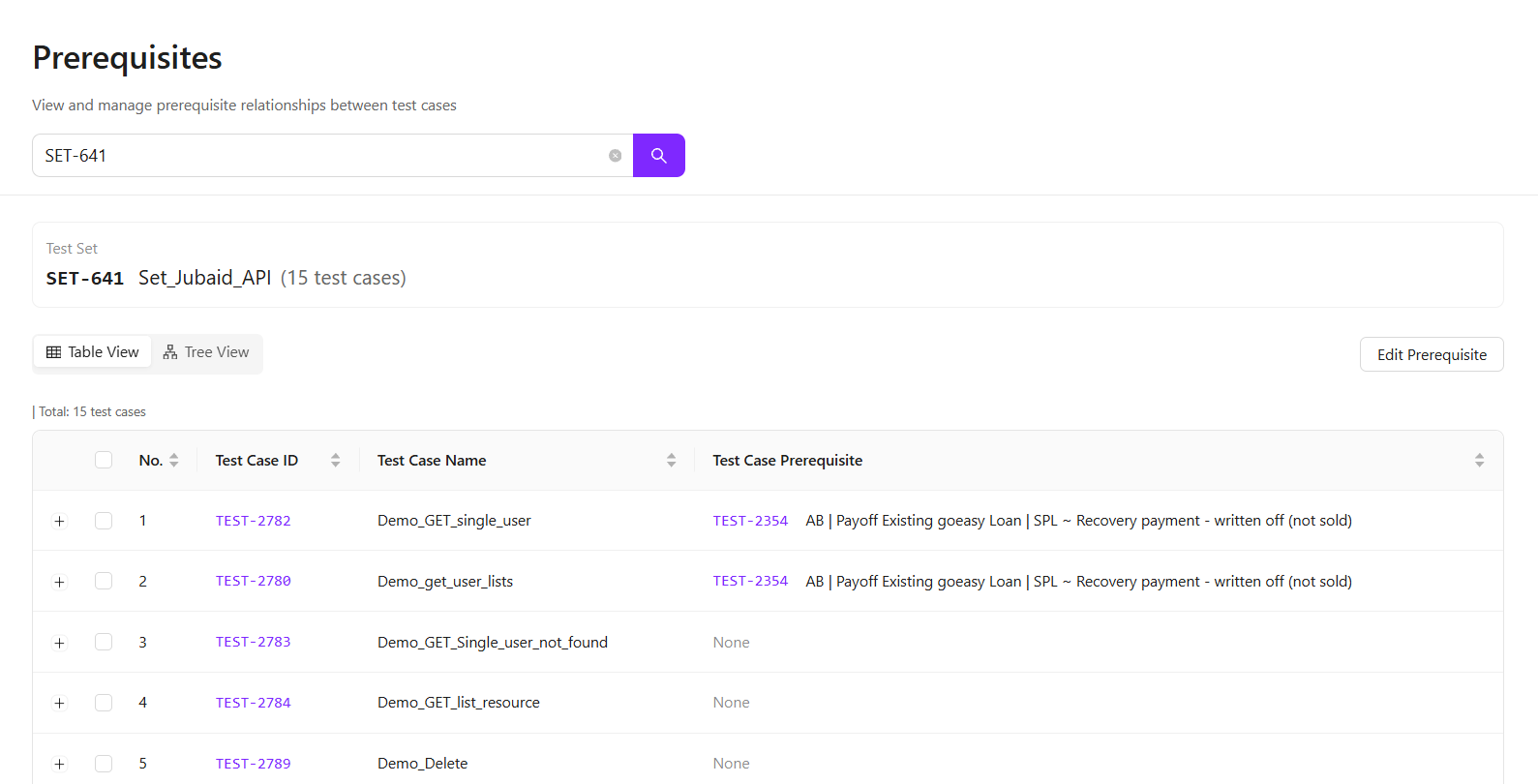
- When you first access the Prerequisites page, a central search bar appears.
- Search and Filter: You can find your data by entering the Name or ID of a specific Test Case or an entire Test Set.
- Loading Results: After selecting an item, the system automatically displays the relevant data in Table View.
Viewing dependencies
- You can switch between Table View and Tree View to analyze test case dependencies.
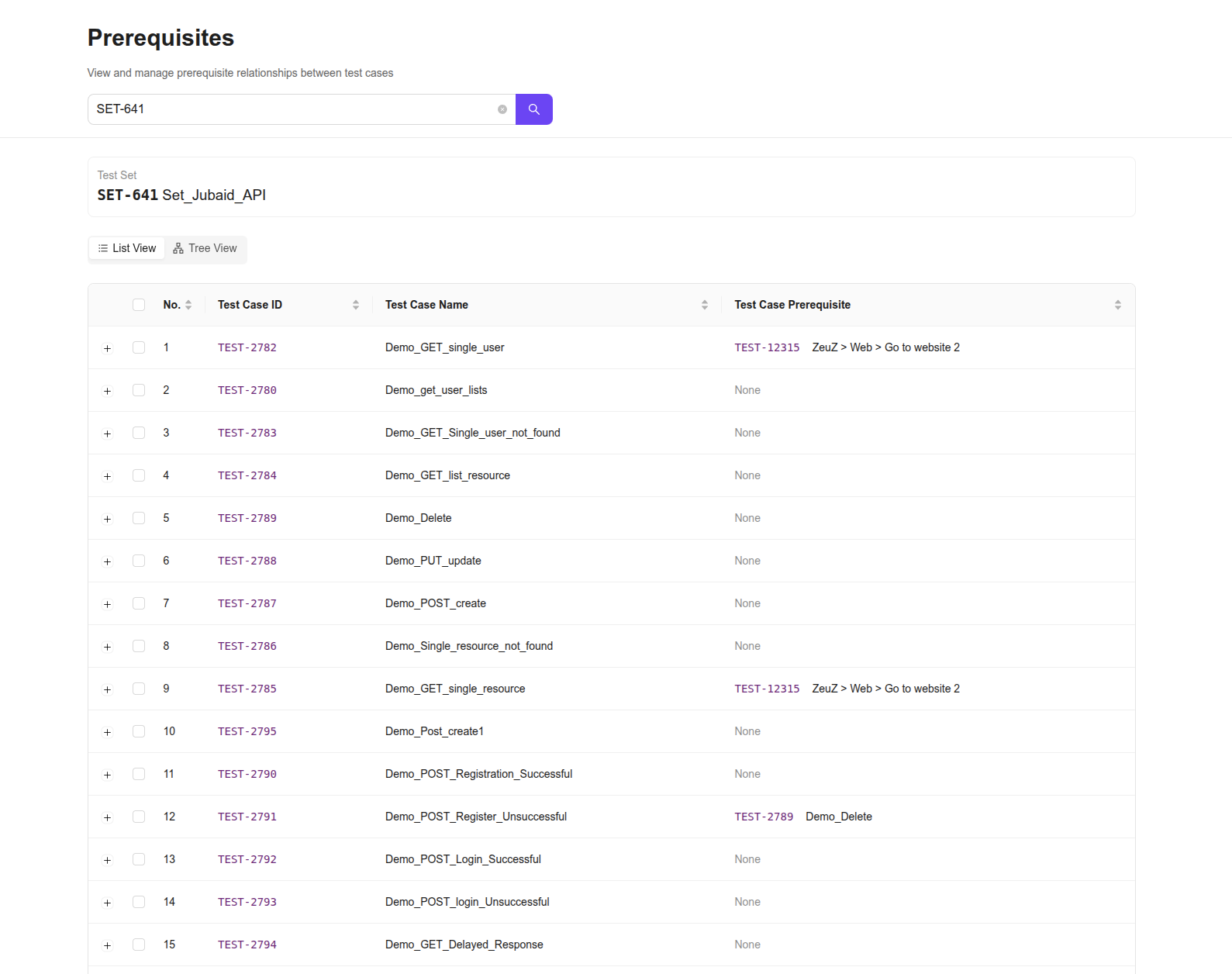
Table View- The Table View is ideal for reviewing test cases in a detailed, row-by-row format.
- Prerequisite Column: Dependencies can be identified at a glance, where independent test cases display “None” and dependent test cases show the ID and Name of the required test case.
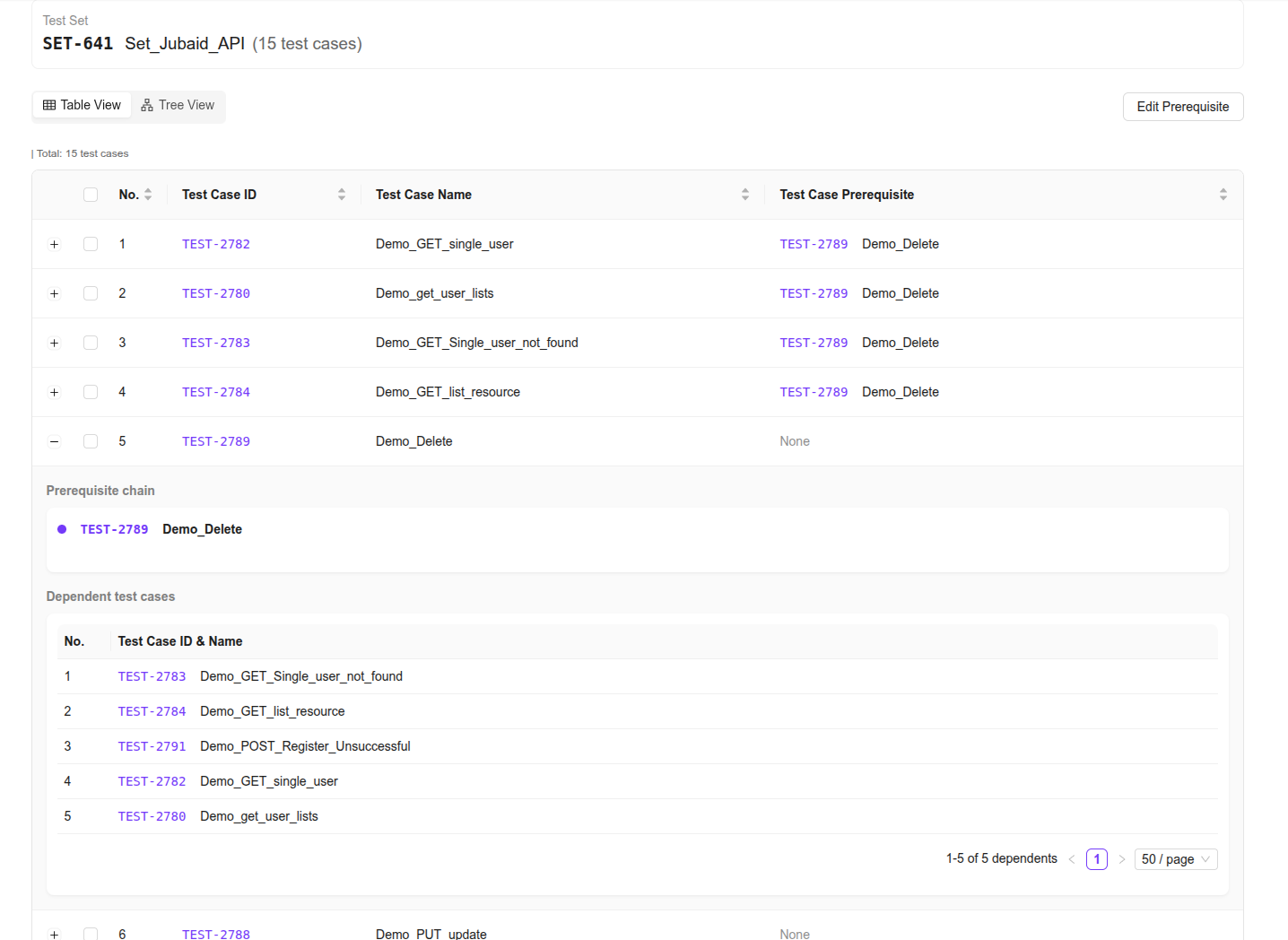
- Expandable Rows: Click the plus (+) icon on the left side of a row to view detailed information.
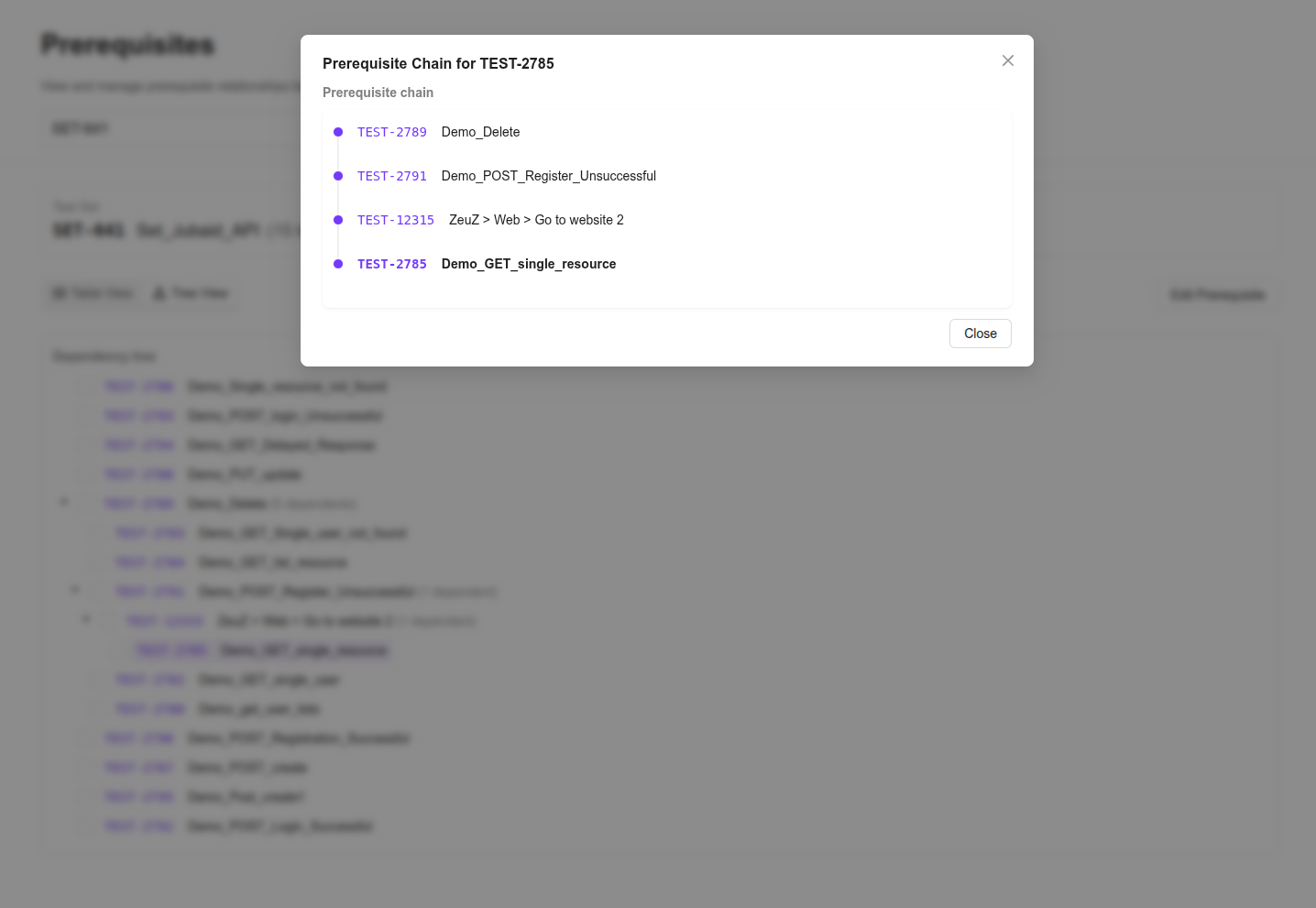
- Prerequisite Chain: A vertical map displays the ancestor test cases, where if TEST-12315 depends on TEST-2782, TEST-2782 appears above it in the hierarchy.
- Dependent Test Case: A list showing all other test cases that depends on the current test case for execution.
- Navigation: It includes pagination controls and adjustable page sizes to efficiently manage large test sets.
- The Table View is ideal for reviewing test cases in a detailed, row-by-row format.
Tree View
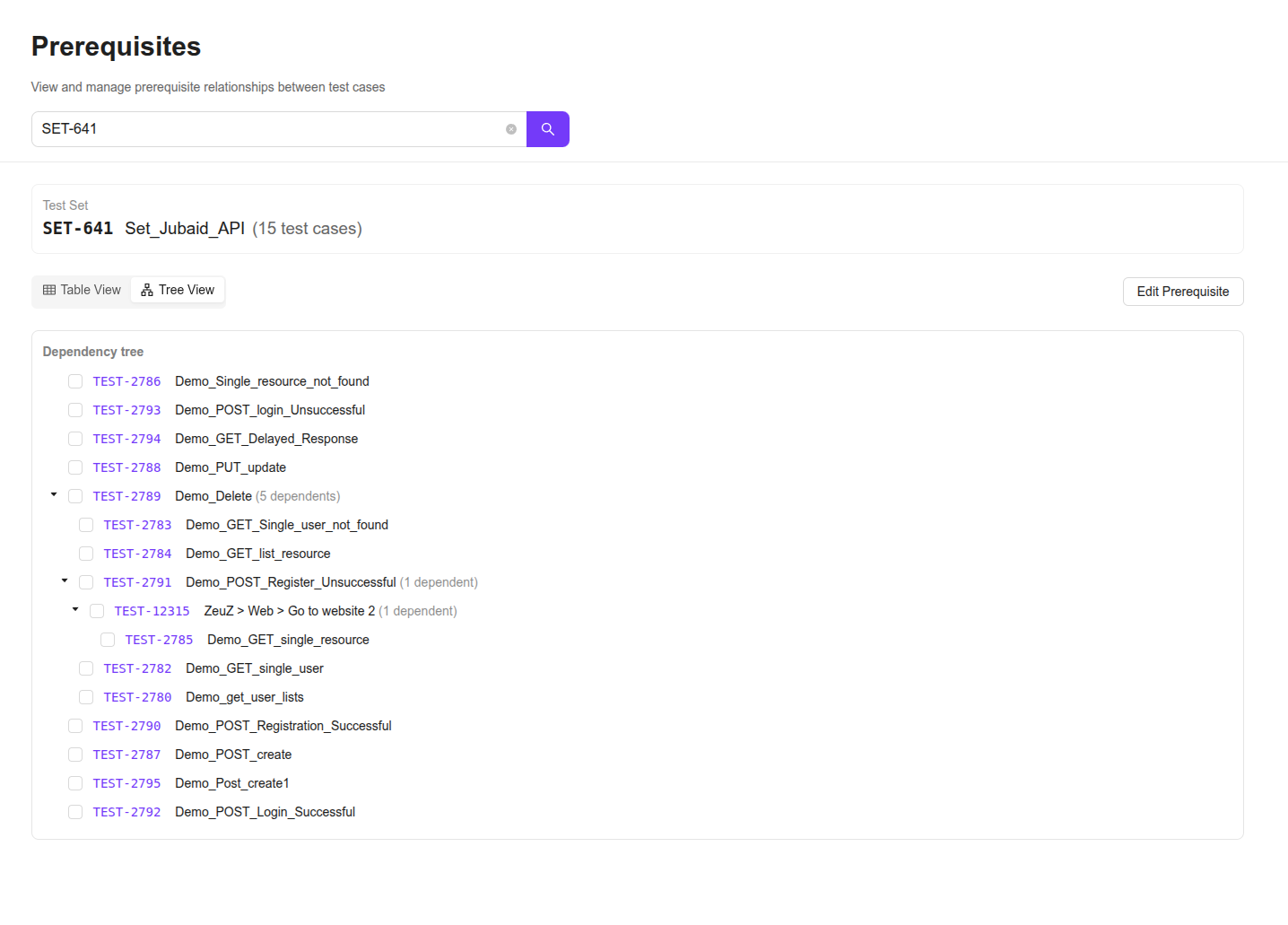
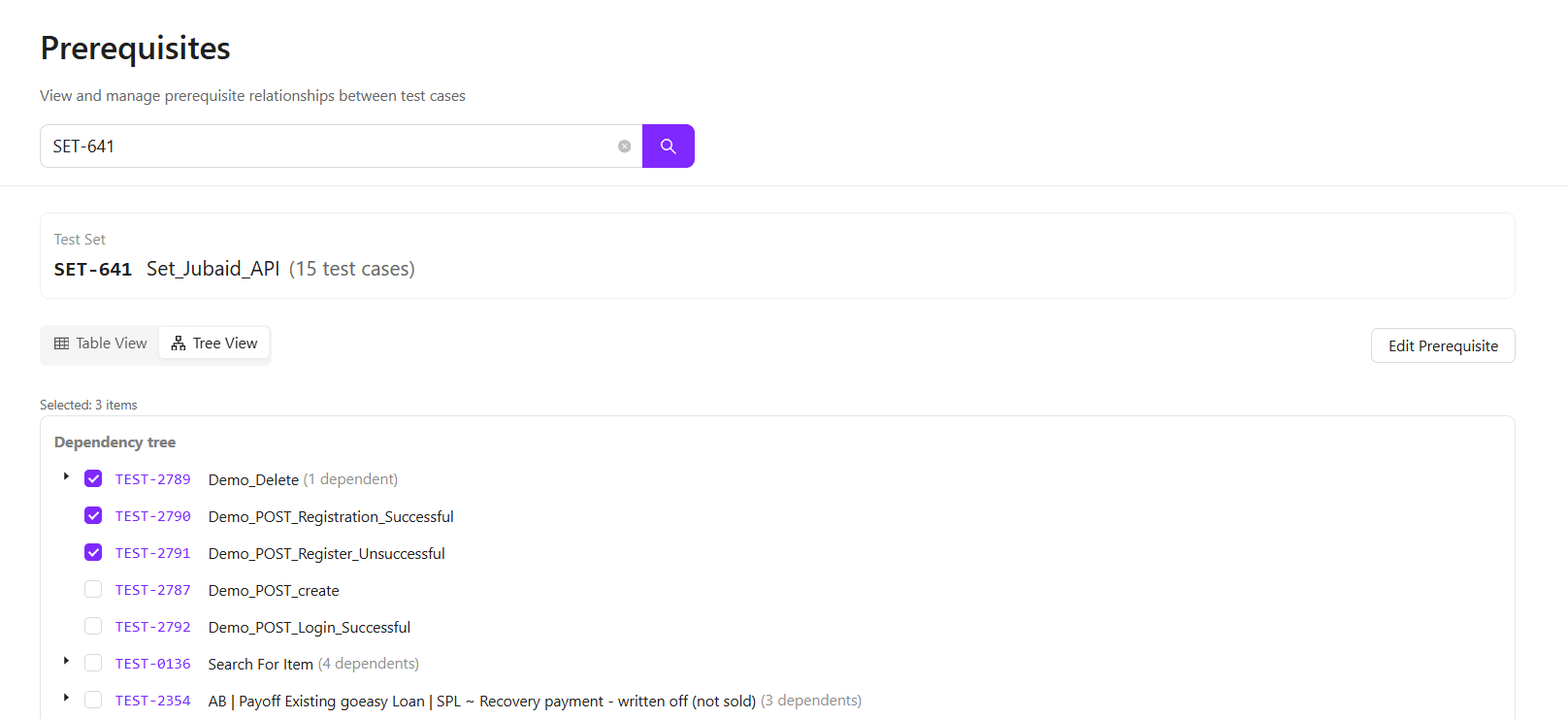
- The Tree View offers a visual directory-style layout that helps users quickly understand complex dependency hierarchies.
- Visual Indentation: Prerequisites act as "Parent" nodes. Any test case nested underneath is a "Child" that depends on that parent.
- Structural Clarity: This view resembles a file folder structure, making it easier to understand how a single change can affect multiple dependent test cases.
- Prerequisite Chain: Clicking any node in the tree displays the prerequisite hierarchy of that specific test case, similar to what is shown in the Table View.
Managing Prerequisites (Bulk Editing)
-
The interface enables updating dependencies for multiple test cases at once, saving time and minimizing manual errors.
How to Edit:- Select: Select the test cases using the checkboxes available in the Table or Tree view.
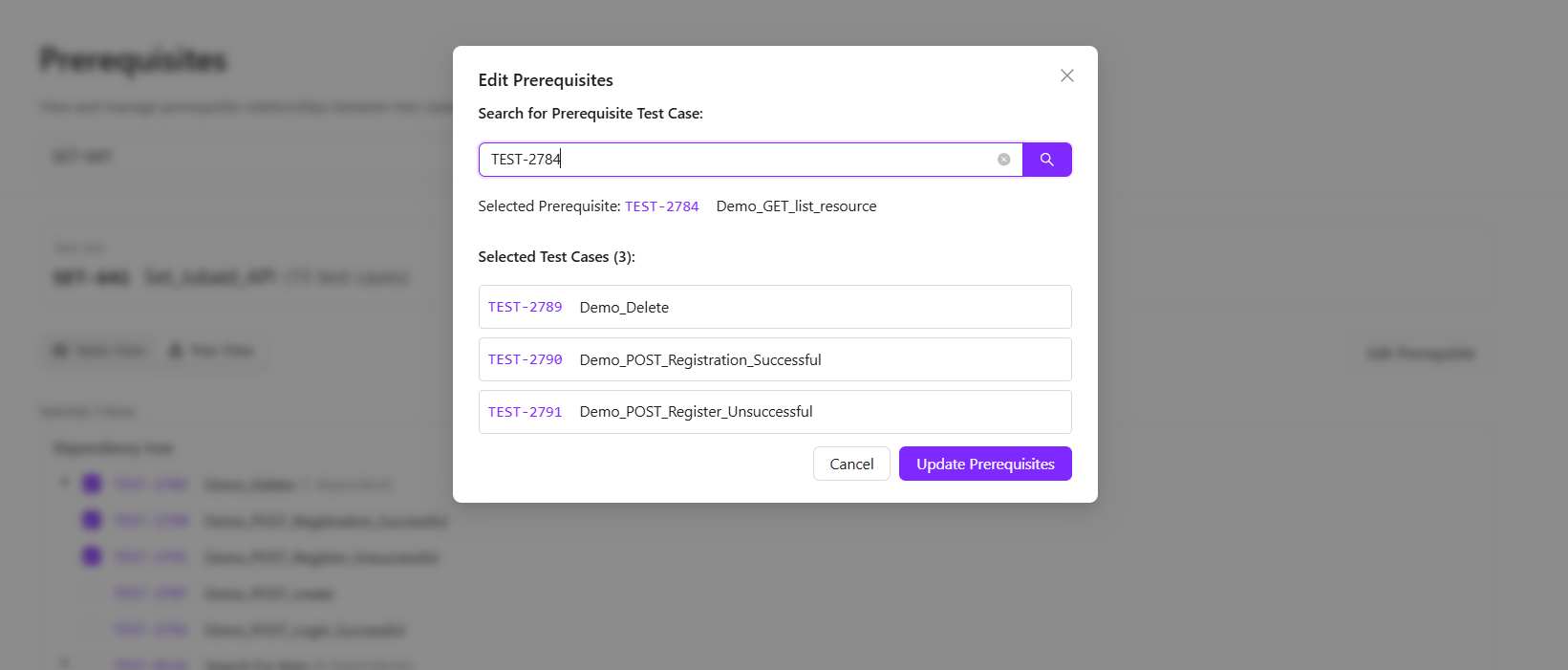
- Open Editor: Click the Edit Prerequisite button to open a window displaying all the selected test cases.
- Assign New Prerequisite: Use the search bar in the pop-up window to locate the test case you want to assign as the new prerequisite.
- Confirm: Click Update Prerequisites to bulk-assign the selected test case as the prerequisite for all checked items.
FAQs / Troubleshooting
FAQs
Can I assign a single prerequisite to multiple test cases at once?
Yes, the feature allows assigning a single prerequisite to multiple selected test cases at once.
Can I search for prerequisites across all test sets?
Yes, the search functionality lets you find test cases within the current context or across test sets, depending on your view.
What happens if a prerequisite is removed?
Removing a prerequisite does not delete the test case; it only removes the dependency link.
Troubleshooting
- Prerequisite not updating: Ensure that the test cases are selected and the "Update Prerequisites" button is clicked. Refresh the view if needed.
- Circular dependency error: This occurs when a test case is assigned as a prerequisite to one of its parent test cases. Modify the selections to eliminate the dependency cycle.
Changelog
- New Prerequisites Management Page: Visual table and tree views for dependency tracking, intelligent search, and bulk prerequisite editing [202602]