Milestone Planning
Milestone Planning feature allows teams to filter and move tickets from a large backlog into a sprint milestone with tracked capacity and weekly POD capacity.
Why it matters / Use Cases:
- Organizes Work Efficiently: Moves tasks from the backlog into planned milestones, making work structured and easier to manage.
- Improves Sprint and Release Planning: Helps teams plan work for specific sprints, milestones, or release deadlines.
- Tracks Team Capacity: Shows used time, remaining hours, and total capacity to prevent overloading the team.
- Provides Progress Visibility: Displays milestone status, ticket counts, and completion progress for quick monitoring.
- Supports Better Prioritization: Ensures high-priority tasks are planned first within the milestone timeline.
- Reduces Project Delays: Early visibility of workload and progress helps teams take action before deadlines are missed.
- Enhances Team Coordination: Everyone clearly understands what tasks are planned and what remains in backlog.
- Improves Accountability and Reporting: Milestones provide measurable checkpoints for management updates and performance tracking.
Prerequisites
- Access to ZeuZ Server with permissions for Project → View → Milestone Planning.
Features
- In milestone planning, multiple activities can be performed to organize and distribute work effectively across different milestones.
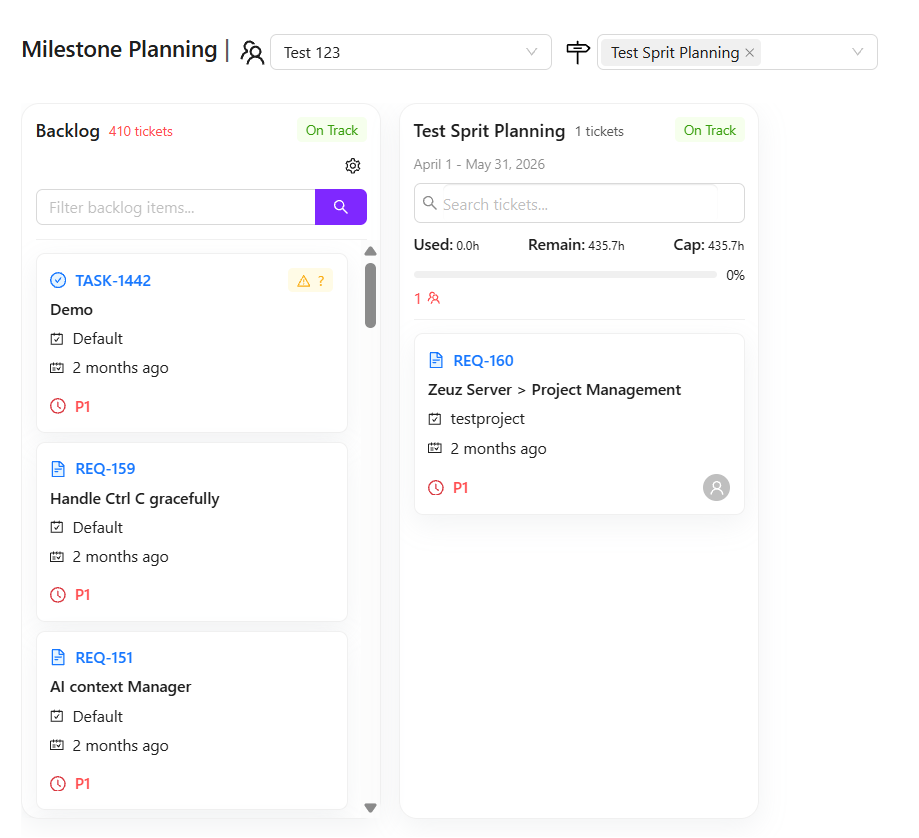
- During milestone planning, two main fields are available. First, the existing pods can be selected. Second, the milestones on which work will be performed can also be selected. For example, a new milestone named Test Sprit Planning can be created to manage specific tasks.
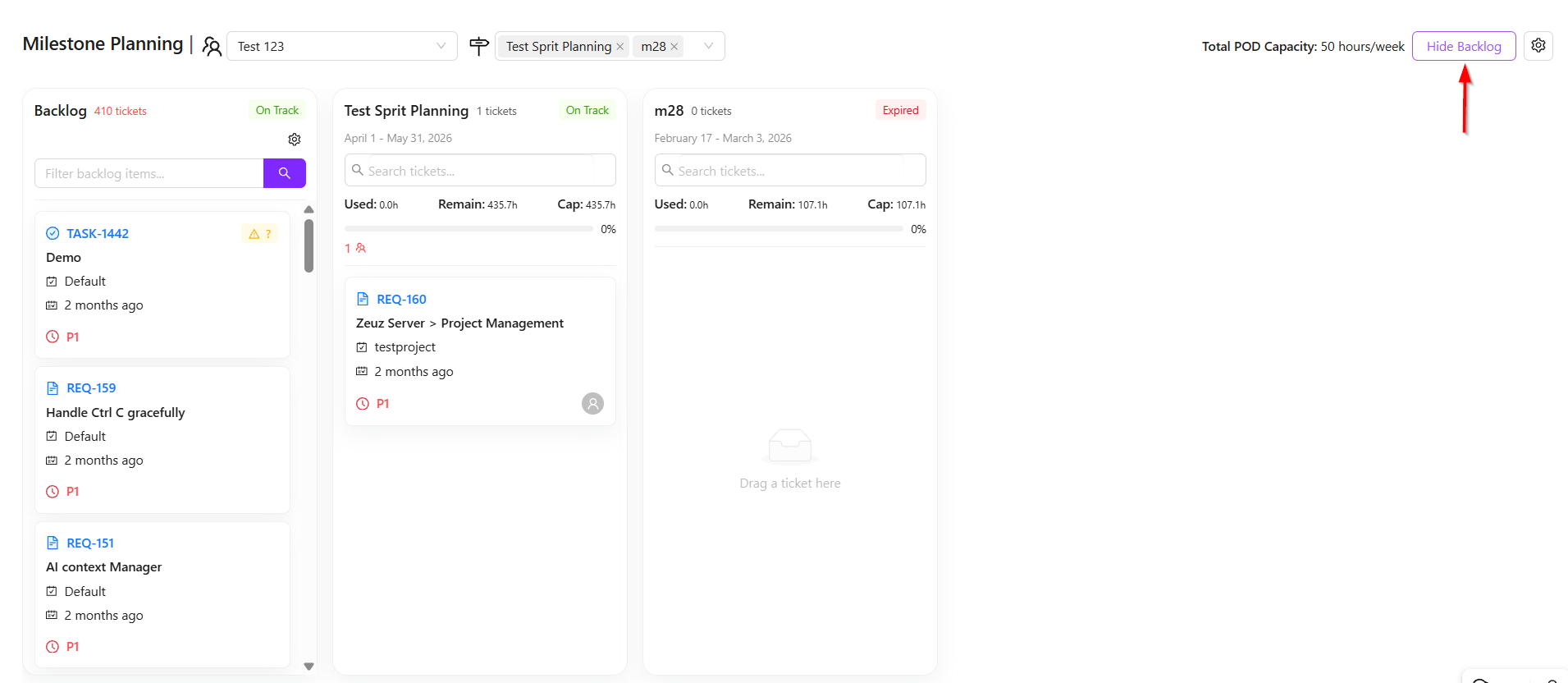
- In this section, the backlog can be either hidden or displayed depending on the requirement. The backlog contains all available tasks, including both completed and pending items. Additionally, upcoming milestones, such as one starting tomorrow, can also be viewed. For instance, if an existing milestone like m28 is currently in progress, work can still be planned for the upcoming milestone.
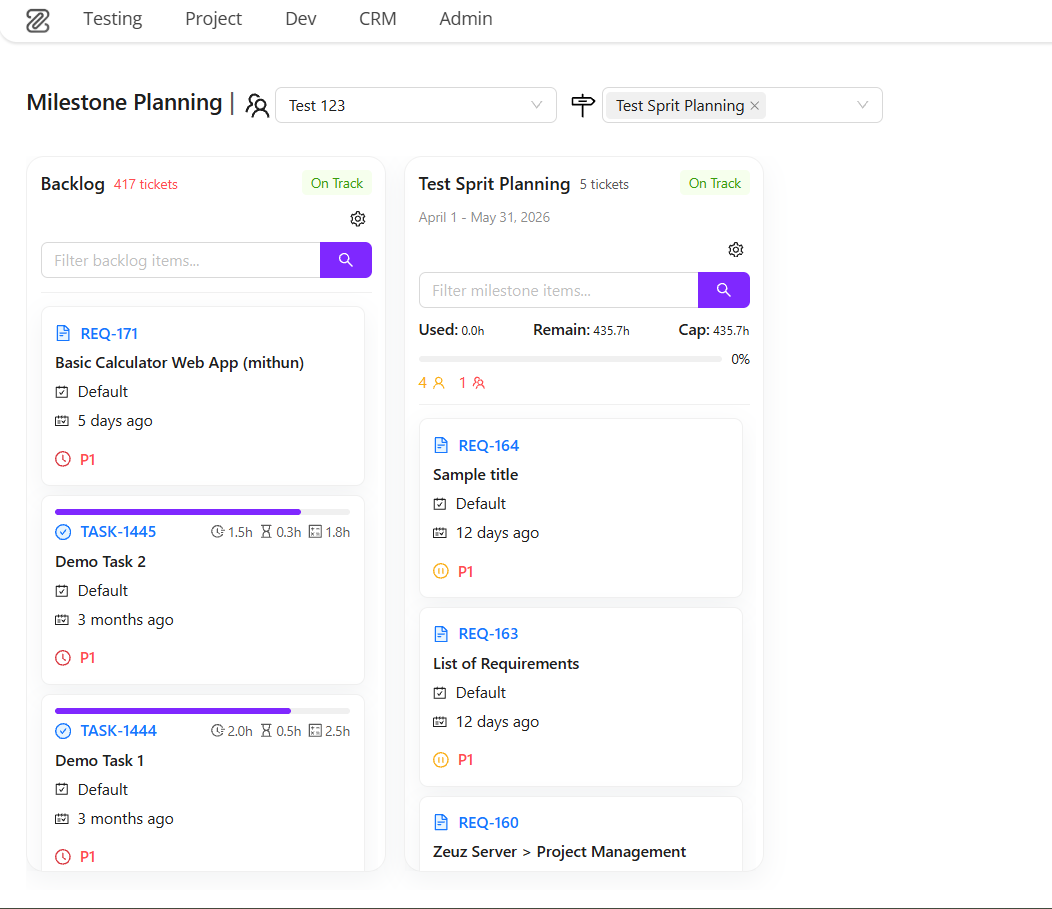
- Tasks can be added to the current or upcoming milestone based on priority. Important tasks from the backlog can be selected and moved into a new milestone using a simple drag-and-drop functionality. Similarly, if a task was previously assigned to an earlier milestone but remains incomplete, it can also be moved to the new milestone.
- This process allows tasks to be distributed effectively across milestones. Once all tasks are moved into the Test Sprit Planning milestone, an overall view of the milestone can be reviewed. For this, navigation to the Sprint View page is required, where the complete status and flow of tasks can be analyzed.
Changelog
- Now fully launched! Previously in beta, this update streamlines ticket creation with auto-populated details for a faster, one-click experience. Includes Version/Milestone creation and a versatile new link component. [202603]
Related Topics
- Milestones
- [Project management]